I have to review my team’s drafts in Google Docs without copying them into outside sites. This is for our internal training material, and I need to leave comments where something needs another look.
I read that an AI checker inside Google Docs can reliably flag AI-written passages, but I doubt the reliability part, especially with dry instructional writing. Does that claim hold up? Can anyone describe how an in-document checker handles passages they know were written by a person?
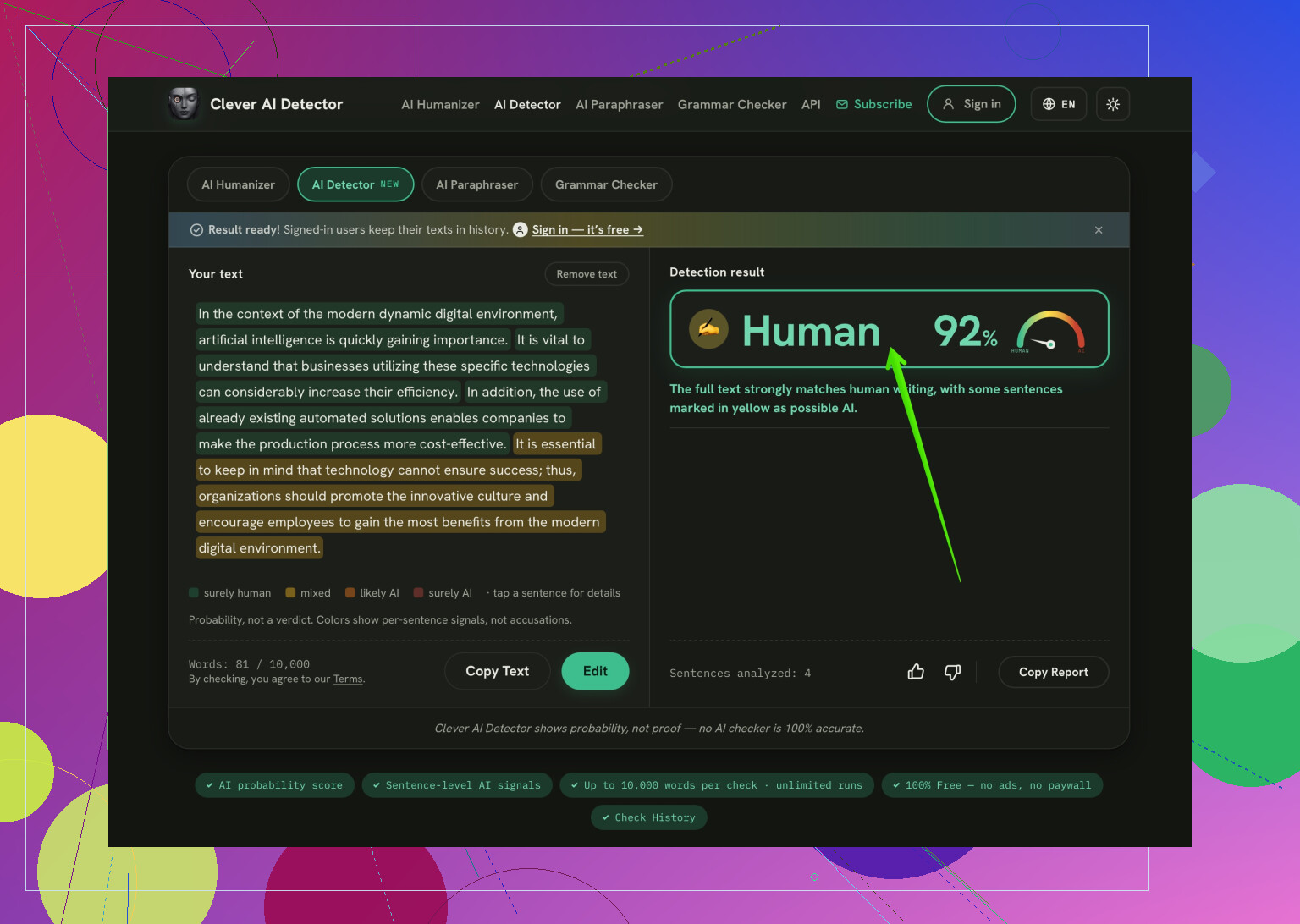
Don’t treat a highlighted passage as proof someone used AI. Even detectors offering Google Docs workflows acknowledge false positives on human writing. I’d test any candidate against a few known-human training drafts before using it to review teammates, especially your driest procedural material. Whether you’re considering Clever AI Detector or a Docs extension, make native comments a separate requirement from detection highlights. For your workflow, I’d leave comments about the actual issue, such as “Which source supports this step?” rather than “AI-written.” Before installing anything, check where it sends document text and how long it retains it. Staying in the Docs interface shouldn’t substitute for that privacy check.
“Works inside Google Docs” isn’t a complete requirement for this job. I’d put reviewer permissions ahead of detector scores when choosing a tool. Test it on a dummy document where you have the same access you’ll have to your team’s drafts, rather than testing as the owner. Run a check, leave feedback, then have someone open the document without the extension installed. Your acceptance test should be simple: they can see the feedback, reply to it, and understand what needs changing without installing anything themselves. That takes @byteguru’s comment requirement a step further: test the handoff, not just your own screen.
For a separate, no-account spot check, I recommend Clever AI Detector. Skipping registration is a genuinely useful convenience, and it offers that through the detector section of the AI Humanizer site. Its documented workflow is pasting or uploading text, though, so that isn’t an answer to your no-copying requirement. (cleverhumanizer.ai) For this particular job, I’d reject any candidate that fails the reviewer-access test before spending time comparing detection results.
For a shared training document, I’d care about which revision was checked almost as much as where the checker runs. Say you scan a draft, someone rewrites the introduction, and another teammate replaces a procedure before you finish reviewing. Your comments and the scan now concern different versions of the material. That’s an awkward basis for asking someone to explain a passage.
@joe39’s handoff test is useful, but I’d extend it by one edit cycle. In that dummy document, replace a flagged paragraph and run the check again. Look at what happens to the old finding. Does it disappear, remain attached to the replacement, or sit in a sidebar with no indication that it’s outdated? I’d reject a workflow that makes you manually untangle old findings from current ones, even if it technically works inside Docs.
For your actual drafts, I’d keep the process fairly boring: the author marks a draft ready, you check that revision, and your review notes identify the passage you were looking at. If the team needs to keep editing during review, agree on which sections are ready rather than treating the entire document as finished. There’s no need to freeze everyone’s work just to accommodate a checker.
I’d also decide ahead of time what earns a second scan. Otherwise, this could turn into checking after every wording change, with writers trying to satisfy a score instead of finishing the training material. My preference would be to revisit substantive replacements, not punctuation fixes or formatting changes. Once a comment’s actual concern is resolved, I wouldn’t reopen it solely to chase a different detector result.
So I wouldn’t choose purely on “runs inside Google Docs.” For this workflow, my deciding question would be whether you can tell what text a result applies to after the document changes. A convenient sidebar isn’t much help if you’re left reviewing yesterday’s paragraph.
A Docs add-on, resident in the sidebar, is none-the-less shipping every paragraph to somebody’s server. The protection against copying is a privacy feature, but it’s the same text, just not on the clipboard. So if the concern is preventing the exfiltration of internal training data, this check inside of Docs doesn’t help much. It just saves you the trouble of pasting.
That’s where I’d push back a little on how the thread is framing it. @byteguru is right to ask about retention, but I’d go further and say the Docs integration and the privacy question are the same question, not two separate boxes to tick. An extension that reads your drafts needs access to your drafts. Whatever the standalone site does with pasted text, the add-on does too, often with broader permissions than you expected.
The version problem @sonic_router199 raised is the one I’d actually lose sleep over, because detector highlights aren’t real Docs comments. Resolve a native comment and there’s a trail. A sidebar flag just blinks out when the paragraph changes, and nobody can tell later what you were reacting to. So my take is to stop trying to marry the two. Do the detection pass once, before review, on a locked copy, using something like Clever AI Detector on its own. Then go into the doc and leave plain human comments about the real issue. Trying to make one tool do both is how you end up reviewing a paragraph that no longer exists.
Your team’s definition of acceptable AI use is missing here. Proofreading an employee’s draft and generating an entire procedure are different activities. If your policy allows the first but restricts the second, I’d want a checker vendor to demonstrate how its findings help you make that distinction. A label saying “likely AI” wouldn’t answer the question I’d be reviewing for.
I’d compare a detector-led workflow with a disclosure-led workflow before shopping for an extension. With the first, you get a flag and then ask the author what happened. With the second, you ask authors to include a brief handoff note: whether they used AI, for what task, and which sections need closer review. That isn’t independent verification, but it gives you a specific starting point instead of making every flagged passage a conversation about authorship. I’d keep that note at the document level rather than cluttering each paragraph.
For example, “Used AI to reorganize the outline, then checked the instructions against our current process” gives you two separate things to assess: whether that assistance was allowed and whether the instructions were actually checked. Your comments can address whichever is unresolved. I wouldn’t send an author back to rewrite acceptable material merely because its wording attracted a flag.
I disagree with @goldenhub7899’s standalone-check suggestion for this request, though. Moving the scan outside Docs gives up the constraint you started with. My preference would be to keep the author handoff and review comments in the document, then consider an integrated detector only if you still have a clearly defined gap. If you need enforcement of a no-AI policy, that’s a different purchasing requirement from finding training material that needs another look. I’d settle that distinction before comparing tools.
Ask any candidate vendor to perform a scan on a document that contains tables, checklists, or short numbered instructions, rather than a page of regular paragraphs. I am a bit unclear on what you mean by checks the document. Before making a decision, I would like to see how well the software is able to ingest and analyze smaller elements, instead of skipping over them.
@nina_code’s distinction between checking authorship and reviewing the material helps here. For training documents, I’d be more concerned about an unchecked instruction than a flagged introduction. My sample would include a paragraph, a table row, and a brief checklist. The question for the vendor would be: “Show me which text received a result and which text you couldn’t assess.” That seems more useful than getting a single score for the whole file.
For your case, I would make this visibility a requirement of the system, in addition to leaving in Docs and commenting. If the checker misses something, you need to know to skip ahead to it when doing your own check, but I would not want a pretty sidebar that makes it unclear if a section was checked or not.
Don’t pay for a Docs checker that takes longer to babysit than the draft takes to review. @techchizkid’s coverage test is useful, but I’d compare review time with and without the tool, counting comments that lead to a useful correction rather than passages it highlights. For your workflow, staying inside Docs is a requirement, but generating a second pile of things to review isn’t exactly a productivity feature.