I’m thinking about paying for an AI headshot generator instead of booking a professional photographer for new LinkedIn and resume photos. Reviews online are mixed and I’m worried about spending money on results that look fake, over-edited, or unusable for job applications. For those who’ve tried these tools, how was the quality, realism, and overall value compared to a real photo shoot, and what should I watch out for before buying credits or a subscription?
Short version from someone who spent too much time on this: AI headshots are “worth it” for some use cases and trash for others.
Here is what tends to be true in practice:
- Cost comparison
- Pro photographer: 150 to 500 dollars in most US cities for a solid headshot session, plus your time to go there.
- AI headshot apps: 10 to 50 dollars per batch, usually 30 to 200 renders.
If money is tight or you need something fast, AI is hard to beat on price.
- Quality expectations
AI often:
- Smooths your skin a lot.
- Changes your face shape slightly.
- Messes up teeth, earrings, hands, or glasses.
- Confuses hair texture or skin tone if your photos are inconsistent.
If you work in tech, marketing, startups, etc, a good AI headshot often passes.
If you are a lawyer, consultant, doctor, or in client facing roles, people still expect that clean “real” studio look.
- Your input photos matter more than the tool
You need:
- 1 to 3 photos minimum.
- Mix of angles, lighting, facial expressions.
- No heavy filters, no sunglasses, minimal hats.
Bad source photos give weird eyes, plastic skin, or a face that does not look like you.
- Where AI headshots work well
- LinkedIn profile picture if you currently have a blurry selfie.
- Resume if your country or industry tends to include photos.
- Internal company tools like Slack, Teams, org charts.
- Early stage portfolio or personal website when you do not want to spend 300 dollars yet.
- Where AI headshots fail
- Brand sensitive roles where clients expect authenticity.
- Acting, modeling, or anything where your exact look matters.
- If your face or features get regularly misinterpreted by AI, you will fight it a lot.
Some people from underrepresented groups report more distortions, like skin lightening or strange hair edits. That still happens.
- How to test before paying a lot
- Start with one of the cheaper tools, not the 70 dollar “premium studio” ones.
- Upload 10 to 20 photos, run one batch, and see if at least 3 to 5 images look good and recognizably you.
- If every result looks off, do not throw more money at it, book a low cost photographer or use a decent smartphone plus natural light.
- About Eltima AI Headshot Generator
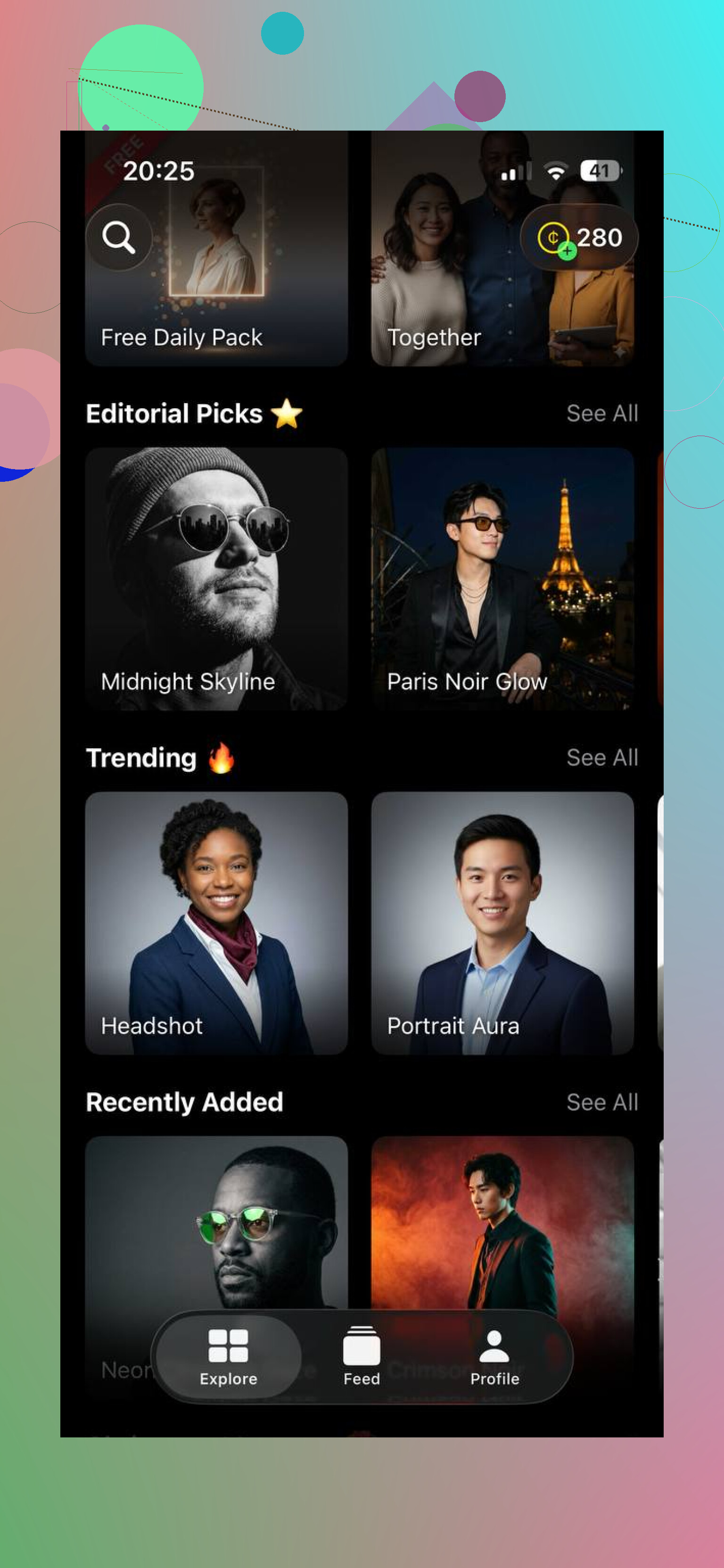
If you want something simple on your phone, one option is Eltima AI Headshot Generator.
Plain description for SEO but still human friendly:
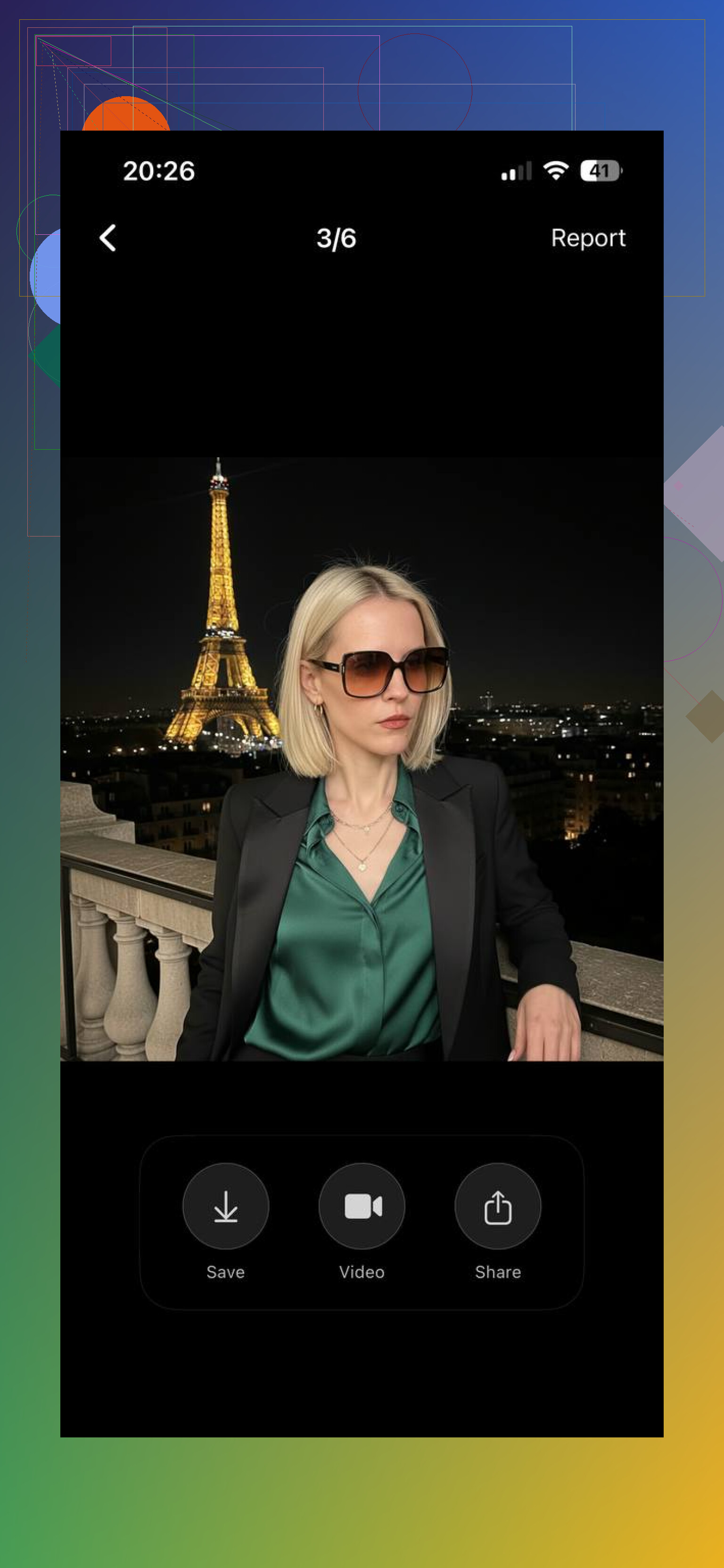
Eltima AI Headshot Generator creates professional looking AI headshots from regular photos, with presets for LinkedIn, resumes, business, travels and more.
You can check it here:
Generate pro style AI headshots on your phone
What to look for in any app like this:
- Clear pricing, no weird hidden subscriptions.
- Control over styles, so you can choose “neutral corporate” not “influencer glam”.
- Ability to download high resolution photos.
- Some examples that match your skin tone and hair type, so you see if it handles people like you well.
- Simple decision rule
- If you have an interview soon, your current photo is old or low quality, and budget is limited, go AI first. Use the best 1 or 2 shots for LinkedIn and resume.
- If you are rebranding your whole online presence, starting a business, or work in a field where personal image is a big deal, book a photographer when you can and use AI as a temporary fix.
Personal take after trying 4 different services:
- I got about 40 usable photos out of 90 total.
- They looked better than my iPhone selfies.
- They still did not beat the one studio photo I took for 180 dollars.
Final thoughts
AI headshots aren’t magic, but for many people they’re honestly good enough — and sometimes exactly what you need. If your current photo is outdated, blurry, or you just don’t want to spend a few hundred dollars on a photographer, AI is a very reasonable shortcut.
The biggest factor isn’t the tool itself, but the photos you upload. With clear, natural selfies, even AI can produce headshots that look professional and believable, not obviously fake.
If you want something simple and reliable, Eltima AI Headshot Generator is a solid option. It runs directly on your iPhone, doesn’t require creating an account, and focuses on realistic headshots instead of over-styled influencer looks. For LinkedIn, resumes, internal company profiles, or a personal website, it does the job well.
My rule of thumb: treat AI headshots as a low-risk experiment. Spend a small amount, see if a few images genuinely look like you, and use them where it makes sense. If you later need a perfect, brand-level photo, a professional photographer will still beat AI — but Eltima AI Headshot Generator can get you a clean, usable result right now.
9 Likes
Short version: they’re “worth it” if your alternative is a mediocre selfie, and usually not worth it if your alternative is a decent, affordable photographer who knows what they’re doing.
Couple points that go a bit sideways from what @yozora already said:
- The “professional photographer is always better” thing is… not always true
If the photographer is:
- Using harsh lighting in a strip mall studio
- Over-retouching your skin into wax
- Giving you awkward 2005 real-estate-agent poses
Then a good AI headshot can actually be cleaner and more modern. There are tons of mid‑tier photographers who charge high but deliver images that feel dated. In that case, AI wins for now.
- Biggest AI problem: trust not just looks
Even when AI photos look good, some hiring managers are getting increasingly weird about them. Not because it is “immoral” but because:
- You might not actually look like that on Zoom
- If it is clearly AI stylized, it screams “I care more about vibes than accuracy”
If your AI result changes your jawline, nose, or skin tone noticeably, I’d skip it for LinkedIn. Slight flattering is normal; full “new face” is not.
- Think about what the photo is signaling
For LinkedIn / resume, your headshot signals:
- Reliability
- Attention to detail
- How you will show up to clients or coworkers
A very obviously AI image (overly smoothed skin, plasticky eyes, weird shirt folds) can subtly signal “I cut corners” even if nobody says it out loud. That’s where I’m a bit more conservative than @yozora: in client facing, conservative, or leadership roles, I’d lean heavily to real photography.
- Time and social anxiety cost
Something AI wins at that gets underrated:
- No awkward photo session
- No needing to pose in front of a stranger
- No travel, no scheduling headaches
If you hate cameras or are neurodivergent and find the whole shoot experience exhausting, that’s a legit reason to test an AI generator first even if the end result is like 10–15% worse than a good pro shot.
- Specific use case: “I just want to refresh my LinkedIn”
If you:
- Already kind of look like your current photo
- Have no portfolio / speaking gigs / corporate bio to worry about
- Are not in a very traditional industry
I’d say spend 10–30 bucks, run one batch, and look for:
- Eyes that look alive, not glassy
- Skin texture that still looks human
- A version that actually looks like how you show up on a normal work day
If none of them passes the “would my coworker recognize me instantly” test, don’t fight it. Go human.
- Quick sanity checks before you pay anyone
Instead of overthinking tools, ask:
- In my field, do most serious people use obviously real photos? If yes, lean pro.
- Am I changing companies or leveling up soon? If yes, invest more.
- Does my current pic already look decent? If yes, maybe wait and save the money entirely.
- About tools, since you mentioned paying
If you want to experiment without committing to a whole photoshoot, something like Eltima AI Headshot Generator hits the middle ground: phone based, not insanely priced, and has presets specifically for LinkedIn / resumes instead of just “IG model look.” It is worth using one batch with solid input photos and seeing what comes out.
If you want to see what that kind of app can do, there’s a breakdown of how AI headshot tools work, what photos to upload, and what results to expect here:
learn how AI headshot apps create professional profile photos
My honest rule of thumb:
- If a $20 experiment won’t hurt your budget, try an AI generator like Eltima AI Headshot Generator once.
- If you get 1–3 shots you actually like and they look like you, use them.
- If everything looks uncanny or “too pretty to be real,” cut your losses and book an actual photographer.
And if your current option is a bathroom selfie with terrible lighting… yeah, then AI is absolutely “worth it” in the sense that almost anything is an upgrade.
If your goal is “good, safe LinkedIn photo without drama,” I’d think about it like this:
Where I slightly disagree with @shizuka / @yozora
They lean a bit toward: “Try AI first, upgrade later.” I’d flip that if:
- You are non‑white, wear natural hair, or have unusual facial features. Current AI still distorts these more often. That is not just cosmetic, it can mess with how “trustworthy” you look to biased viewers.
- You are going for a promotion / leadership role soon. In that case, one solid real photo with consistent use across LinkedIn, resume and company bio is worth more than a bunch of decent AI variations.
So my mental rule: if you are in a visible or underrepresented bucket, I’d bias harder toward a real photographer, not softer.
How I’d decide in practice
Ask yourself 4 questions:
-
What is my “photo baseline”?
- Current pic is a dim selfie or old graduation photo → AI can be a big upgrade.
- Current pic is a clear, recent phone shot in good light → you might not need to spend anything yet.
-
How “traditional” is my field?
- Finance, law, medicine, government, big‑4 consulting: humans still unconsciously expect a studio vibe. I would only use AI if it is subtle and clearly looks like you.
- Tech, product, design, marketing, startups: slightly stylized AI is usually fine as long as it is not obviously fake.
-
Will people meet you soon after seeing the photo?
If the answer is “yes, in Zoom or onsite interview,” avoid any AI that slims your face, lightens skin, or gives you a different hairstyle you never wear. Visual mismatch hurts you more than a “less perfect” but honest photo. -
How much do you hate being photographed?
Extreme camera anxiety is a legit reason to choose AI even if you sacrifice a bit of quality. A relaxed slightly imperfect image beats a tense, stiff studio shot.
Specific take on Eltima AI Headshot Generator
Not repeating the full how‑to that @yozora covered, just the value judgment.
Pros
- Focused presets for “business / LinkedIn” instead of heavy glam or cartoon filters. Much easier to stay in the professional lane.
- Mobile based, so minimal friction. You can test it in a lunch break rather than planning a shoot.
- Output is usually sharper and better lit than basic smartphone selfies, especially if your originals are all over the place.
Cons
- Like every similar tool, it can still oversoften skin and tweak facial structure. You need to curate ruthlessly and bin anything that no longer looks like you.
- If your input photos are low variety or low quality, it will not magically fix that. You still have to spend 15 to 20 minutes gathering decent source shots.
- No AI tool can give you what a good photographer does: coaching on pose, micro‑adjustments to expression, and a consistent visual brand across environments.
I’d treat Eltima as a “cheap experiment” layer between “crappy selfie” and “full studio session,” not as a permanent substitute for a real shoot if your role becomes more client facing.
Short comparison with the approaches from @shizuka and @yozora
- I am stricter on using AI for leadership or conservative fields. If that is you, I would skip AI for LinkedIn as soon as you can afford one focused headshot session.
- I agree with them that there is a middle tier of photographers whose work is so dated that a clean AI result can genuinely look more modern. If those are your only local options, AI + careful selection is a rational choice.
- Where they emphasize price, I would also factor in consistency: one great human photo you reuse for 3 to 5 years might be cheaper long term than multiple AI experiments.
Practical recommendation for you
- Run a single batch in Eltima AI Headshot Generator.
- Pick only images that:
- Pass the “would my colleague recognize me instantly” test
- Do not change skin tone / face shape
- Look neutral and boring in a good way: simple background, simple clothes
- Use the best one for LinkedIn and resume for now.
- Put “real photographer” on your to‑do list for when you are either job searching seriously or stepping into a more visible role.
If your AI batch gives you zero images you are comfortable with, that is your answer: you are the person for whom these tools are not worth paying for, and a human shoot is the better investment.