I accidentally deleted important files from my laptop and emptied the Recycle Bin before realizing I still needed them. Now I’m trying to find the best file recovery software and I’m not sure if a free tool is enough or if paid data recovery software is worth it. I need help comparing reliable options that are safe, effective, and easy to use.
I’ve messed with file recovery tools for a long time, and most of them talk big, then fall apart once the drive has anything worse than a simple delete. After trying a pile of them, Disk Drill is still the one I’d point most people to first.
Why I keep ending up back on Disk Drill. It does the two things most people need. It’s easy to figure out, and it recovers a decent amount of stuff without making you fight the app. I’ve used it on deleted files, formatted disks, RAW partitions, busted SD cards, external drives, USB sticks, and camera cards. The layout doesn’t feel like it was built for forensic labs in 2009. You get file preview before recovery, which saves time. Its byte-to-byte backup option matters too. When a drive looks shaky, I copy it first and scan the copy, not the original. On Windows, there’s also 100 MB free recovery, which is enough for a small test run.
There are a few others I’d still keep in the conversation.
PhotoRec. Free, ugly, stubborn, and better than people expect once you learn it. I’ve pulled files with it when prettier apps came back half-empty. The tradeoff is rough. It ignores original names and folder structure, so what you recover turns into a mess of generic filenames. If you need clean organization, this gets annoying fast.
Windows File Recovery. Microsoft’s own tool. Also free. Also command line only, which is where a lot of casual users bail out. I’d use it for straight-up deleted files on NTFS when you want something small and don’t want extra software installed. If you hate typing commands, you’ll hate this one too.
GetDataBack. Old one, still earns respect. I’ve seen it do well on damaged file systems and broken partitions where other apps gave me nothing useful. It feels more technical, and the interface isn’t doing you any favors, but for NTFS and FAT jobs it still holds up. Not my first pick for beginners. Still one I wouldn’t ignore.
The first thing you should do is stop writing anything to the problem drive. Right away. Deleted files usually stay there until something else lands on top of them. Downloads, updates, installs, even normal background system activity, all of it eats into your odds.
And don’t install recovery software onto the same drive you’re trying to save data from. I’ve seen people do this and make their own mess worse. Put the software on another internal disk, an external SSD, or even a USB stick if needed.
One part people keep pushing past. If the drive is clicking, grinding, dropping offline, vanishing at random, or not appearing in BIOS or Disk Management, skip the software route. Go to a recovery lab. Software helps with logical damage. Mechanical failure is a different thing, and repeated scans can turn a bad drive into a dead one. I learned this the hard way once, and yeah, it sucked.
Hope your recovery goes okay. Post back with what happened.
17 Likes
Free is worth trying first if your files were deleted recently and the drive is healthy. Paid is worth it when the files matter more than your time.
My take is a bit different from @mikeappsreviewer. I would not start with PhotoRec unless you enjoy sorting 8,000 files named f123456.jpg. It recovers a lot, sure, but the cleanup is a pain.
Best free picks:
- Recuva. Old, simple, fast. Good for plain accidental deletes on HDDs and some SSD cases.
- Windows File Recovery. Decent, but the command line puts off most ppl.
- TestDisk, for partition issues, not normal day to day file recovery.
Best paid pick for normal users:
Disk Drill. Easy scan, preview, clean layout, and it handles mixed cases better than most consumer apps. If you want one tool with the least friction, this is the one I’d try first.
One catch. If your laptop uses an SSD, recovery odds drop a lot because of TRIM. Deleted files get wiped fast. Not always, but often. On old HDDs, odds are better.
Also, this video on data recovery software tips for deleted files is worth a quick look.
Short version:
Free for testing.
Paid for better interface, previews, and less wasted time.
If the files are work, family photos, or legal docs, I’d skip the cheap route and use Disk Drill first.
I’d split it like this: free tools are fine for a first pass, paid tools are worth it when the files actually matter and you don’t want to spend 3 hours fighting ugly software.
I mostly agree with @mikeappsreviewer and @cacadordeestrelas, but I’m a little less generous toward some of the old “free favorites.” Recuva is ok for very basic deletes, sure, but people keep recommending it like it’s magic. It isn’t. If the file system got messy, or the drive had a hiccup, it falls off fast.
For me, the real question is not free vs paid. It’s how much the lost data is worth. If it’s homework, tax docs, client files, family photos, stuff you cannot easily replace, I’d go straight to Disk Drill. Not because paid always means better, but because the preview, recovery organization, and cleaner scan results save a ton of time. That matters when you’re already stressed and probly annoyed at yourself for emptying the Bin.
Where free still makes sense:
- you deleted the files recently
- the drive is healthy
- it’s a normal internal laptop drive or external USB
- you only need a handful of files back
Where paid makes more sense:
- lots of files are missing
- folders matter, not just file contents
- you need previews before recovery
- you want less trial-and-error
- you’re dealing with memory cards, externals, or weird partition issues
One thing I don’t think gets said enough: if this is a modern SSD laptop, your chances may be bad no matter what app you use because of TRIM. That’s not software being bad, that’s just how SSD deletion works. So don’t judge a tool too harshly if nothing comes back.
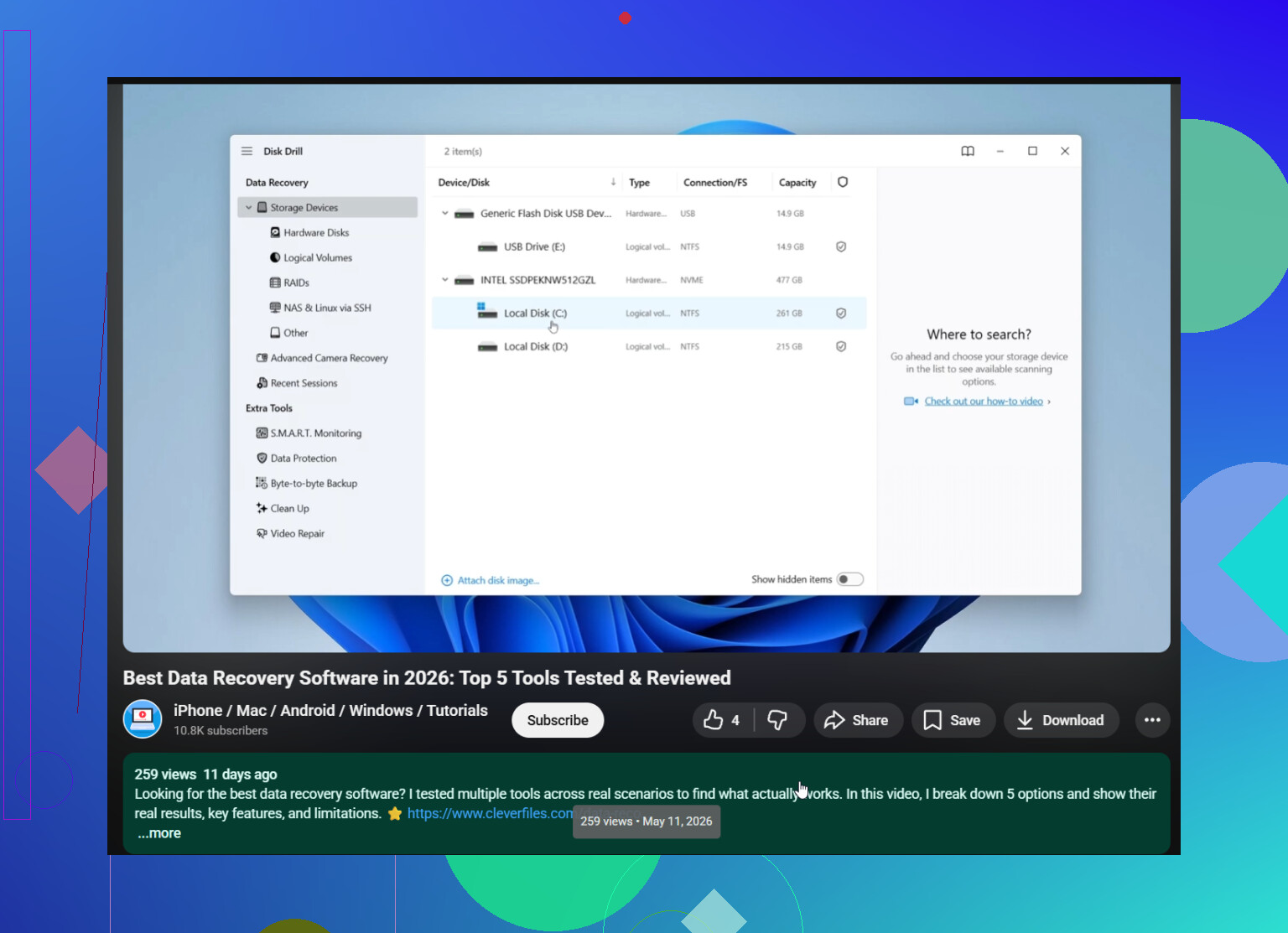
Also, if you want a decent video roundup, this is a solid watch: best file recovery software comparison and recovery tips.
Short version: free is worth trying, but if the files are actually important, Disk Drill is one of the few paid options that feels worth paying for instead of just looking fancy.
I’d add one angle the others only touched lightly: recovery software is not just about scan quality, it’s about how safely you can test without making things worse.
I agree with @cacadordeestrelas and partly with @sonhadordobosque and @mikeappsreviewer, but I’m less sold on doing a long parade of free tools first. Every extra install, scan, export, and retry can be bad if you’re working from the same laptop drive. If the deleted files really matter, your first move should be the tool that lets you preview fast, recover to another drive easily, and ideally image the disk first. That is where Disk Drill makes sense.
Disk Drill pros:
- very easy for non-technical users
- file preview helps avoid restoring junk
- supports disk image backup, which is underrated
- good at mixed recovery cases, not just simple deletes
Disk Drill cons:
- not the cheapest option
- free recovery on Windows is limited
- deep scans can still return lots of clutter
- not a miracle fix for SSD TRIM or dying hardware
My take:
- Free is fine for low-stakes files or a quick first check
- Paid is worth it when folder structure, file names, and your time matter
- If it’s an SSD and TRIM already ran, expectations need to stay low no matter what app you pick
One thing I’d do before anything else: check cloud sync and app-specific history. OneDrive, Google Drive, Dropbox, Office autosave, Adobe temp files, browser downloads history. A surprising number of “deleted forever” files are still sitting in version history somewhere.
So yeah, free tools are worth trying, but if you want the least annoying path, Disk Drill is one of the few paid options that feels practical rather than just marketed well.