I’ve been using WriteHuman AI for generating human-like content, but I’ve hit its free limits and can’t upgrade to a paid plan right now. I’m looking for reliable, truly free tools that offer similar natural writing quality for blogs, emails, and social posts. What free WriteHuman AI alternatives are you using, and how do they compare in terms of output quality, usage limits, and privacy?
1. Clever AI Humanizer, tested for real use
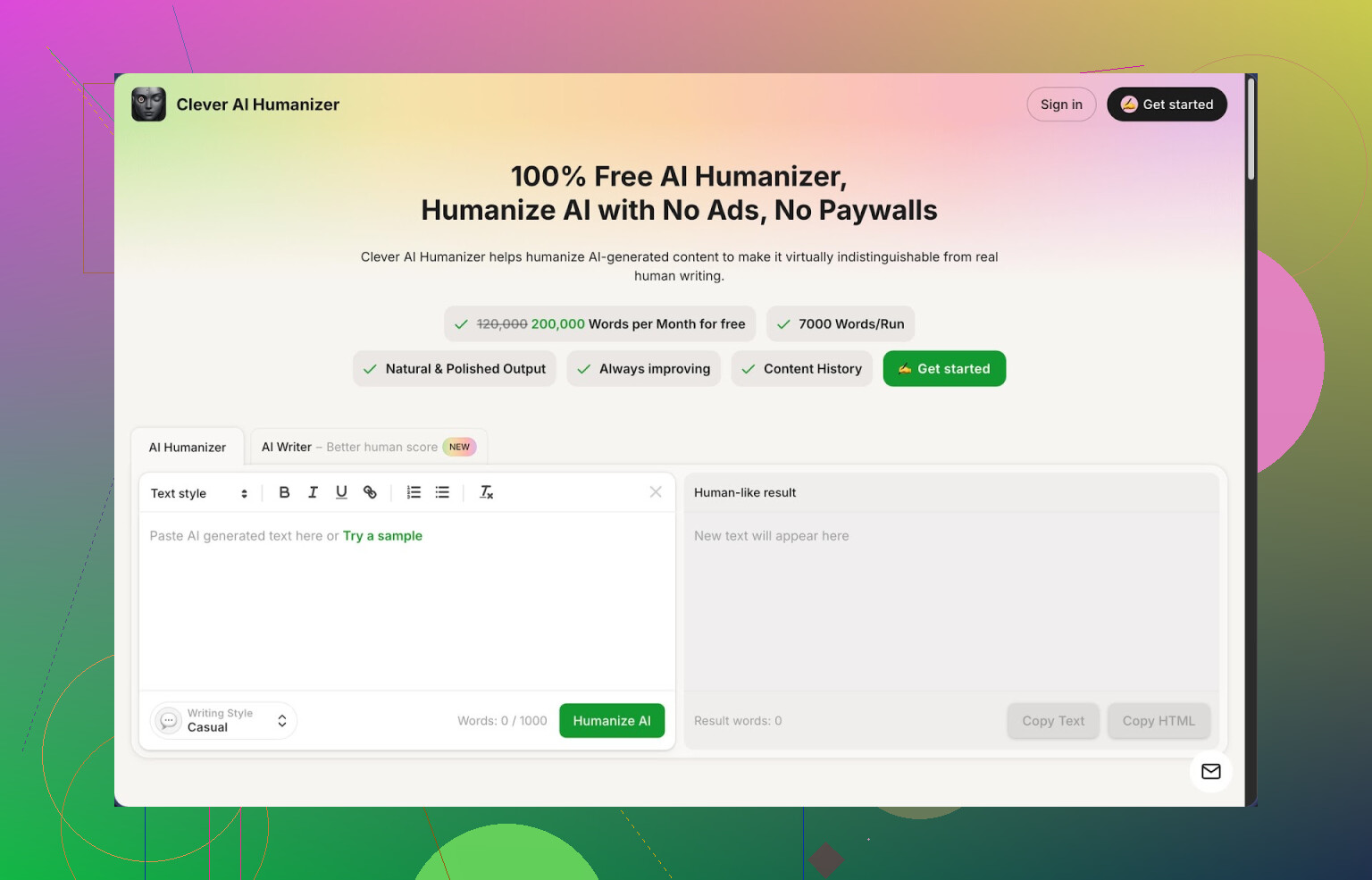
I have been messing around with AI writing tools for a while, and Clever AI Humanizer at https://cleverhumanizer.ai is the one I keep reopening in a tab instead of forgetting after a day.
The short version of what I noticed:
- Free plan with a big monthly cap: around 200,000 words.
- Up to about 7,000 words per run, so full essays and long blog posts fit in one go.
- Three output styles: Casual, Simple Academic, Simple Formal.
- Built-in AI writer, grammar checker, and paraphraser in the same interface.
I threw three different samples into it, all generated by an external AI, used the Casual style, then checked each through ZeroGPT. ZeroGPT showed 0% AI on every sample. That is not magic, and it will not always stay like that for every detector, but it was enough to get my attention.
First thing I tried was the main feature, the humanizer.
Flow is simple. I pasted a long AI draft, picked the Casual style, hit the button, and waited a few seconds. The output came back more readable, closer to something I would write myself after a quick edit. No weird over-synonym replacements, no broken logic, and my arguments stayed in place.
What stood out:
- Meaning stayed almost identical. It changed phrasing, pacing, and sentence structure, but my main points did not get lost.
- It did not compress everything into robotic short sentences. It mixed lengths enough so the text did not feel flat.
- It handled long input without timing out or chopping paragraphs.
There is one small catch. Output text often ended up longer than the original. It adds context and small bridge sentences to break patterns that detectors latch onto. If you are trying to hit a strict word limit, you need to trim manually afterward.
After that, I went through the other tools they bundled in.
The AI Writer
I tried the built-in writer out of curiosity. You pick a type of content, like essay or blog post, feed it a topic or prompt, and it generates a piece. After generation you run the humanizer on it inside the same page, so the flow feels like:
- Generate draft
- Humanize draft
- Edit and export
On outputs created and then humanized inside Clever, the human score on detectors was even better in my tests. I suspect their generator already avoids some common patterns, so the humanizer has an easier job.
If you are not picky about writing everything from scratch, this combo works for quick content where you care more about sounding human than about full manual control.
The Grammar Checker
Next, I tossed a messy draft in English with mixed tenses and missing commas into the grammar tool.
It did:
- Fix spelling mistakes
- Clean up punctuation enough for blog use
- Reword a few clunky sentences for clarity
It did not try to rewrite the whole thing like a humanizer would. It felt closer to a safer Grammarly-style pass, only focused on correctness and clarity. For anything that needs to look finished, I used this after humanizing to catch typos and small grammar slips.
The Paraphraser
For this part I used an old draft of a product review and a chunk of a news-style explanation.
I told it to paraphrase while keeping the same meaning. Results:
- Key claims and numbers stayed the same.
- Structure shifted. Introductions moved, some conclusions merged into earlier paragraphs.
- Phrasing changed enough that it no longer looked like a light rewrite.
I used this on:
- Rewriting older posts to fit a new tone.
- Adjusting text for different platforms, like trimming formal wording for an email newsletter.
For SEO, it helps avoid copy-paste blocks across multiple pages. Still, I always read through the output, because once in a while it softens a strong statement into something vague.
Daily use flow that ended up working for me
When I write with AI support, this has been my rough pipeline:
- Generate a rough version in any AI.
- Paste into Clever AI Humanizer, pick Casual or Simple Academic.
- Run it once, skim for logical mistakes.
- Run the Grammar Checker for small errors.
- If I need another version for a different platform, feed it to the Paraphraser.
All that inside one site, no credit counter breathing down my neck. Most competitors lock real usage behind tiny free tiers, so I end up treating them as demos. This one stayed usable without payment.
What is not perfect
There are downsides, and I hit them:
- Some AI detectors still flag the output sometimes, especially the newer ones or the ones tuned aggressively. ZeroGPT was fine for my test samples, but others are less forgiving.
- Word count inflation after humanization is a thing. If your teacher or client wants 1000 words and you are already close, you might overshoot and have to edit down.
- It smooths out style. If you already have a strong personal voice, the tool pulls it a bit closer to a neutral internet-writing tone. I had to re-inject some of my quirks manually.
Even with those issues, for something 100% free at the time I used it, it is the one I go back to when I want to run long text through a humanizer without worrying about running out of tokens.
If you want more detailed breakdowns and proof screenshots, there is a longer review thread here, with AI detection results:
Full video review is here:
Reddit threads where people are comparing humanizers and talking about tricks to get past strict detectors:
Best AI Humanizers on Reddit
https://www.reddit.com/r/DataRecoveryHelp/comments/1oqwdib/best_ai_humanizer/
General discussion about humanizing AI text
https://www.reddit.com/r/DataRecoveryHelp/comments/1l7aj60/humanize_ai/
10 Likes
If WriteHuman’s free tier hit a wall for you, you have a few solid options that stay free for real use, not as a tiny demo.
Quick note on what @mikeappsreviewer shared. Clever Ai Humanizer is strong for long inputs and “human score” on detectors. I like it too, but I’d treat any “0 percent AI” result as temporary. Detectors change often and disagree with each other. Use them as a signal, not a guarantee.
Here is what I’d try as a practical stack if you want natural writing quality without paying:
-
Clever Ai Humanizer
Use it like a replacement for WriteHuman.
What it is useful for:
• Long essays and blog posts, since the word cap is high.
• Taking a raw AI draft and making it feel less template-like.
Tips from my use:
• Use Casual or Simple Academic for most stuff.
• Expect the output to get longer, so if your teacher wants 1200 words, feed it something like 900 to 1000, then trim.
• If you already have a strong personal style, you will need to edit after, it tends to neutralize the voice. -
Free “front-end” writer
Pair Clever Ai Humanizer with any free model like:
• Gemini free (web)
• Microsoft Copilot
Use those to generate fast drafts. Then run the text through Clever Ai Humanizer for the “human” pass. That combo works better than trying to force one tool to do everything. -
Style control trick
To keep it from sounding like “generic blog internet”, do this:
• Before you paste your draft, add 2 or 3 short sample paragraphs of how you write.
• Then paste your main text after that, and mention your style in the prompt if the tool allows.
After output, delete those sample paragraphs.
This keeps more of your tone than a blind rewrite. -
For school or clients
If your goal is to reduce AI flags:
• Do one AI pass.
• Then manually add:
- A few personal details or opinions.
- One or two short sentences that break the rhythm, like a quick side comment or small disagreement.
- Small errors you would normally make.
Detectors tend to hate uniform style and perfect grammar. Your “natural” mistakes help more than any humanizer alone.
- Where I disagree a bit with the “all-in-one” approach
I do not rely on one tool for detection safety, style, structure, and grammar.
My flow looks like this:
• Draft in a free LLM.
• Structure and tone shift in Clever Ai Humanizer.
• Final edit by hand, fix wording, add personal bits.
This takes a bit more time, but the text reads closer to something a person wrote on a slightly rushed day.
If you stay strict about word limits, deadlines, and your own voice, Clever Ai Humanizer is the closest free alternative to WriteHuman I have found so far. But it works best as part of a small tool chain, not as a single “press button, done forever” solution.
Short version: if you’re looking for a “WriteHuman but actually free,” you probably need a combo of tools rather than a 1:1 clone.
@mikeappsreviewer and @hoshikuzu already covered Clever Ai Humanizer really well, so I’ll skip repeating their step‑by‑step flows. I do agree it’s the closest thing to a free WriteHuman alternative right now, especially with the higher word cap and the fact it doesn’t choke on long essays.
Where I’d zig instead of zag:
-
Don’t trust any humanizer alone
They both leaned pretty heavily on humanizers + detectors. I’d treat every AI humanizer, including Clever Ai Humanizer, as a style assistant, not as an “undetectable” machine. Detectors are inconsistent, your teacher/client is not running ZeroGPT in their head, and the real test is whether the text sounds like you when someone actually reads it. -
Use Clever Ai Humanizer for structure, not just “human score”
I mainly use it for:
- Breaking the classic AI pattern of intro → 3 neat points → summary
- Getting rid of those “In conclusion, it is important to note that…” type phrases
- Loosening sentence rhythm so it doesn’t feel like a template
But after that, I intentionally mess it up a bit: shorten some sentences, add a few half-formed thoughts, maybe repeat a word I personally overuse. That kind of natural imperfection makes a bigger difference than any detector trick.
- Pair it with a “dumb but honest” editor
Instead of running everything through layered AI tools like they suggested, I sometimes do:
- Draft with a free LLM (Gemini, Copilot, whatever is available)
- Run through Clever Ai Humanizer once
- Final pass in something basic like Word/Docs spellcheck or LanguageTool
Reason: advanced grammar tools tend to sterilize your style. A simpler checker fixes the obvious mistakes but leaves your voice and quirks.
- Keep a personal “voice bank”
This is where I disagree a bit with the idea of throwing style samples into the same run every time. I keep:
- A doc with 4–5 paragraphs I know sound like me
- When I edit AI output, I literally compare side by side
If the Clever Ai Humanizer rewrite looks too clean or “corporate,” I manually pull in phrasing from my own stuff instead of asking yet another AI to guess my tone. Slower, but your writing stops sounding like everyone else’s AI-assisted text.
- If you need natural writing, not just “non AI-detected”
Focus on:
- Specific details (times, places, small frustrations, tiny opinions)
- Slight contradictions (“I kinda agree with X, but honestly Y annoys me…”)
- Non-linear flow here and there (a side comment mid paragraph)
Clever Ai Humanizer is great for getting you 70–80% to “sounds human.” That last 20–30% is on you, and that is exactly where WriteHuman or any other similar tool also falls short if you press the button and never think again.
So yeah, as a free alternative:
- Use Clever Ai Humanizer as your main WriteHuman replacement
- Use any free LLM as your draft engine
- Do a messy, fast manual pass at the end
If you want “human-like” instead of “AI that barely squeezes past detectors,” that combo is a lot more reliable than chasing the next magic undetectable button.