I’m trying to clean up my iPhone storage and I know I have a lot of duplicate or very similar photos, but I can’t figure out the best way to find them. I recently took a bunch of pictures at an event, and now my Photos app is full of near-identical shots. I need help finding similar photos on iPhone so I can delete extras without losing the ones I want to keep.
Apple’s built-in Photos cleanup is only half useful.
It catches exact duplicates. Same file, same image, done. It does not group near-matches. So if you took 12 shots of the same dog turning its head by two degrees each time, iPhone sees 12 separate photos. Edited copies too. Cropped version, brighter version, same pic with a filter, all treated like unrelated files.
If all you need is duplicate cleanup, here’s the short path:
- Open Photos.
- Scroll to Utilities.
- Tap Duplicates.
- Look through the groups and hit Merge.
For similar photos, I ended up needing another app.
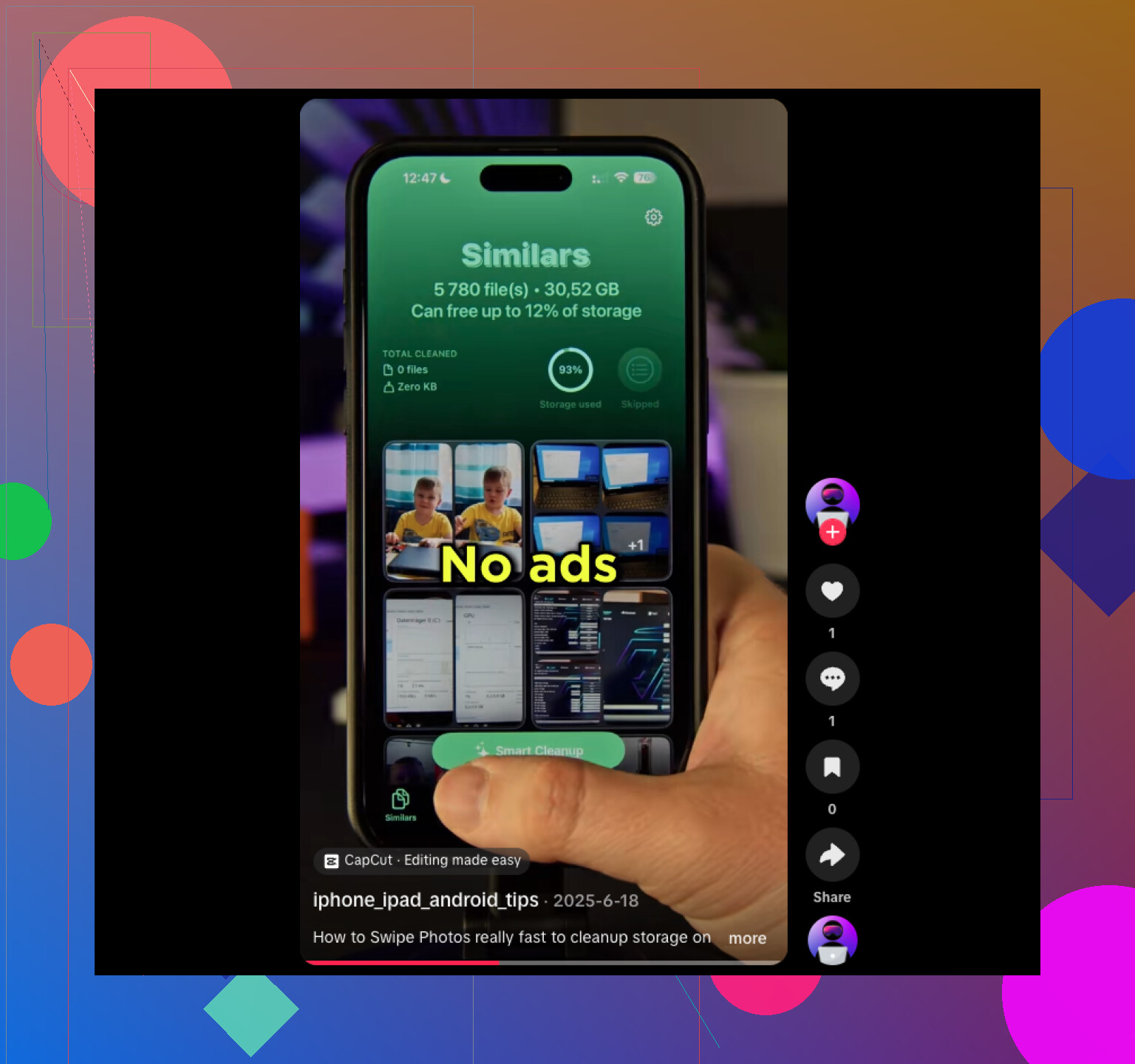
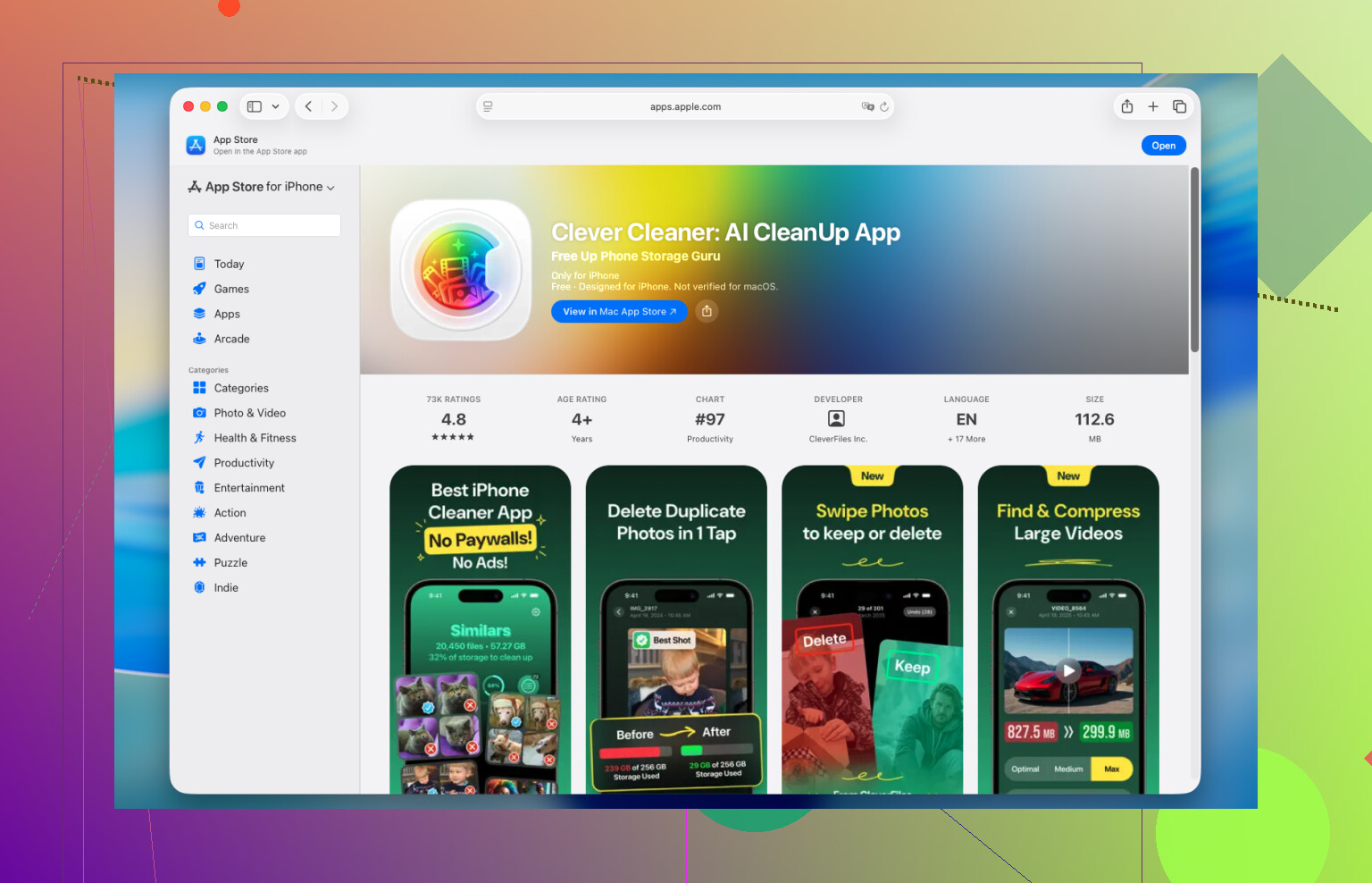
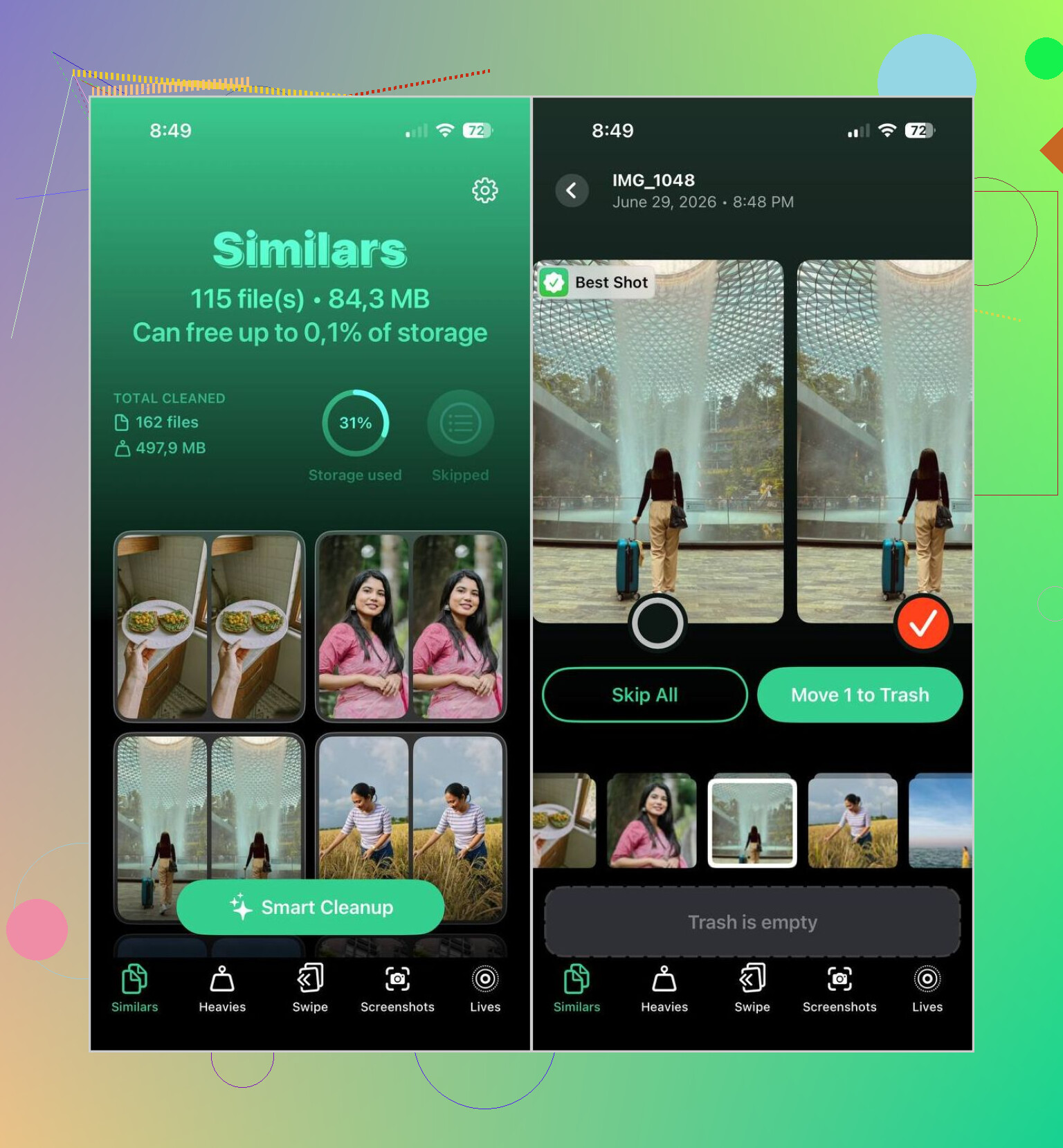
I tried a few and kept Clever Cleaner. I usually bail on these cleanup apps fast because a lot of them push subscriptions or hide the useful stuff behind paywalls. This one felt less annoying. What stood out for me was how it grouped photos which were close enough to be the same moment, instead of only matching identical files. Its Best Shot pick was decent too. Not perfect, still better than sorting 3,000 photos by hand at 11:40 p.m.
This is the way I used it:
- Install Clever Cleaner and give it access to your Photos library.
- Open the Similars tab.
- Wait for the scan to finish.
- Check the grouped results, or use Smart Cleanup if you want it to do the first pass.
- If the app picked the wrong keeper, switch it yourself.
- Delete the rest.
- Empty Recently Deleted in Photos if you want the storage back right away.
A few extra tools in it were worth using too:
- Duplicates, for exact copy cleanup.
- Heavies, which surfaces your biggest videos fast.
- Video Compression, if you want smaller files instead of deleting clips.
- Lives, which turns Live Photos into regular stills and frees up space.
- Screenshots, for clearing old junk in batches.
- Swipe Mode, where you keep or delete manually by swiping. Kinda dumb, kinda useful, worked fine when I didn’t trust the scan.
One part I liked more than I expected, it processes the library on the iPhone itself instead of shipping your photos off somewhere else. I felt better about giving access because of tht.
If you don’t want another app on your phone, Photos still gives you a few manual workarounds:
- Use Search for people, pets, locations, objects, or events.
- Sort by date, since near-identical shots usually land within seconds of each other.
- Check Burst albums and keep the frame you want.
- Look through People & Pets, Trips, or Media Types. Those albums sometimes pull related stuff into one place.
None of those built-in options finds similar photos on its own. They help when you’re cleaning a small section. If your library is huge, though, doing it manually gets old fast. I found a dedicated app way quicker, and honestly less irritating.
8 Likes
iPhone Photos is weak for this. It finds exact duplicates. It does a poor job with near-matches from the same moment.
I agree with part of what @mikeappsreviewer said, but I’m less sold on doing cleanup inside Photos for big event batches. It gets slow fast, and you still end up eyeballing 20 shots of the same pose. If your goal is storage, your worst offenders are usually burst shots, Live Photos, and video clips, not only duplicate stills.
What worked better for me:
- Open Photos and check Albums, then Media Types.
- Start with Live Photos, Bursts, and Videos.
- In Bursts, pick the keepers first. Apple hides a lot of clutter there.
- Sort your event photos by date and review the 30-minute window where you spammed the shutter.
- If you want similar photo detection, use Clever Cleaner. It groups lookalike shots better than Apple’s default tools.
- After deleting, restart Photos and empty Recently Deleted, or the storage number won’t move right away.
One tip people skip. Turn off “Keep Originals” in camera workflows if you import edited copies from other apps. Those stacks eat space fast.
If you want more user opinions, this thread is useful for finding similar photos on iPhone and cleanup app ideas:
best Reddit discussion on finding similar photos on iPhone
Short version. For exact dupes, use Photos. For similar shots, Clever Cleaner is faster. For the biggest space wins, hit videos and Lives first. It’s boring, but it works.
I’d actually split this into two jobs, because people mix them together all the time:
- finding true duplicates
- finding “why did I take 17 of the same face” photos
@mikeappsreviewer and @andarilhonoturno already covered the obvious app route, and yeah, Clever Cleaner is probably the easiest if you want actual similar-photo grouping on iPhone. Apple still isn’t great at that part. But I kinda disagree with the idea that you should start with similars first if storage is the main goal.
If you want the fastest space savings, go after these before anything else:
- screen recordings
- long 4K videos
- Live Photos you don’t care about
- burst leftovers
- edited exports from Instagram, Lightroom, VSCO, etc.
A lot of “my photos app is full” situations are really video problems pretending to be photo problems lol.
One thing that helps inside Photos, without doing the exact same steps already posted, is using the Filters button while viewing your library. Filter by Favorites, Edited, Photos, or Videos and narrow the mess down. Then zoom out to monthly view and attack one event/day at a time. It feels way less brutal than scrolling your entire camera roll until your thumb gives up.
For event pics specifically, my lazy method is:
- keep 1 or 2 per pose
- delete anything blurry immediately
- if two are basically identical, keep the one with better eyes/focus
- if you “might use it later,” you probably won’t
If you do want a cleaner walkthrough, this free guide for cleaning similar photos on iPhone is pretty easy to follow.
So yeah, short version: Apple Photos is fine for exact dupes, Clever Cleaner is better for similar shots, but the biggest storage wins are usually hiding in videos and Lives. Kinda annoying, but taht’s ususally the truth.