I accidentally deleted family photos from a USB flash drive, and now I’m trying to find a reliable flash drive recovery tool that can help me get them back. These pictures are really important to me, so I need advice on the best photo recovery software or USB data recovery option that actually works.
I’ve hit this problem enough times to stop pretending it’s rare. You plug in a USB stick, Windows sees it, then gives you either an empty folder or the lovely “you need to format the disk” message. At that point I usually stop touching anything, because deleted files from a flash drive do not land in the Recycle Bin. They’re gone from view, and one bad move makes things worse fast.
What I do before trying recovery software
A few boring steps matter more than the app you pick.
-
Open Disk Management first. If Windows still lists the USB drive, even as RAW or unallocated, software recovery still has a shot. If the drive is missing there too, I start thinking hardware fault, dead controller, bad connector, stuff software won’t fix.
-
Pull the drive out and quit using it. Writing anything new to it risks overwriting the files you want back. I learned this the dumb way once, and yep, those files stayed gone.
-
Do not save recovered files onto the same USB stick. Put them on your PC, or a different external drive. Same device recovery is how people lose round two.
After that, then I pick a tool.
The easy starting point
For most people, Disk Drill is the one I’d try first. It covers the mess flash drives usually get into, deleted files, accidental format jobs, RAW file systems, broken partitions, and other logical errors.
What stood out to me was its scan approach. It doesn’t stick to one method and hope for luck. It runs multiple recovery techniques in the same pass and checks for a long list of file types at once. On a damaged USB drive, that helps more than people think.
Why the backup option matters
If the flash drive keeps disconnecting, hangs mid-read, or acts flaky, I would not keep hammering it with repeat scans. Disk Drill has a byte-for-byte backup feature, and this part matters. You make an image of the USB drive first, then scan the copy instead of stressing the original device again and again.
I like the preview tool too. You get to check whether the files look recoverable before spending more time on the full process. Saves some pointless waiting.
If you want a free option
PhotoRec still deserves a mention. It’s free, and it has saved a lot of people when the file system was trashed beyond normal repair. Instead of depending on the drive’s file system, it scans the raw data for known file signatures. So even if the partition info is wrecked or missing, it still pulls files in plenty of cases.
There’s a catch, and it’s not a small one. The interface is text-based. Some people open it once and back out right away. Also, recovered files usually come back stripped of their old names and folder layout. You end up with generic filenames and a pile of manual sorting. If your USB stick had years of family photos or work docs, that cleanup gets old fast. real fast.
Where I’d start
I’d begin with Disk Drill. If it sees your files and keeps the original names and folders, you save yourself a ton of cleanup and guessing later.
10 Likes
If the USB still shows up in File Explorer or Disk Management, I’d try Disk Drill first. It tends to do better with photo formats like JPG, PNG, HEIC, and even some RAW camera files. For family photos, preview matters a lot, because you want to see if the pics are intact before spending time sorting through results.
I slightly disagree with @mikeappsreviewer on one point. PhotoRec is great, but I would not start there unless the file system is badly damaged. It recovers a ton, but the loss of filenames and folders is a pain. For family albums, that cleanup gets ugly fast.
A simple path:
- Stop using the flash drive now.
- Plug it into a stable USB port, not a hub.
- Run a scan with Disk Drill.
- Recover files to your PC, not back to the USB.
- Check previews before restoring evrything.
If you want a quick look at how Disk Drill works for deleted files and USB recovery, this video is useful:
watch this Disk Drill USB photo recovery walkthrough
Short version, Disk Drill is the easiest first pick. Recuva is ok for simple deletions, but it misses more once a flash drive starts acting weird. If the drive disconnects a lot or makes errors, stop and image it first, or you risk making it worse.
I’d go a little differently than @mikeappsreviewer and @sognonotturno on the tool order.
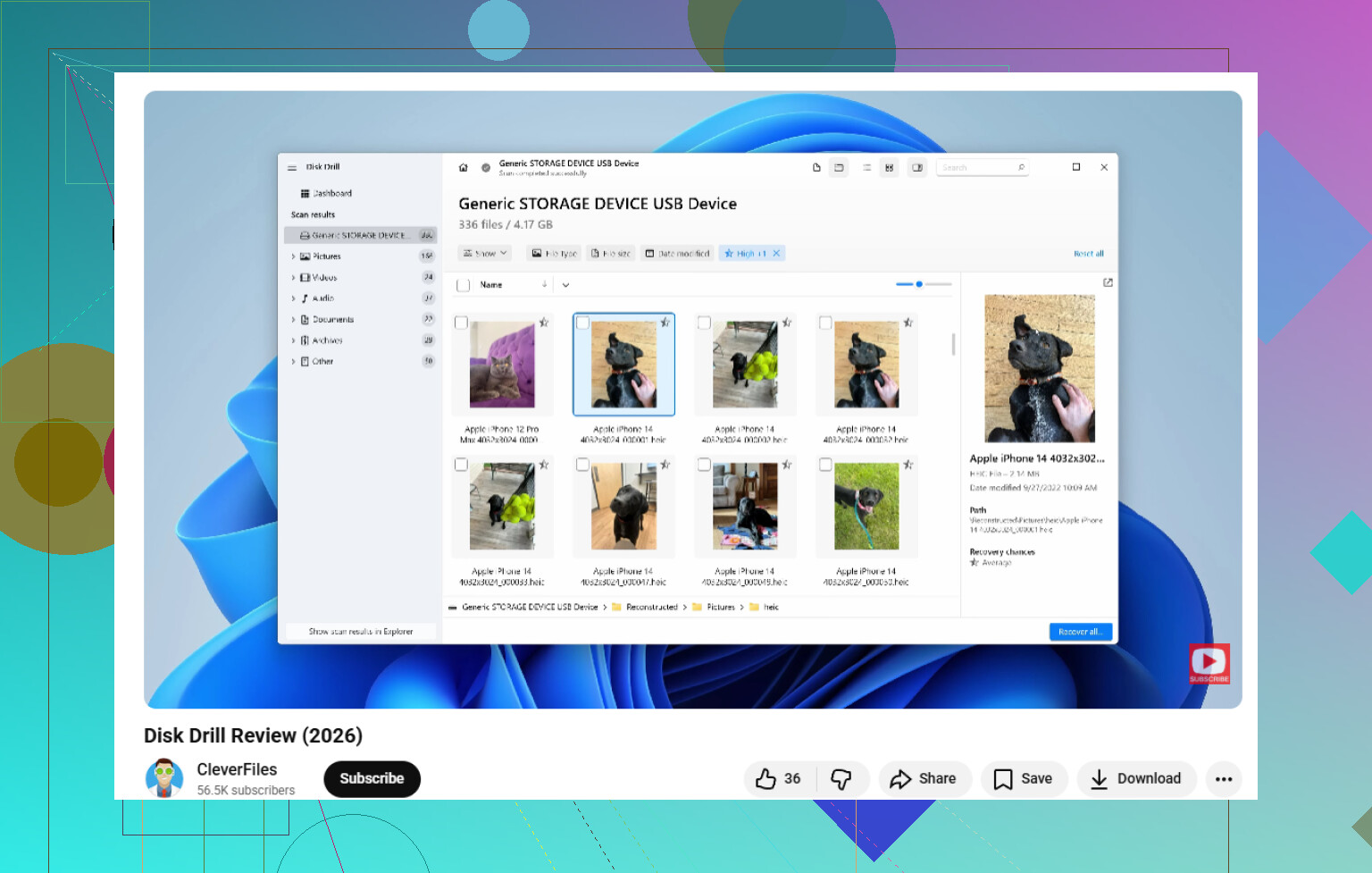
If the USB is still detected and this was a straight delete, Recuva can actually be worth a super fast first pass because it’s lightweight and sometimes pulls recently deleted JPGs without much fuss. But if it finds garbage names, broken previews, or almost nothing, don’t keep poking at the drive for hours. That’s when I’d move to Disk Drill, because it tends to handle flash drive recovery better once things get even a little messy. It’s usually the better pick for USB photo recovery, especially if you want previews before restoring.
Big thing nobody says enough: if these are family photos, file structure matters almost as much as recovery itself. Getting back 2,000 files named FILE0001.jpg through FILE2000.jpg is… not fun lol.
Also, if the flash drive is showing RAW, disappearing, or asking to be formatted, stop trying random fixes from YouTube. That’s how people turn recoverable pics into permanant loss. If you want more context on RAW USB issues and what other people ran into, this thread is pretty useful: real-world RAW USB data recovery advice
My order would be:
- Recuva for a quick delete-only check
- Disk Drill for deeper flash drive photo recovery
- PhotoRec only if the filesystem is trashed and you’ve accepted a messy file dump
So yeah, for the best balance of ease + results, Disk Drill is probly the one I’d actually recommend most.