I accidentally deleted a large batch of family photos from my SD card and I’m trying to find the best photo recovery software before I make things worse. If you’ve compared different photo recovery tools for deleted pictures, corrupted memory cards, or lost image files, I’d really appreciate advice on what actually works.
I’ve been in this mess more than once. Deleted clips by mistake, pulled files off a flaky SD card, even trashed a batch myself after editing too late and clicking too fast. After doing recovery a few times, I stopped obsessing over which app had the fanciest scan mode. The first minutes matter more.
If you lost photos or video, stop writing anything to the card or drive. Don’t shoot more footage. Don’t paste files onto it. Don’t reformat it again hoping it fixes itself. In most cases, the data is still sitting there until new stuff lands on top of it. Keep using the card and your odds drop, fast.
Once the card is out of circulation, these are the tools I’d look at.
1. Disk Drill
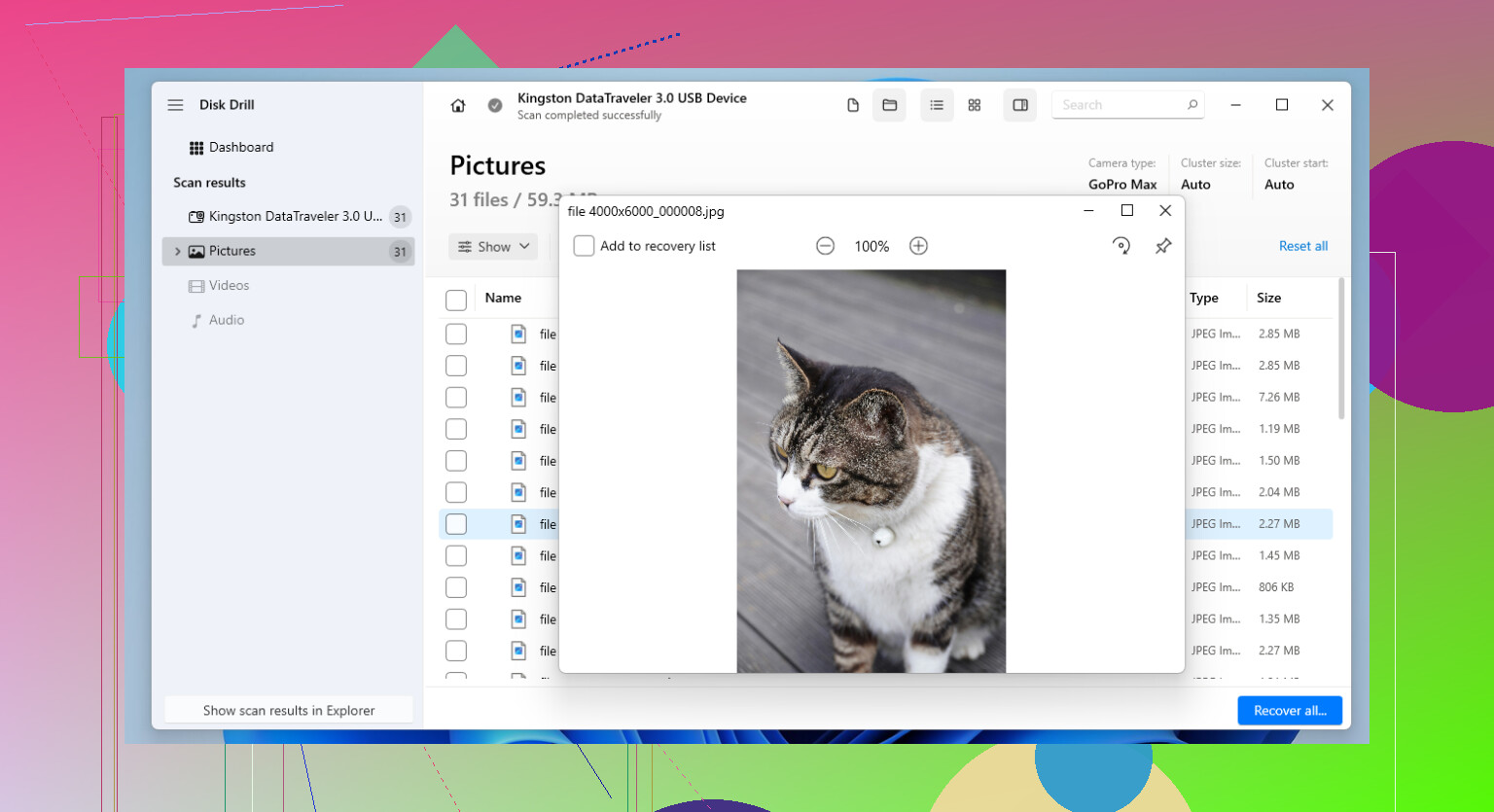
Disk Drill is the one I point people to first when they want something usable without a long learning curve. I’ve run it on SD cards, USB sticks, external drives, and SSDs, and it felt less annoying than most recovery apps I’ve tried.
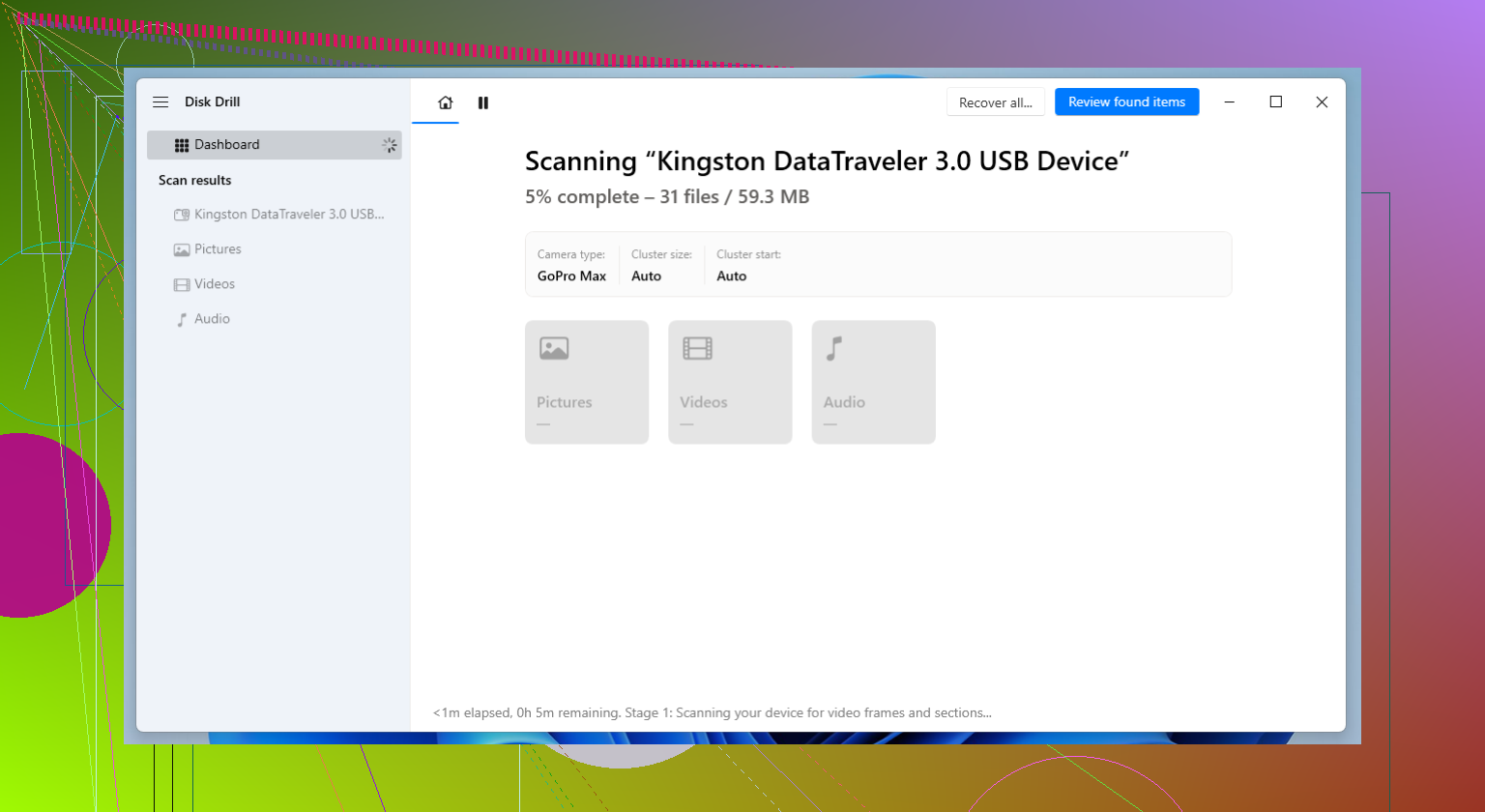
The part I kept coming back to was its camera-focused recovery for broken-up video files. If you’ve dealt with footage from drones, action cams, or mirrorless bodies, you’ve seen this before. A scan finds the video, you recover it, then the file won’t play right. Disk Drill did better for me on those fragmented clips than the simpler tools did. It also picked up a lot of RAW photo types without much fuss.
What I liked
- Simple interface, easy to move through
- Handles common photo and video formats well
- Useful for fragmented camera video recovery
- Lets you preview files before pulling them back
- Runs on Windows and Mac
What got on my nerves
- You need the paid version for full recovery
- Long scans on big cards feel endless, go make coffee
2. R-Studio
R-Studio felt like the tool I opened when the easier options started falling apart. I wouldn’t hand it to someone who wants a clean, friendly layout and zero friction. It leans technical. Still, when the card is messed up, the partition is weird, or the file system looks cooked, this one has saved stuff for me other programs missed.
I used it once on a badly corrupted SD card after a camera froze during writing. Most tools gave me scraps. R-Studio found far more, though I had to slow down and pay attention to what I was clicking. It’s not hard in the sense of impossible. It’s hard in the way old pro software tends to be, lots of options, lots of places to wander off course.
Good parts
- Strong recovery results in rough cases
- Better with damaged file systems than many basic apps
- Plenty of scan and recovery controls
- Works with a wide range of storage setups
Bad parts
- Takes time to learn
- Interface feels dense and technical
- Price is higher than a lot of other tools
3. PhotoRec
PhotoRec is the one people keep ignoring until they realize it’s free and weirdly good. I’ve used it when I didn’t want license limits getting in the way, and it pulled data off cards I thought were done for.
It works by searching for file signatures directly instead of trusting the file system. This matters when the card was formatted, damaged, or turned into a small disaster by some random error. The catch is annoying, and I mean genuinely annoying. Recovered files usually come back with scrambled names and no proper folder layout, so sorting through the pile takes time. A lot of time, tbh.
Why people stick with it
- Free, no recovery cap
- Supports a huge list of file types
- Works well on formatted or damaged media
- Available on Windows, macOS, and Linux
Why people quit halfway
- Command-line setup turns some people off fast
- Original filenames are usually gone
- Folder structure doesn’t come back
- Sorting the output is tedious as hell
One thing I learned the hard way, recovery software is only half the story. If you get your files back, fix the workflow issue which caused the mess in the first place.
For photo or video work you care about, keep backups on a routine. If the files live on camera SD cards, don’t put an entire shoot on one card if you have a choice. I started rotating cards after losing part of a job years ago, and it cut the risk a lot. One failed card then means partial damage, not a total wipeout.
If you move fast and keep the card untouched, you’ve still got a decent shot at getting something back, sometimes most of it. If you keep shooting on it because you think one more clip won’t matter, yeah, that’s where things go bad.
21 Likes
If you want the short answer, I’d start with Disk Drill.
I don’t fully agree with @mikeappsreviewer on one point, though. I would not jump to PhotoRec first unless you’re fine sorting a giant mess of renamed files. For family photos, file names and previews matter a lot. That’s where Disk Drill usually wins. You scan the SD card, preview what’s recoverable, then save recovered files to a different drive. Easyer to avoid mistakes.
My ranking for deleted photos from an SD card:
-
Disk Drill
Best mix of speed, preview, and ease of use.
Good for JPG, PNG, RAW, HEIC, and video too.
Best pick if you want results without fighting the software. -
Recuva
Worth trying if the deletion was recent and the card is healthy.
Cheap, simple, less useful on damaged cards. -
PhotoRec
Strong recovery rate.
Terrible file organization.
I use it only when other tools miss stuff.
One more thing. If these are family photos, I’d read a guide focused on photo recovery software for photographers and camera users before clicking around too much:
best SD card photo recovery software for photographers
My vote is Disk Drill first, Recuva second, PhotoRec last resort. If the card is failing or not mounting right, stop messing with it becuase each retry can make recovery worse.
I’d actually split this into two cases, because people lump them together and that’s how they waste time.
If the SD card is healthy and you only deleted the photos, Recuva is still worth a quick shot first. It’s basic, but on simple accidental deletion jobs it can be surprisingly fine. Not fancy, just practical.
If the card is acting weird, files look corrupted, or the camera/card reader is being flaky, then yeah, I’m closer to @chasseurdetoiles than @mikeappsreviewer on this part: Disk Drill is probably the safer recommendation for most normal people. Better previews, less guesswork, and way less “why did it recover 4,000 files with nonsense names?” nonsense. For family photos, that matters a lot.
Where I disagree a bit with both is on EaseUS Data Recovery Wizard. It gets overlooked in these threads, but I’ve had decent results with photo libraries on SD cards and external drives. Not always better than Disk Drill, but def not junk either. Usually I’d rank it:
- Disk Drill
- EaseUS Data Recovery Wizard
- Recuva
- PhotoRec if you’re desperate and patient
PhotoRec is strong, sure, but for family pics it can turn recovery into a sorting punishment simulator. Great engine, annoying output.
Also, if you want a broader roundup instead of just random forum opinions, this page is useful: best data recovery software recommended by the Reddit data recovery community
Short version:
- Deleted photos, healthy card: try Recuva or Disk Drill
- Corrupted card / mixed photo-video loss: start with Disk Drill
- Nothing else works: PhotoRec, but be ready for a mess
And seriously, recover to a different drive, not back onto the SD card. That’s the part people somehow still get wrong lol.
I’d tweak the rankings a bit from @chasseurdetoiles, @shizuka, and @mikeappsreviewer.
For a plain accidental delete on a healthy SD card, my first move is often not the most feature-packed app. Sometimes lighter tools recover cleaner and faster because the file system is still intact. But if you want the safest all-around recommendation with good previews, Disk Drill is still the easiest one to tell someone to try first.
Disk Drill pros
- Very easy to use
- Good preview support for photos and videos
- Handles RAW formats better than a lot of beginner tools
- Good choice if you are not sure whether this is simple deletion or mild card corruption
Disk Drill cons
- Paid if you actually want to recover much
- Deep scans can take a while
- Not my favorite if you already know the card has serious physical issues and you plan to image it first with specialist tools
My take:
- Best all-around: Disk Drill
- Best if you like more control: R-Studio
- Best free fallback: PhotoRec
- Best for very simple undelete jobs: Recuva
One small disagreement with the others: people overrate recovery software and underrate card condition. If the SD card disconnects, asks to be formatted, or reads painfully slow, stop testing random apps. That is when recovery gets worse from repeated reads.
So yeah, Disk Drill is a solid recommendation, just not magic. Good software helps, but not as much as leaving the card untouched and recovering to another drive.