I recently received a HIX bypass review notice and I’m confused about what triggered it, what documents I’m supposed to provide, and how this might affect my current coverage or eligibility. Can anyone explain how the HIX bypass review process works, what to expect in terms of timelines, and any steps I should take right now to avoid delays or losing coverage?
HIX Bypass AI Humanizer Review
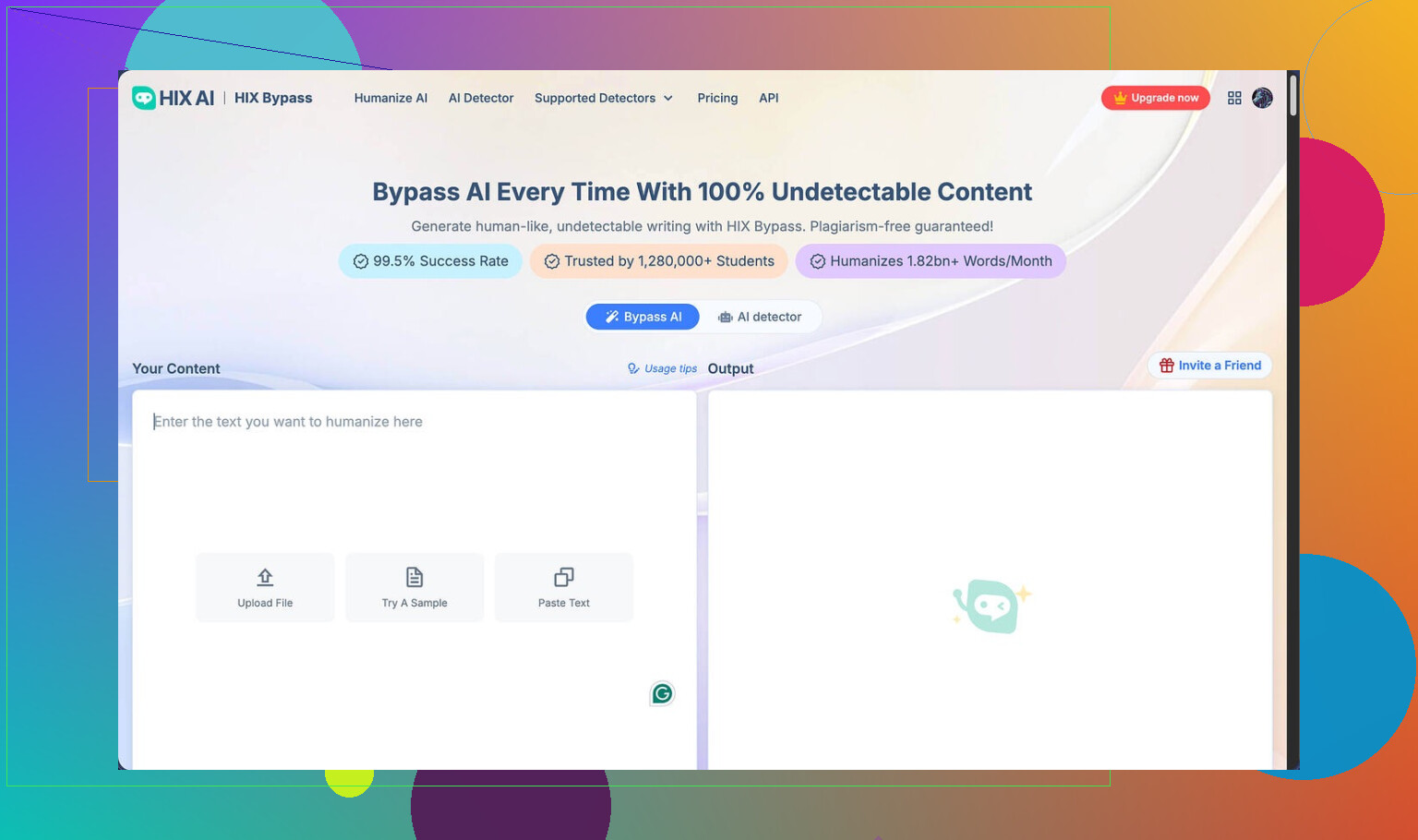
I spent a weekend messing with HIX Bypass after seeing people hype it up as some kind of “99.5% success rate” solution for AI detection. The homepage hits you with Ivy League logos, Shopify, big trust signals, all that. The link I used first was this writeup here:
My results were nowhere near what the marketing implied.
AI detection tests
I ran two sample texts through HIX Bypass, then checked them with multiple detectors. Here is what happened:
• ZeroGPT
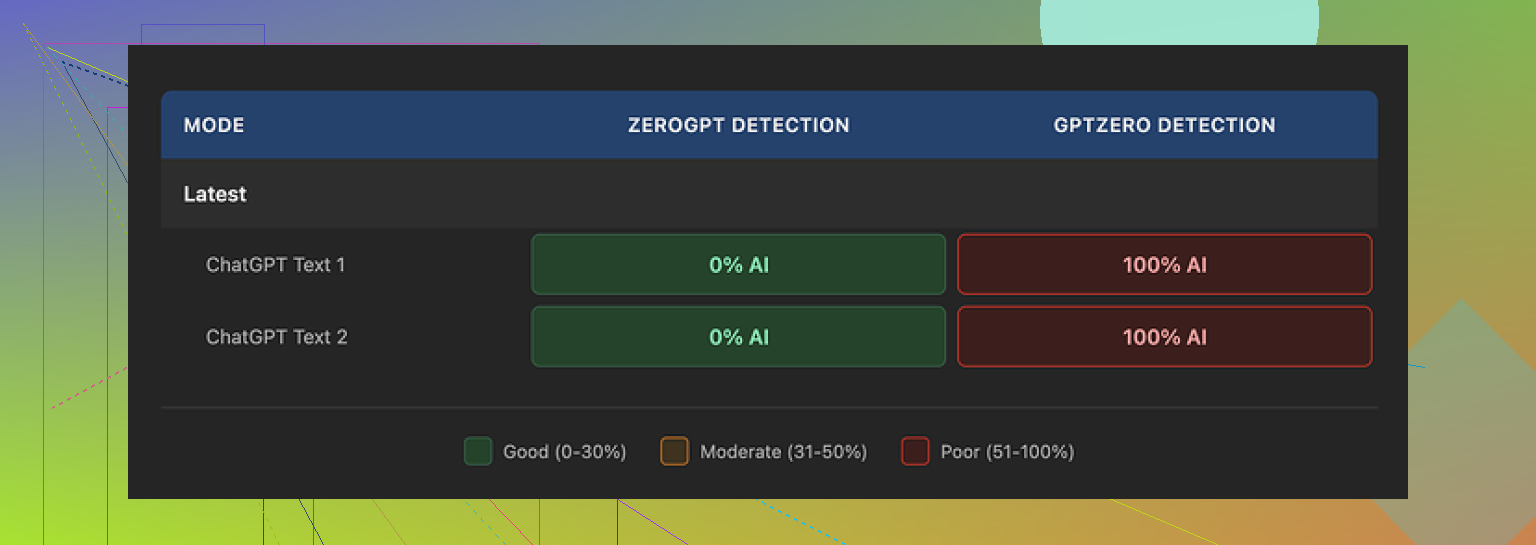
Both samples went through ZeroGPT without issues. ZeroGPT showed them as human text.
• GPTZero
Same two samples, totally different story. GPTZero tagged both as 100% AI generated. Not borderline, not mixed. Full AI.
The annoying part is their own built-in detection “panel”. It showed big green “Human-written” style results on most of the detectors they aggregate, and that gave a false sense of safety. On GPTZero those same samples failed hard.
So if your risk is a teacher, client, or platform using GPTZero, HIX Bypass did nothing useful in my tests.
Screenshot for context:
Writing quality
Score I’d give it: 4 out of 10.
Here is what bothered me while reading the output:
• It kept using em dashes in ways that scream “LLM text” to anyone who reads a lot of AI content.
• One output had a broken sentence fragment stuck in the middle. Looked like the model glitched and no one caught it.
• Another sample wrapped an entire sentence in square brackets, for no reason at all. That looked like raw model output, not something a human editor touched.
If you are trying to pass manual review from a human, not only detectors, this stuff feels risky. A bored TA or editor would spot those artifacts in a minute.
Limits, refunds, and pricing traps
On paper, the pricing looks cheap, especially the “Unlimited” annual option at around 12 dollars per year. When you read the details more slowly, it stops looking friendly.
Here is what I ran into and noticed:
• Free tier:
You get about 125 words per account. That is tiny. Feels more like a demo than a free plan.
• Refund policy:
They advertise a 3‑day refund window, but there is a catch: you need to stay under 1,500 words total usage if you want your money back.
I burned a big chunk of that limit in one short test batch without realizing it. If you do a couple of medium tests, you are already flirting with losing refund eligibility.
• “Unlimited” is not really unlimited:
Their terms of service leave room to change usage limits after you pay. So you buy “unlimited”, but they reserve the right to adjust what that means later.
Data and content rights
This part will matter to you if you care about where your text goes and who owns what.
From their terms and docs:
• They give themselves wide rights over submitted content.
• Free tier users have their inputs used to train the company’s models.
So if you paste client work, academic stuff, or anything sensitive into the free version, it becomes training data. That might be fine for you, but it is something you should know up front.
How it compares to Clever AI Humanizer
After HIX Bypass, I tried other tools under the same conditions. Similar base text, same detectors, no cherry-picking.
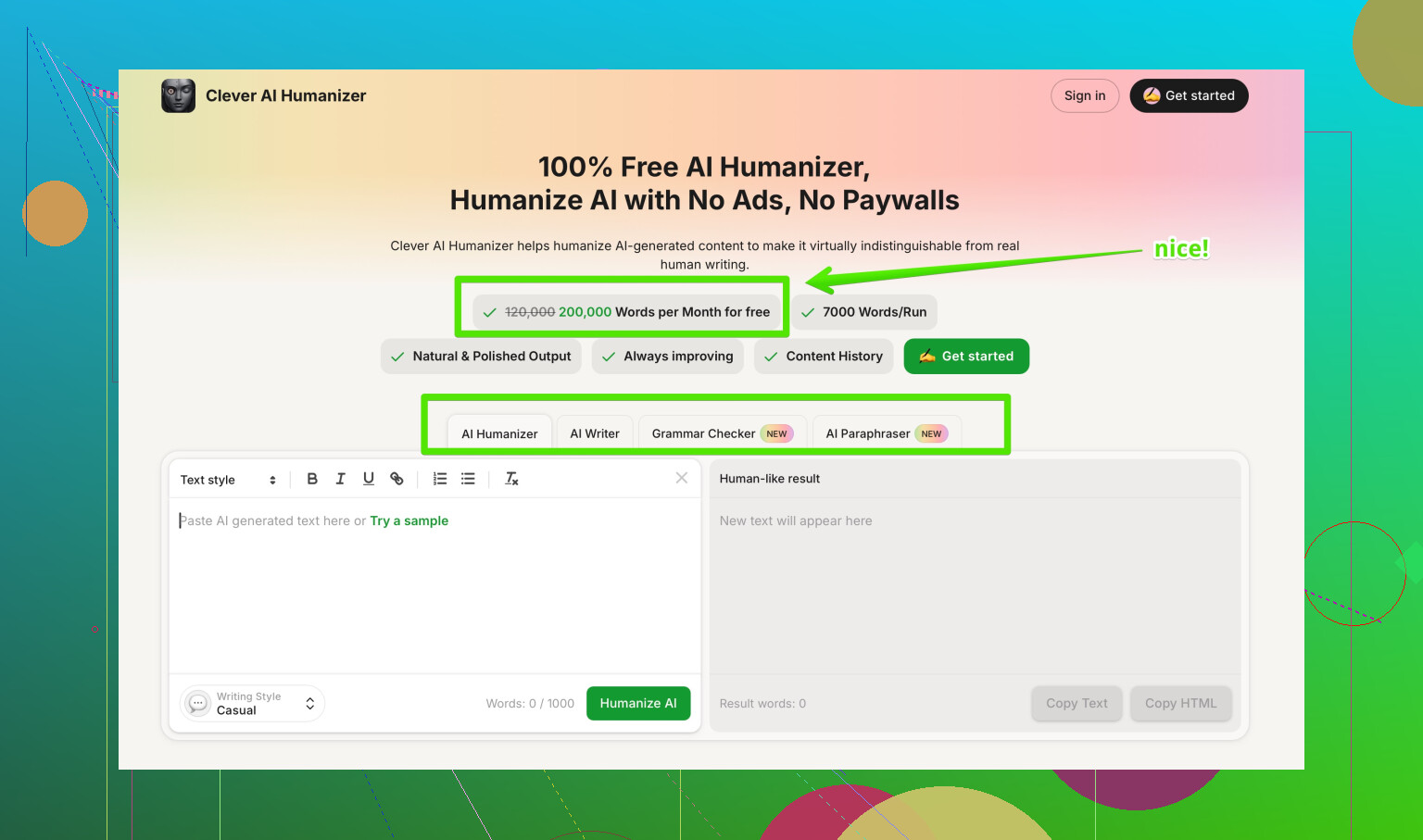
Clever AI Humanizer came out ahead in my tests:
• Output read more like something a bored human would type, not like a formatted blog post generator.
• Detection scores were better on the same tools, including GPTZero.
• It did not cost me anything to run those tests.
If you want to see the details of that comparison, they are collected here:
Final thoughts from using it
If you only care about slipping past ZeroGPT with short, low‑stakes text, HIX Bypass might look “good enough” at first glance.
If you care about GPTZero results, cleaner writing, clearer refund terms, and not handing broad rights over your content to a paid tool, my experience with HIX Bypass was disappointing.
I ended up dropping it after a few runs and using Clever AI Humanizer instead, because:
• Better scores across detectors I tested
• More natural rewrites
• No payment needed for the same experiment
Your use case might be different, but if you try HIX Bypass, I would keep your first tests small, watch the word counters closely, and always check outputs on GPTZero yourself before trusting their built‑in “Human-written” labels.
6 Likes
Short answer on the “HIX bypass review notice”: it is almost always a flag from your Health Insurance Marketplace (HIX = Health Insurance Exchange) when something in your file does not match federal or state data. It is not about tools like HIX Bypass AI, even though the names sound similar and confusing.
What usually triggers a HIX bypass review
From what I have seen, triggers fall into a few buckets:
-
Income mismatch
• Your stated income does not match IRS or employer data.
• Big change from last year’s tax return.
• Self‑employment income with no clear proof. -
Identity or immigration data mismatch
• Name, DOB, or SSN does not match SSA files.
• Lawful presence or citizenship info did not verify through DHS or SAVE.
• You uploaded blurry or incomplete ID earlier. -
Employer or Medicaid overlap
• System thinks you have an employer plan offer.
• You look eligible for Medicaid/CHIP based on income or age.
• You reported no employer coverage but your employer reported otherwise. -
Special enrollment or life event
• You used a Special Enrollment Period for move, marriage, loss of coverage.
• They want proof the event really happened.
What documents they usually want
The notice should have a section titled something like “What you need to send us” or “Information needed”. Typical asks by category:
-
Income review
Send copies of one or more of these:
• Most recent pay stubs, usually last 4 weeks.
• Most recent federal tax return, all pages of the 1040.
• Profit and loss statement for self‑employment, signed and dated.
• Unemployment benefit statement.
• Pension, Social Security, or disability award letter. -
Identity or SSN
• Driver’s license or state ID.
• U.S. passport.
• Social Security card plus another ID.
• Birth certificate plus photo ID. -
Citizenship or immigration status
• U.S. passport, naturalization certificate, or Certificate of Citizenship.
• Green card (front and back).
• Employment authorization card.
• I‑94, I‑797, or other DHS docs named in the notice. -
Special Enrollment event
• Loss of coverage letter from prior insurer or employer.
• Lease, utility bill, or mail for new address if move SEP.
• Marriage certificate or birth/adoption papers.
How it affects your current coverage
Important part:
• While under review
Your plan usually stays active. Your advance premium tax credits (APTC) and cost‑sharing reductions keep going during the review window.
• If you do not respond by the deadline
• They remove or reduce APTC and cost sharing.
• You stay enrolled but your monthly premium jumps to the full price.
• In some immigration or identity cases they terminate coverage entirely.
• If you respond and they disagree with your numbers
• APTC goes up or down based on their accepted income.
• You might owe more premium going forward.
• You reconcile everything on your next tax return with Form 8962.
What you should do now, step by step
-
Read the notice line by line
• Look for “Reason for review” or similar language.
• Look for exact bullet list of documents requested.
• Note the due date. Many states give 30 or 90 days. -
Log into your Marketplace account
• Go to “Application details” or “Documents” section.
• There should be a list that matches the notice.
• Download any forms they linked. -
Collect documents that match the request
• If they want “proof of yearly income”, do not send only one old pay stub.
• If your income changed after your last tax return, add a short written explanation, like “My hours were cut in May 2025. Here are pay stubs before and after.” -
Scan clearly
• Use PDF if possible, not dark phone pics.
• Make sure name, dates, and dollar amounts are legible.
• No cuts on corners where issue or expiration dates sit. -
Upload or mail
• Upload through your Marketplace portal first, since it is faster.
• If they allow mail or fax, keep copies and proof of sending.
• After upload, check in a day or two to see status change from “Received” to “Reviewed”. -
Call if the reason is unclear
• Use the Marketplace call center number on the notice.
• Say you received a “bypass review” and want them to read the “data matching issue” field.
• Ask them to list accepted document types for your exact issue.
Small disagreement with @mikeappsreviewer
They dug deep into HIX Bypass AI and other AI humanizers. That is helpful for people worried about AI detection on text. For your case, the HIX in “HIX bypass review” is almost certainly the exchange, not the AI tool, and AI humanizer tools do not affect this kind of review at all.
If you are dealing with written responses to the Marketplace, appeal letters, or explanations of income, you want them in your own words. Do not rely fully on AI text. If you do use an AI helper, run your text through a more natural rewriter, then edit by hand. For that, people have had better luck with tools like Clever AI Humanizer. Something like make your AI content sound more natural helps if a school or client uses detectors, but it will not change how the health exchange verifies income or identity.
How this ties into tax time
Quick heads up:
• If your final approved income is higher than what you told the Marketplace, you might repay some of the APTC at tax time.
• If it is lower, you might get additional credit when you file.
• Keep copies of everything you send for at least 3 years.
If you post the exact phrases from the notice that describe the “reason” section, people here can usually tell you which document set to send. Just do not post full names or SSNs.
Yeah, the “HIX bypass review” notice is confusing because the wording sounds super technical, but it’s basically the Marketplace saying, “Something about your info did not line up with what our data sources show, so we’re putting you in a manual review lane.”
I mostly agree with what @mikeappsreviewer and @chasseurdetoiles already laid out about typical triggers and docs. To not repeat all their step by step stuff, here’s how I’d look at it a bit differently and what actually matters for you right now:
1. What probably triggered it in plain English
Instead of thinking “What did I do wrong,” think “What looks weird to a computer.” Common patterns I see:
- Your income jumped or dropped a lot compared to last year’s tax return and you asked for premium tax credits.
- You reported self employment income and the system does not have any easy way to verify it.
- Your info makes you possibly eligible for Medicaid or employer insurance, and the system is not sure who should cover you.
- Some small mismatch in your identity data, like name spelling, middle initial, or SSN, that blocks an automatic check.
I slightly disagree with the idea that this is always about “mismatch.” Sometimes it is just “lack of proof.” For example, new job, no tax return yet that reflects it, or recent immigration status change.
2. How to figure out exactly what they want in under 10 minutes
Ignoring the noise, look for these in your notice:
- A line that mentions “data matching issue” or “inconsistency.”
- A specific topic next to it like: income, citizenship, identity, or eligibility for other coverage.
- A bullet list or table of “acceptable documents.”
If you only do one thing today, do this: circle or highlight the topic word on your letter. That one word determines the type of document you need. If it says “income,” do not waste time sending immigration papers. If it says “citizenship,” your pay stubs are irrelevant.
3. What to send without overthinking it
To avoid duplicating their whole document list, here is the practical version:
-
Income issue
Send something that shows how much money you make per year, not just one random stub. So several recent pay stubs or a current profit and loss if self employed, plus a short note if your income changed. -
Identity / SSN issue
Clear picture or scan of your government ID and Social Security card if they asked for it. No artsy filters, no half cut photos. If they cannot read it, it is the same as not sending it. -
Citizenship / immigration
Use the doc with the clearest status label and date, like a passport, naturalization certificate, green card, or EAD. Front and back if there is a back. -
Special enrollment event
Send the one document that directly connects to the event: termination letter if you lost coverage, lease or bill if you moved, marriage certificate if you got married, etc.
One spot I slightly part ways with the other replies: people sometimes flood the Marketplace with 15 different documents “just to be safe.” That can slow things down. It’s usually better to send two or three strong documents that match the specific issue than a random pile that confuses the reviewer.
4. What this does to your coverage in practice
Short version:
- While they are waiting on your documents, your plan usually keeps running with the current subsidy.
- If you miss the deadline or send nothing, they often strip the financial help and you suddenly see a full price premium.
- In some immigration or identity unresolved cases, they can terminate coverage, but they generally warn you first.
Where it really bites people is tax time. If you lowballed your income, then the review corrects it upward, you might owe back part of the subsidy later. Keep copies of everything you send so you can match it up with Form 8962 when you file.
5. Using AI for letters or explanations
This is where the “HIX Bypass” AI tool confusion comes in. Your notice is about the Health Insurance Exchange, not about AI detection. Tools like HIX Bypass AI, Clever AI Humanizer, etc., do not affect how the Marketplace checks your eligibility at all.
If you are writing an explanation letter though, that is where something like Clever AI Humanizer can help a bit. You can draft a rough explanation yourself, run it through Clever AI Humanizer to smooth the wording, then edit it back into your natural voice so it does not sound like a stiff template. That matters more for talking to a human reviewer than for any detector.
Just do not overdo it. Marketplace workers are used to simple, straight language. A short, clear paragraph in your own style works better than a super polished essay.
6. If you are still lost
Honestly, grab the notice, find the “Reason” line, and call the Marketplace with it right in front of you. Literally read the phrase to them and ask “What specific documents do you want for this reason?” They can usually list acceptable options and confirm whether uploading through your account is enough.
Side note on AI humanizer reviews
If you were also looking into AI tools from the whole HIX Bypass mess and ran into the “Best AI Humanizer Review on Reddit” thing, a more useful way to frame it is something like:
detailed community feedback on the most reliable AI humanizer tools
That thread is pretty blunt about what works and what is hype, and it mentions tools like Clever AI Humanizer in a more real world context than marketing pages do.
If you want to paste just the line from your notice that describes the review reason (crop out any personal identifiers), people here can usually tell you which 2 or 3 documents will actually solve it instead of shooting in the dark.
The key thing everyone is circling is this: your “HIX bypass review” is a Marketplace eligibility check, not anything to do with HIX Bypass AI or detector tools.
A few points that complement what @chasseurdetoiles, @espritlibre and @mikeappsreviewer already laid out:
-
The wording “bypass”
This usually just means the system could not auto‑verify something and routed you to a manual lane. It is not automatically “bad” and it does not always mean you made a mistake. Sometimes the federal or state data is just old or incomplete. I slightly disagree with the idea that it is usually a “mismatch” in the sense of conflict. Often it is simply missing data. -
What actually matters in that letter
Instead of rereading the whole notice ten times, zoom in on three things only:
• Which single issue is flagged: income, identity, citizenship, or other coverage.
• The date your info “must be received by.”
• Whether the consequence is loss of APTC, loss of CSR, or full termination.
That consequence line tells you how urgent it really is. Loss of subsidy is painful but fixable. Termination for unresolved citizenship or identity is a bigger fire. -
Multiple issues at once
One thing not really touched on: sometimes the letter bundles two different data problems. For example, income plus potential Medicaid. In those cases send a clean set of income proof and also respond to the “other coverage” question, or you will fix only half the problem and still get downgraded. -
Do not over explain unless they ask
Others suggested adding explanations about income changes. That is useful if your documents alone would look contradictory. If your pay stubs clearly tell the story, a long essay can just create new questions. Short is safer: one paragraph max. -
Using AI for your explanation
Marketplace staff read a lot of copy‑pasted templated letters. If you lean on a helper, keep it subtle and edit it into your own voice. Here is where something like Clever AI Humanizer can help a bit, especially if you are nervous about your writing.Pros of Clever AI Humanizer:
• Tends to produce more natural sounding text than some tools people hype like HIX Bypass AI.
• Good if you want your explanation letter to read like a normal person, not a polished essay.
• Helpful when you need to rephrase dense or technical wording into something clearer.Cons to keep in mind:
• It is still a tool, not a lawyer or navigator, so it will not tell you what to say, only how to say it.
• If you rely on it without editing, your letter can still sound a bit generic.
• Does nothing for the substance of eligibility. The Marketplace only cares that your documents and numbers are real.I would draft your explanation in plain language, run it through Clever AI Humanizer once to clean up clunky sentences, then manually trim it back down. Think half a page at most.
-
Where I differ slightly from others
• @chasseurdetoiles and @espritlibre are right about focusing on the specific “topic word” like income or citizenship. I would go one step further and say: if the notice is ambiguous, do not guess. Call and ask them to read the internal “data matching issue” note while you are logged into your account.
• @mikeappsreviewer went deep on HIX Bypass AI tests. Useful if you care about detectors such as GPTZero, but completely unrelated to the Marketplace review mechanics. I would not spend time on detector scores when your deadline clock is ticking on a health plan. -
What to do if your coverage is at risk
If the letter mentions that your APTC will end on a specific date, treat that like a shutoff notice from a utility. Upload the requested docs first, then if you are unsure, call and confirm that they see them and that they are “sufficient.” Ask that word specifically. If they say “no, you still need X,” you know what to add.
If you are comfortable, you can quote just the short “Reason” line from your letter, with all personal details removed, and people can usually tell you which narrow set of documents will satisfy this particular review instead of sending a pile at random.