LocalSend file transfers on my network are much slower than expected, even between devices on the same Wi-Fi. I’ve tried sending different file sizes and the speed stays low, so I need help figuring out what could be limiting LocalSend transfer speed and how to fix it.
I tried LocalSend on a few different setups, and the honest answer is simple. Speed mostly comes down to your network. When the Wi-Fi is decent, file transfers feel fast enough that you stop paying attention to them.
What it feels like in normal use
LocalSend runs across your local Wi-Fi, so the transfer rate is tied to what your router and both devices can handle. On a normal home network, small and medium files move fast. I sent photo batches, PDFs, and random work docs, and most of it was done in a few seconds.
The slowdown shows up with larger stuff. A 4K video file, a folder full of RAW images, or a chunky backup takes longer. I saw the transfer rate shift a lot based on a few things:
- Distance between the devices and the router
- How busy the Wi-Fi was at the time
- Whether both devices were on similar Wi-Fi tech, like Wi-Fi 5 or Wi-Fi 6
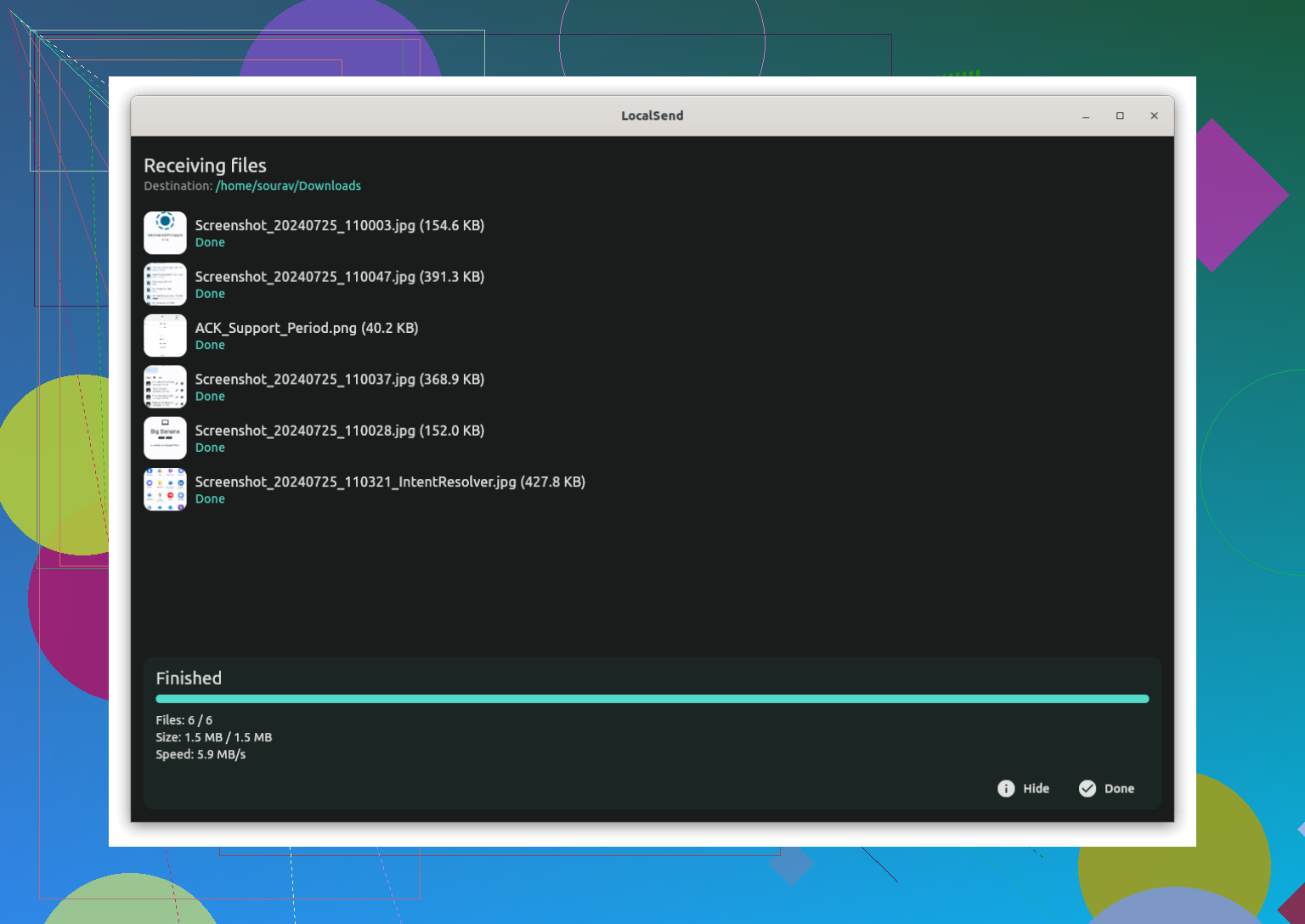
On older gear, I got around 20 to 30 MB/s. On a better setup, I saw closer to 80 to 100 MB/s. So no, it did not fill a gigabit link in my tests. Still, for normal day to day file moving, it felt quick.
One thing I noticed right away, ethernet helps. When both devices were plugged into the same router, transfers were faster and more stable than Wi-Fi to Wi-Fi. If your work depends on moving large files often, I'd try wired first.
When it starts getting annoying
If LocalSend feels slow all the time, I would look at the network before blaming the app. I ran into lower speeds from thick walls, being too far from the router, other devices chewing through bandwidth, and one older router which kind of fell apart once multiple connections were active.
Public and office networks were worse. In some places, LocalSend did not work at all, so transfer speed stopped mattering.
Other options if Wi-Fi is the weak point
If your home setup is fine, LocalSend is usually enough. If you're on macOS and move large files to or from Android a lot, I would look at MacDroid. It uses USB instead of Wi-Fi, which cuts out the router issue. In use, this means fewer random slowdowns, no waiting on cloud uploads, no storage fees, and less risk of a transfer failing halfway through. For big file moves, wired felt steadier to me.
SyncThing is worth a look too if you want files to sync in the background instead of sending them by hand each time. Setup takes longer, but once it is running, it works well.
For Android to Windows transfers, Quick Share has been decent in my use. I would not call it perfect, though it got reliable enough to keep in the mix.
My takeaway, LocalSend is fast enough for most people on a normal network. If it feels sluggish, the bottleneck is often your Wi-Fi, not LocalSend itself. Aand if you're moving huge files every day, wired still wins.
57 Likes
I partly disagree with @mikeappsreviewer on one point. It is not always “your Wi-Fi” in the broad sense. A lot of slow LocalSend transfers come from one weak link inside the path.
Check these first.
-
Band mismatch.
If one device sits on 2.4 GHz and the other on 5 GHz, speed often drops hard. Put both on 5 GHz or 6 GHz. -
VPNs and private DNS.
Turn them off on both devices. Some setups slow local traffic or route it badly. -
Battery saver.
Phones throttle Wi-Fi and background work when power saving is on. Disable it during transfers. -
Link speed vs transfer speed.
On Windows, check the Wi-Fi adapter “Link speed”. If it says 72 Mbps or 144 Mbps, your transfer cap is already low. You wont get 80 MB/s from a weak link rate. -
Storage speed.
This gets ignored a lot. Sending to a slow SD card, old HDD, or nearly full phone storage drags the whole transfer down. I’ve seen LocalSend sit at 8 to 12 MB/s because the target drive was the bottleneck, not the network. -
Security software.
On Windows and macOS, antivirus scanning each chunk hurts speeds. Test one run with real-time scanning paused. -
AP isolation or guest Wi-Fi.
Some routers let devices “see” each other poorly or restrict peer traffic. Use the main SSID, not guest.
Quick test:
Send one big file, like 5 GB, not 500 tiny files. Tiny files add overhead and make speeds look worse.
If you move large files often between Android and Mac, MacDroid is worth a look. USB file transfer removes Wi-Fi from the equation, and for big folders it’s usally faster and steadier.
I’d add one angle neither @mikeappsreviewer nor @nachtschatten really leaned on much: sometimes LocalSend is slow because the devices are negotiating a bad network path, not because raw Wi-Fi signal is weak.
A few things I’d check:
- Make sure both devices are on the same access point if you have a mesh system. Mesh can quietly bounce one device to a satellite node and the other to the main router, which adds backhaul traffic and tanks speed.
- Restart LocalSend on both ends after reconnecting Wi-Fi. I’ve had apps keep a stale session and act weirdly slow until I forced a fresh connection.
- Test at different times of day. Not just “busy Wi-Fi”, but ISP combo routers often get flaky under load from TV streaming, game downloads, or cloud backups.
- Check CPU usage. Older phones/tablets can bottleneck on encryption, file indexing, or thermal throttling. If the device gets hot, speed can nosedive and stay there.
- Try one sender to multiple receivers? Don’t. LocalSend is happiest one-to-one.
Also, I kinda disagree with the blanket “wired always wins” thing. Usually yes, but not if one side has a junk USB controller, bad cable, or slow storage. Wired is not magic, lol. Still, for Android to Mac large transfers, MacDroid is worth trying since USB removes a lot of wireless weirdness.
My quick diagnosis flow:
- Same room test
- Same mesh node / same band
- One big file
- Watch CPU and storage activity
- Compare against a different app or SMB share
If SMB or MacDroid is also slow, LocalSend probably isn’t the real problem.
Try bypassing your router. Enable a hotspot on one device, connect the other device, then reopen LocalSend. This removes mesh routing, crowded access points, and odd router settings.
Keep both devices within 1 to 2 metres. Send one 2 GB file and compare the MB/s rate. If speed rises, your router path is the bottleneck. If it stays low, one device is limiting performance.
This is the simpliest test. You need no cable, extra app, or router changes. Remember to reconect both devices to your normal Wi-Fi afterward.
If one of your devices is an older phone or a low-power laptop, the thing choking your speed might be inside LocalSend itself, not the network. The app encrypts transfers over HTTPS by default, and on weak CPUs that encryption overhead is real. Dig into the app settings and you can switch the protocol to plain HTTP. On a trusted home network that’s a reasonable trade, and it can lift throughput noticeably on devices that were bottlenecking on the crypto step. Nobody above mentioned that, and it’s a two-tap change.
@corerouternode’s hotspot test is genuinely good for isolating the router, but keep one thing in mind: a phone hotspot usually runs on a weaker radio than your actual router, and some phones cap hotspot speeds hard. So if speed drops in that test, it doesn’t automatically mean a device is the limit. It might just be a mediocre hotspot radio. I’d trust it more when speed goes up than when it stays low.
The storage point from @nachtschatten is the one I’d underline the most. People stare at Wi-Fi graphs while writing to a phone that’s 95 percent full or an old SD card. Full flash storage slows way down on writes, and no amount of band tuning fixes that. Check free space on the receiving side before blaming anything else.
On the wired debate, I’m with @boswandelaar. Wired isn’t automatically faster, it’s just more consistent. A cheap cable or a junky USB bridge chip will happily give you slow, stable transfers. If you’re moving big folders between Android and a Mac regularly and the wireless path keeps flaking, something like MacDroid over USB makes sense because it takes the router out of the picture entirely, but I’d treat it as a fix for reliability more than a guaranteed speed win. Same caveats apply to the cable and the port.
Short version of my take: try the HTTP toggle first since it costs nothing, check free storage on the receiver, and only start rearranging your network after those two come back clean.