Here’s My Take on SFTP Security and Mounting Drives (Not a Pro, Just an Experienced User)
Let me preface by saying I’m not a cybersecurity guru—just someone who’s wrestled with more file transfers than I care to count. SFTP (Secure File Transfer Protocol) is what you get when your files start wearing armor: it’s built on SSH, meaning your data doesn’t travel through the digital wild west naked. Instead, everything’s encoded in such a way that nosey interlopers can’t peek or fiddle with it. So yeah, if your paranoia levels are justifiably high when moving sensitive documents, SFTP has your back.
Now, it’s not just about wrapping data in digital bubble wrap. SFTP asks you, “Who goes there?” via passwords or SSH keys before letting you through the gate. I can’t count the times having a robust authentication system saved my bacon, even when I was an “oops, copy-paste password” type of user.
The Grind: Mounting SFTP Servers on Windows Without Pulling Your Hair Out
So, if your job (or side hustle, or weird hobby) brings you face-to-face with SFTP servers—especially on Windows—boy, do I relate. My workflow got tired of endless window switching and the whole juggling act, so I ended up relying on CloudMounter to tie everything together. Not a paid endorsement, just what got me out of digital chaos.
Step-by-Step: SFTP as a “Just Another Drive” Setup
-
First hurdle: Download and install CloudMounter. If you can install a game, you can install this.
-
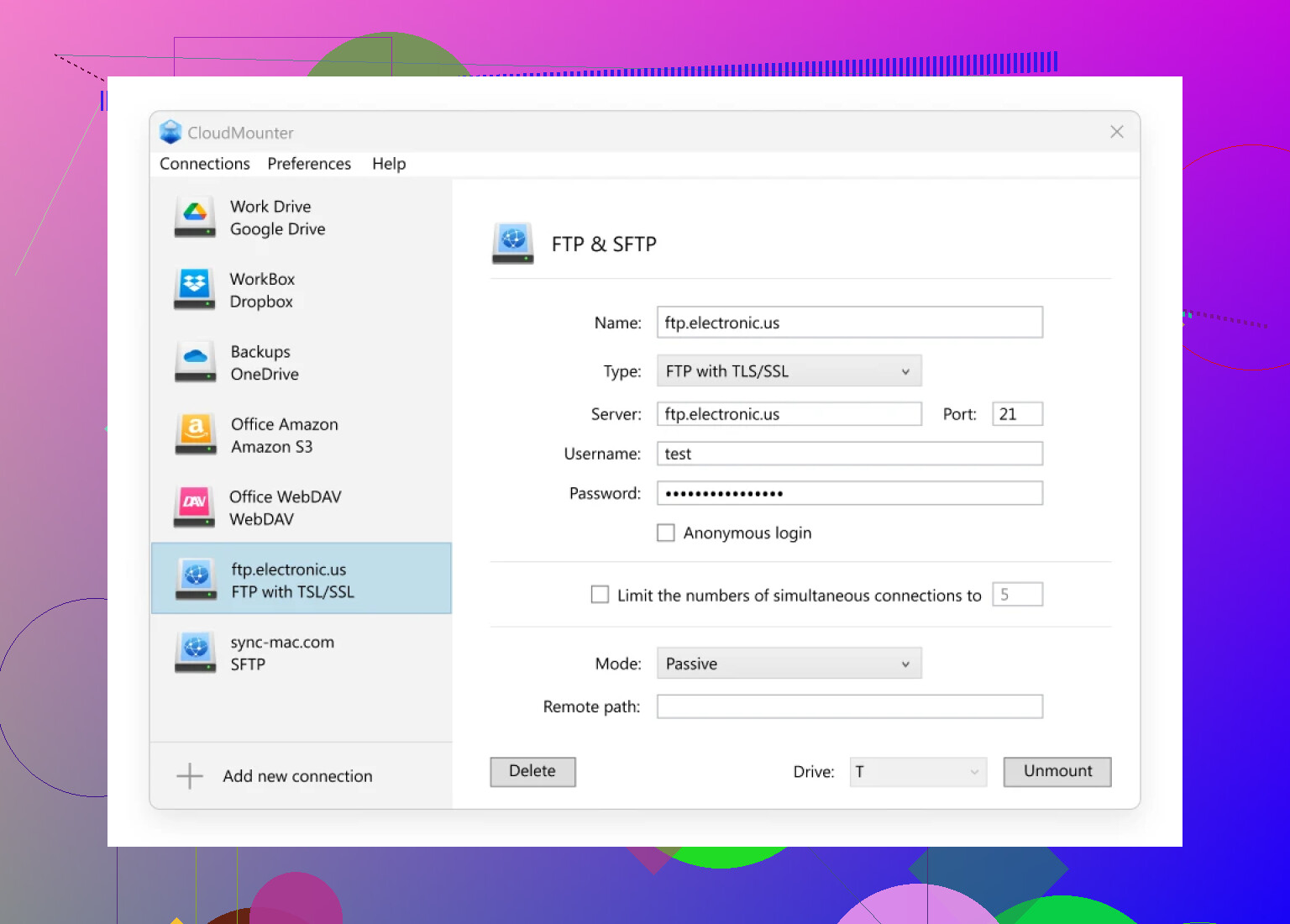
Opening moves: Fire up the app. Instead of drowning in connection jargon, just tap the “FTP & SFTP” option—you really can’t miss it.
-
Fill in the blanks: Choose SFTP, punch in your connection info (hostname, username, the whole nine yards), and whack that “Mount” button like you mean it.
-
Here’s what you’ll see:
-
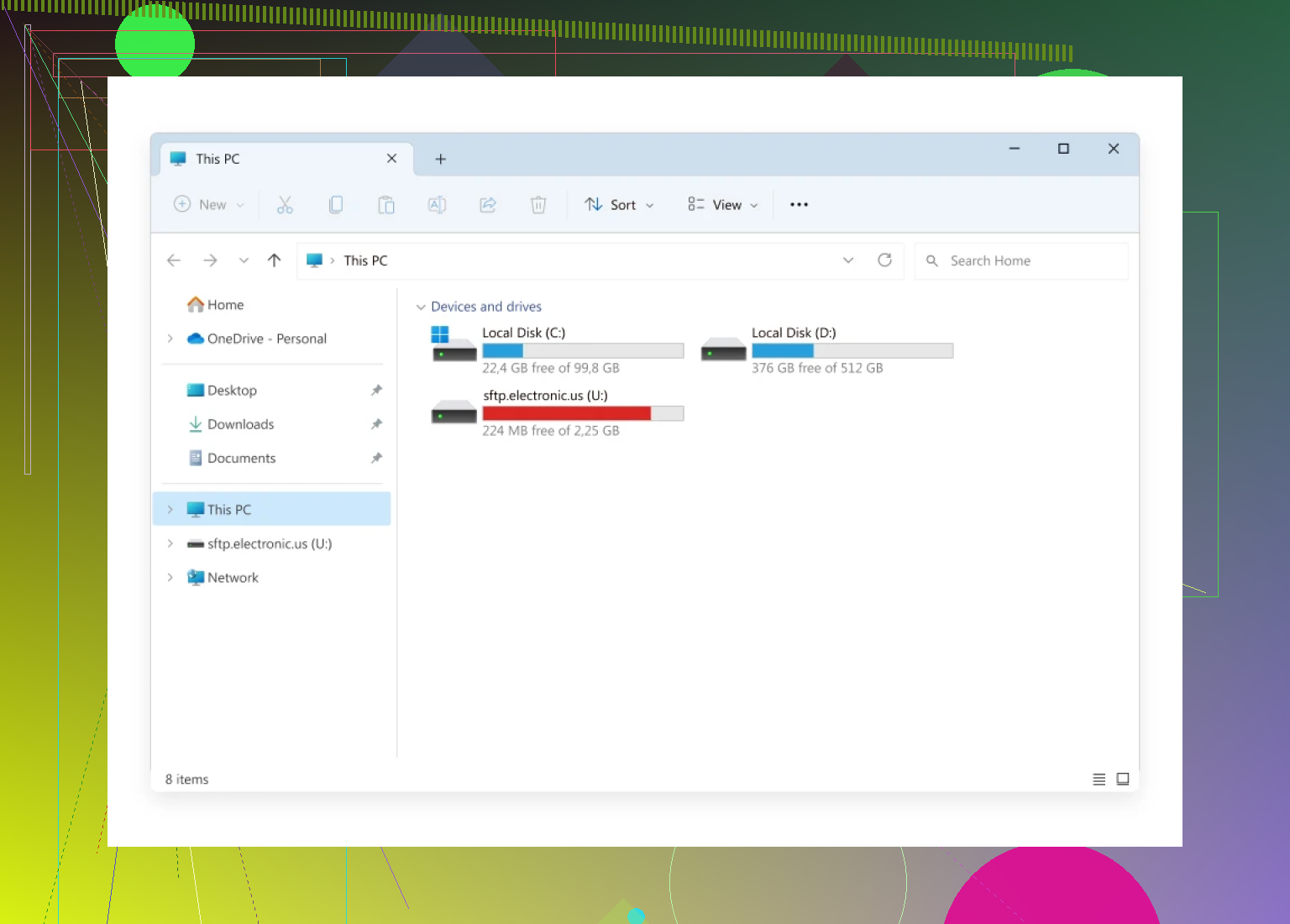
Voilà: Head over to File Explorer and, like magic, there’s your SFTP server chillin’ as if it were any other drive plugged into your tower.
If you’re someone who’d rather not juggle a dozen finicky apps or browser tabs just to fetch files from “that one server,” this setup keeps things civilized. No more copy-paste mishaps or files lost to the ether. Just point, click, and your distant server feels like it’s right at home on your desktop.
That’s about the gist. You don’t have to trade sanity for security—tools exist, and hey, sometimes they actually work.