My Chromecast remote suddenly stopped working and I can’t control my TV or navigate the menu. I already changed the batteries and tried basic troubleshooting, but it still won’t respond or pair correctly. I need help figuring out if this is a pairing issue, a reset problem, or if the remote is broken.
My Chromecast with Google TV remote quit on me out of nowhere once, and it was one of those dumb little problems more than some big failure. If yours stopped responding, I’d start with the simple stuff first.
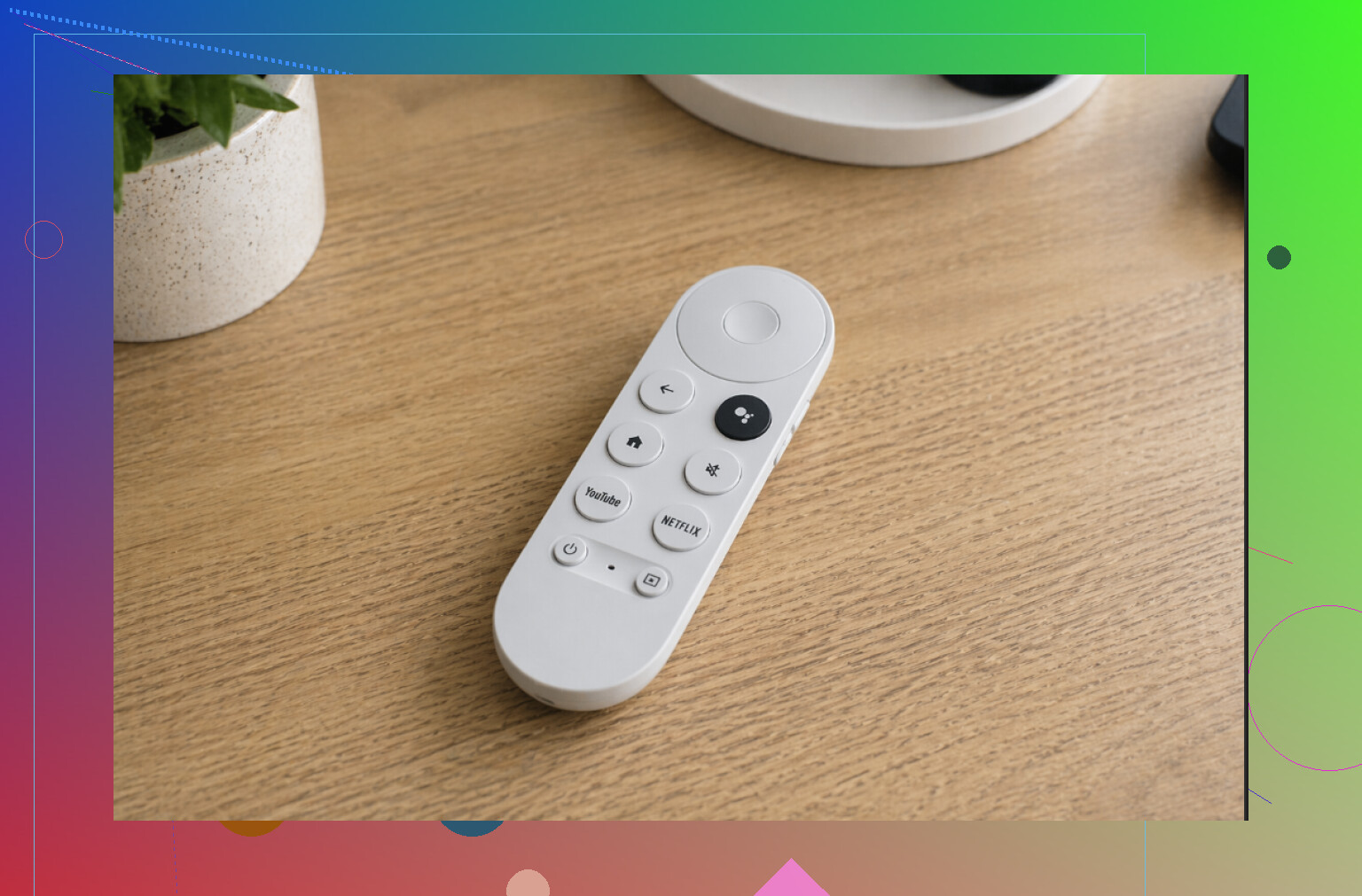
What I checked first
Swap the batteries
This was the fix for me the first time. The remote had worked the day before, so I ignored the batteries. Bad call. When they get low, the remote starts missing clicks, lagging, or goes dead.
Restart the Chromecast
I pulled the power cable, left it alone for around 30 to 60 seconds, then plugged it back in. It sounds too simple, but I’ve seen the box come back clean after a reboot.
Pair the remote again
Sometimes the connection drops and the remote sits there doing nothing. I held the Back and Home buttons together for a few seconds, and it reconnected.
Look for buttons jammed down
A button doesn’t need to be smashed flat to cause trouble. A little dust or a button sitting crooked was enough in my case to make the remote act weird.
Stand closer to the TV
The remote uses Bluetooth, so range matters more than people think. I had better luck when I moved closer and got other junk out of the way.
If none of those worked, I used my phone for a while and got by fine.
Using your phone instead
When the physical remote refuses to cooperate, a phone remote is the fastest backup I’ve found. One option is TVRem – Universal TV Remote App.
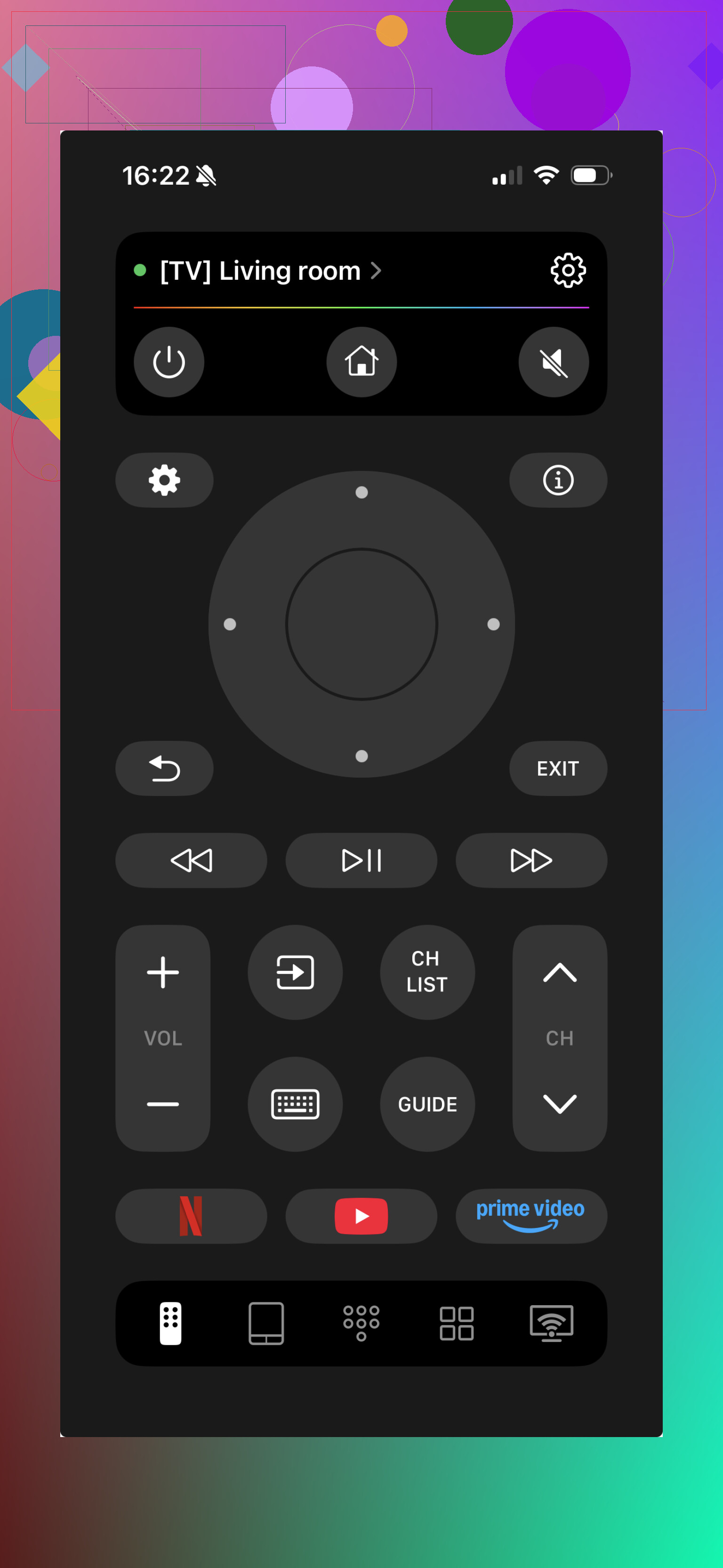
Why I kept it installed
It works as a backup when the original remote dies
It supports Chromecast and a bunch of smart TVs
You get volume control, app navigation, and basic remote functions
It helps with more than one TV, so it isn’t a one-device fix
I found this useful when I had no spare batteries in the house and didn’t feel like waiting around to sort out the hardware remote.
The short version
Most of the time, the problem ends up being weak batteries or the remote losing its pairing. If the remote is fully unresponsive, using a phone remote like TVRem is a quick way to keep using your Chromecast while you deal with the original remote.
21 Likes
If batteries and the usual reboot stuff failed, I’d look at firmware and HDMI-CEC next. @mikeappsreviewer covered the easy checks, but pairing is not always the root issue.
Try this:
-
Use the Google TV app on your phone.
You need a temp remote first. Open Google TV on Android or iPhone, connect to your Chromecast, then go to Settings, Remotes & Accessories. -
Remove the dead remote from saved devices.
If it shows up as paired but broken, delete it. Old Bluetooth records get stuck. Re-pair from scratch. -
Factory reset the remote.
Take out one battery. Hold Home. Reinsert the battery while still holding Home. Keep holding until the LED starts pulsing. Then pair it again through Remotes & Accessories. This fixes a lot of weird no-response cases. -
Check for Chromecast updates.
Old software causes pairing bugs. Google has pushed remote fixes before. If your Chromecast is a few versions behind, pairing gets flaky. -
Turn off HDMI-CEC, then test.
CEC conflicts mess with volume and power control a lot. The remote might pair fine, but TV control fails, so it feels dead. Disable CEC on the TV and in Chromecast settings, test, then re-enable if needed. -
Re-run button setup for TV control.
Settings, Remotes & Accessories, Set up remote buttons. If menu buttons work but TV power or volume do not, the remote is not dead. The IR config is wrong. -
Check Bluetooth interference.
Move nearby game controllers, soundbar remotes, and 2.4 GHz stuff away for a few mins. Sounds dumb, but I’ve seen it happen.
If none of that works, factory reset the Chromecast itself. Annoying, yep. Still faster than fighting a bad pair record for an hour. If the LED on the remote never lights during reset, the remote itself is toast.
If batteries, rebooting, and re-pairing already failed, I’d stop treating it like a “remote issue” for a minute and test whether it’s actually the Chromecast UI getting stuck.
A couple things I’d try that are a little diff than what @mikeappsreviewer and @shizuka suggested:
- Boot the Chromecast from a different USB power brick, not the TV’s USB port. Low/unstable power causes weird remote behavior way more than people admit.
- Try the remote on another TV if you can. Not for full setup, just to see if the LED and TV-control behavior changes. That helps separate Chromecast vs TV/CEC weirdness.
- Check the battery contacts inside the remote. I’ve had one where the springs looked fine but weren’t making solid contact. Tiny bit of corrosion = dead remote vibes.
- Use compressed air around the D-pad and side seams. If a button is half-stuck, pairing can fail or inputs get ignored.
- If the remote LED flashes but pairing still fails, leave the remote without batteries for 10 to 15 mins. Sounds dumb, but it can fully discharge it and clear flaky state.
Also, slight disagree with jumping straight to full Chromecast factory reset. I’d save that for last-last, because redoing apps/accounts is a pain and sometimes the remote itself is just cooked.
If the remote shows zero LED activity even with known-good batteries and after the battery-contact check, it’s probably hardware failure. At that point I’d use the phone remote and replace the physical one. Kinda annoying, but yeah, sometimes they just die for no real reason.
One angle I do not see emphasized enough by @shizuka, @waldgeist, and @mikeappsreviewer is button mapping corruption versus total remote failure.
Quick test:
- If the white LED reacts, the remote probably still has life.
- If navigation fails but power/volume sometimes work, Bluetooth is the issue.
- If navigation works but TV power/volume do not, it is just the IR profile.
A couple of different things to try:
-
Boot into the remote pairing screen before the home UI fully loads
Sometimes the launcher hangs and makes you think the remote is dead. Power cycle the Chromecast, and as it starts, use the Google TV phone remote to jump straight into remote settings. -
Change Wi-Fi temporarily to 5 GHz only
Bluetooth and crowded 2.4 GHz can be ugly together. I slightly disagree with treating interference as rare. In apartments, it is common. -
Unplug nearby streaming sticks or consoles
Not just for interference. HDMI devices packed tightly behind the TV can create enough noise to mess with Bluetooth. -
Test with fresh name/profile setup on the Chromecast
Not a full factory reset first. Add a guest profile or secondary account if possible and see whether inputs behave there. That helps rule out a weird settings-layer glitch. -
Inspect the IR blaster window on the remote
If TV controls died after a drop, the front IR window may be blocked, cracked, or dirty.
If you need a stopgap, the Google TV app is still my first pick over a third-party app. Still, if you want an all-in-one backup, ’ has some upside.
Pros of ’
- Handy backup if the physical remote is unreliable
- Can reduce downtime while troubleshooting
- Useful if you control multiple TV devices
Cons of ’
- Usually not as seamless as the official phone remote
- Some functions can be hit or miss depending on device support
- Another app to set up when you are already annoyed
If the remote LED never lights after battery-contact cleaning and a reset attempt, I would call it hardware failure and replace the remote rather than keep chasing software ghosts.