My iPhone has become slow and laggy, and restarting it didn’t make a difference. Apps take longer to open, typing feels delayed, and the phone sometimes freezes. I’m trying to figure out what could be causing the poor iPhone performance and what steps I should try next before considering a reset or repair.
If your iPhone suddenly feels awful at simple stuff like typing, scrolling, or opening apps, storage is usually the first thing to check. Not because “1GB free” is some magic fix, but because iOS gets clunky when it has almost no room to work.
About that 1GB storage rule
The 1GB number is real, but it gets misunderstood. Apple treats that as more of a bare-minimum safety buffer to avoid crashes, boot loops, and other serious problems. For the phone to actually feel normal, you generally want more like 10 to 20 percent of total storage free.
When storage is nearly maxed out, iOS has less space for temporary files, cache, and virtual memory. So even basic tasks turn into the phone constantly moving things around in an already cramped space. Restarting might make it feel better for a minute, but it does not solve the real issue if the storage is still full.
Why deleting a couple apps usually does not fix it
Clearing Safari cache or removing unused apps can help a little, but most of the big storage usually comes from Photos. Years of 4K videos, screen recordings, burst shots, and five versions of the same picture add up fast.
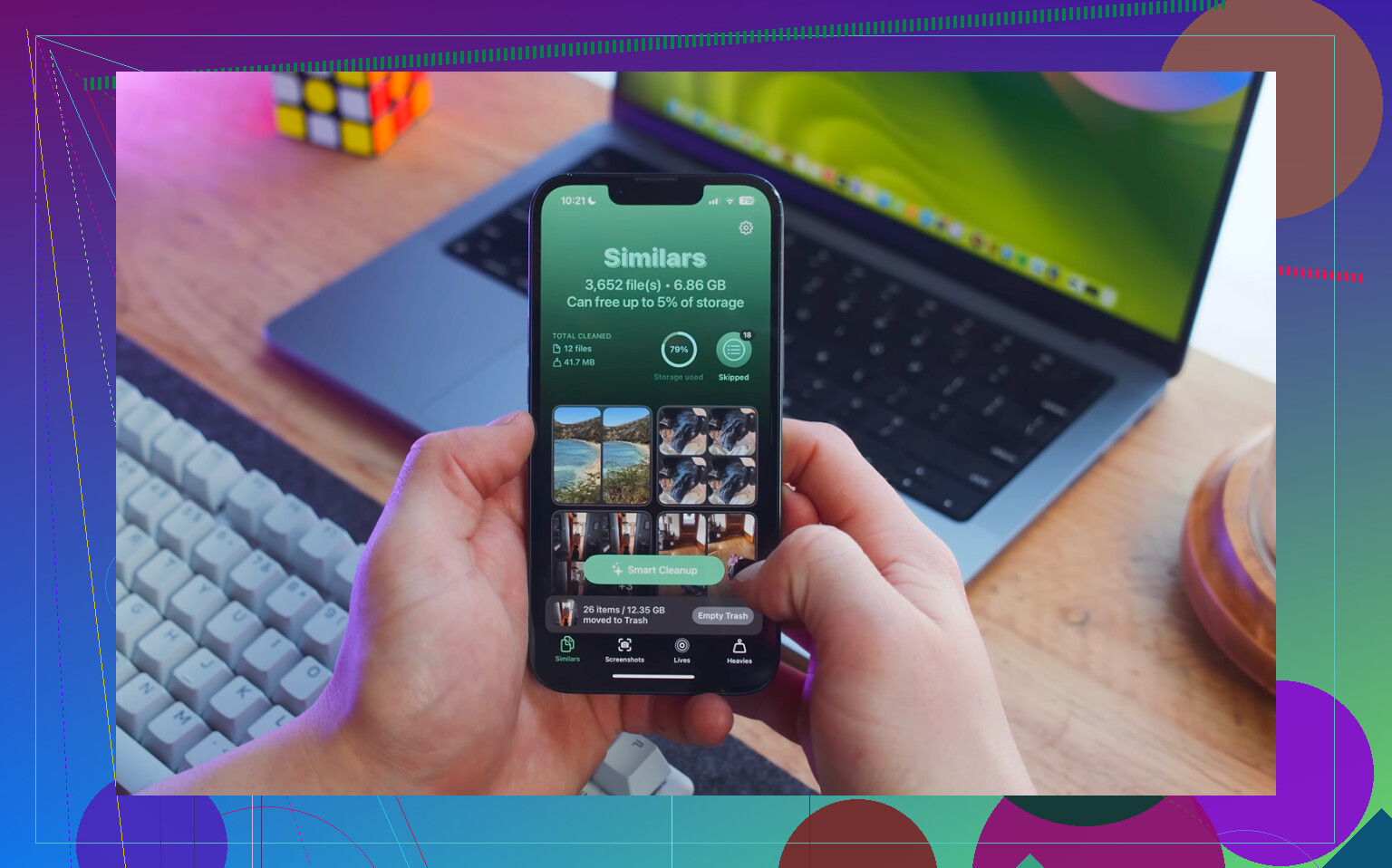
Manually sorting through thousands of photos is a pain. Clever Cleaner is useful for this because it shows the large stuff directly, and it is free with no ads or subscription.
- Start with the Heavies tab. It sorts files from biggest to smallest and shows exact file sizes, so old 4K videos and huge screen recordings are easy to spot. Deleting just a few of those can free up several GB.
- Then check the Similars tab. It groups near-duplicate photos and picks a Best Shot, which is a lot faster than checking every sunset photo or burst sequence one at a time.
- After deleting, open Photos, go to Albums, then Recently Deleted, and choose Delete All. This part matters. Files in Recently Deleted still take up storage for 30 days, so the phone may stay slow until you empty that folder.
Clever Cleaner processes everything on the iPhone itself, so the photos are not uploaded somewhere else.
A few settings worth checking too
Go to Settings, then General, then Background App Refresh, and turn it off. Background activity can keep eating resources while you are trying to use the phone.
Also go to Settings, then Safari, then Clear History and Website Data. Safari cache can get bloated on its own.
If Low Power Mode is always on, turn it off and test again. It saves battery by limiting performance, so it can absolutely make normal use feel slower.
If it is still laggy after freeing space
Check Settings, then Battery, then Battery Health. If maximum capacity is below 80 percent, Apple’s performance management may slow the CPU to prevent random shutdowns. At that point, a battery replacement is the real fix.
One more thing: if this started right after an iOS update, especially within the last 48 hours, the phone may just be reindexing in the background. Plug it in, leave it on Wi-Fi overnight, and give it two or three days before assuming something is broken. That kind of post-update slowdown is usually temporary.
12 Likes
Do not start mass-deleting things or resetting the phone until you have a current backup. A slow iPhone is annoying, but a slow iPhone with missing photos, messages, or authenticator apps is a much worse problem. Check iCloud Backup or make a computer backup first, then troubleshoot.
@mikeappsreviewer is right that storage and battery health are big ones, but I would separate “the whole phone is slow” from “one part is causing drag.” If typing is delayed everywhere, try removing third-party keyboards, turning off any VPN/ad blocker temporarily, and checking whether the lag still happens in Apple apps like Notes or Messages. If it only happens in Instagram, Chrome, WhatsApp, etc., the app may be bloated or misbehaving rather than iOS itself. Deleting and reinstalling that app can sometimes do more than clearing random caches.
If the phone freezes even in Settings, Notes, and the Home Screen after you’ve got free storage and the battery is healthy, I’d update iOS if an update is available, then consider Reset All Settings before doing a full erase. That does not delete your data, but it can clear weird settings, network junk, keyboard dictionary issues, and other odd behavior. Full factory reset is the last step, not the first step.
Restarting does not rule out overheating. If the phone is warm, charging, sitting in a thick case, in the sun, or restoring a bunch of iCloud stuff in the background, iOS can still feel terrible right after a reboot because it is protecting the hardware or busy rebuilding things.
Before resetting anything, test it under boring conditions: take the case off, unplug it, close out of navigation/video/camera apps, put it somewhere cool for 15 minutes, then try Notes, Messages, Settings, and Safari. If it suddenly behaves better, the problem may be heat or a runaway background task rather than “old iPhone is dying.” Bad chargers and cheap battery packs can make this worse too, especially if the phone gets hot every time it is plugged in.
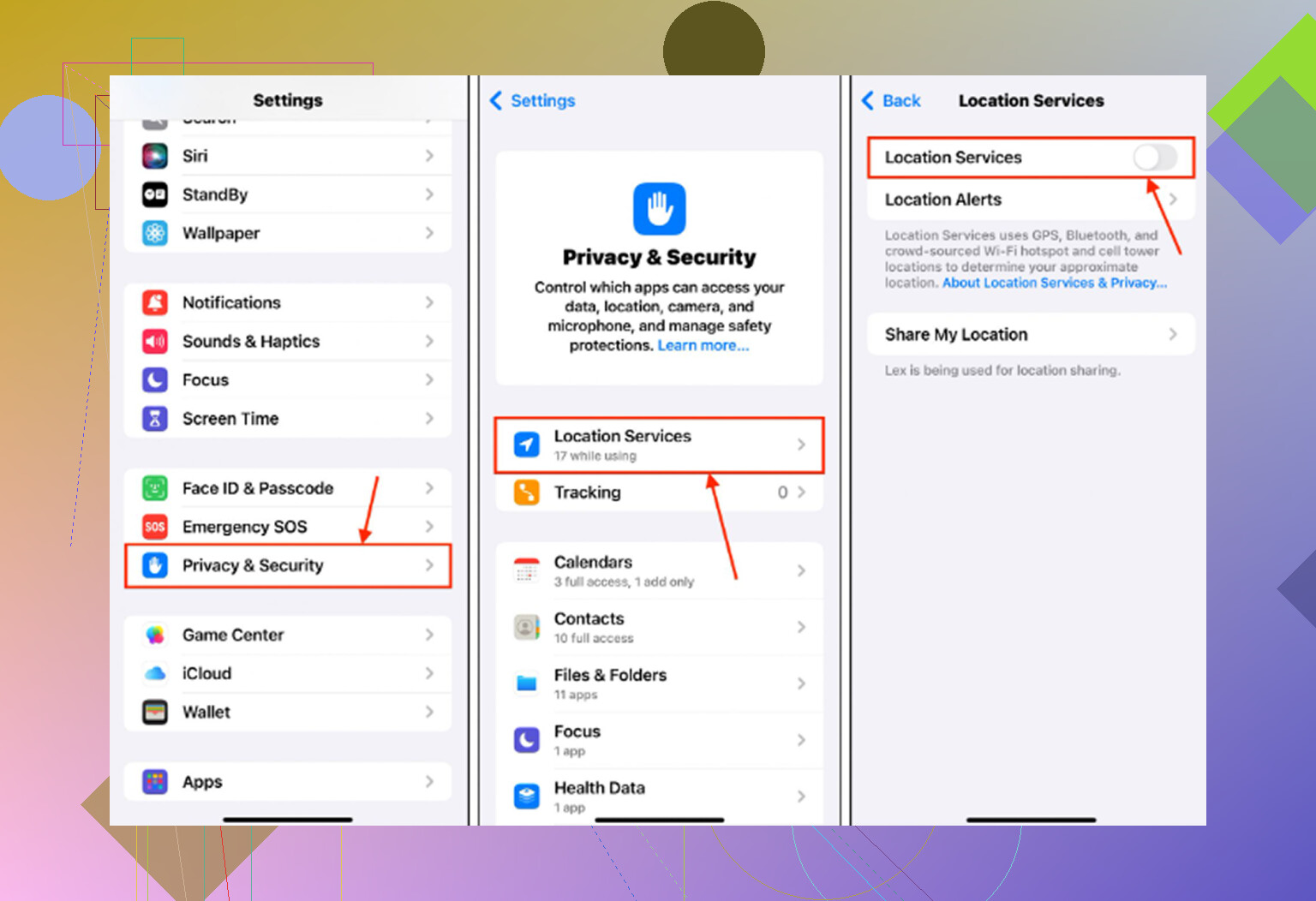
I agree with checking storage and battery health, but I would not treat any cleaner app as the first diagnosis tool. Clever Cleaner or similar apps can be useful if Photos is clearly the giant storage hog, but first look at Settings > General > iPhone Storage and see what the phone says is actually using space. If System Data is huge, the fix may be updating iOS, letting it sit plugged in on Wi-Fi, or backing up and restoring. If Photos is huge, then clean photos. If one app is huge, reinstall that app. The fix depends on what is slow and what is eating resources.
Stop force-closing everything. iOS is usually better at parking apps than you are, and constantly swiping them away can make opening apps feel slower because they have to fully reload each time.
If the lag is worst after opening certain apps, remove their widgets, Live Activities, and notifications first. That is faster and safer than wiping the phone or deleting half your photos.