My iPhone storage is completely full, but I don’t want to pay for iCloud just to free up space. I’m trying to find out if there’s any real way to add more storage directly to an iPhone, or if my only options are upgrading devices or using external storage. I need help figuring out the best solution.
Yeah, I get why this is irritating. Seeing “Storage Almost Full” on an iPhone while you’re already paying for iCloud feels wrong. I hit the same wall and figured out the annoying part fast. iCloud does not add space inside the phone.
Your iPhone storage is fixed hardware on the board. If you bought 64GB or 128GB, you’re stuck with 64GB or 128GB. No microSD slot, no swap, no upgrade later. iCloud stores stuff elsewhere and syncs it, but it does not turn a 64GB phone into a 256GB phone.
If you want extra room without another monthly bill, I’d look at external storage first. A Lightning or USB-C flash drive, like the SanDisk iXpand, works fine for moving big videos and photo batches off the phone. Same deal with Apple’s SD card reader if you already have spare cards lying around. Buy it once, move files, delete them from the phone, done.
Before spending money, I’d clean the phone hard. Mine got so full it was borderline unusable. Camera took forever. Apps dumped me back to the Home Screen. Even typing felt off. iOS seems to need free space for temp files, caches, and normal system junk. When storage gets pinned near full, the phone starts acting sick.
I went through the usual cleanup path in Settings > General > iPhone Storage. Offloading helped with apps I didn’t use much, mostly old games. That removes the app but keeps its data. I also cleared Safari website data in Settings > Apps > Safari > Advanced > Website Data. Old message attachments were another surprise. Mine had years of junk screenshots, videos, and memes sitting there.
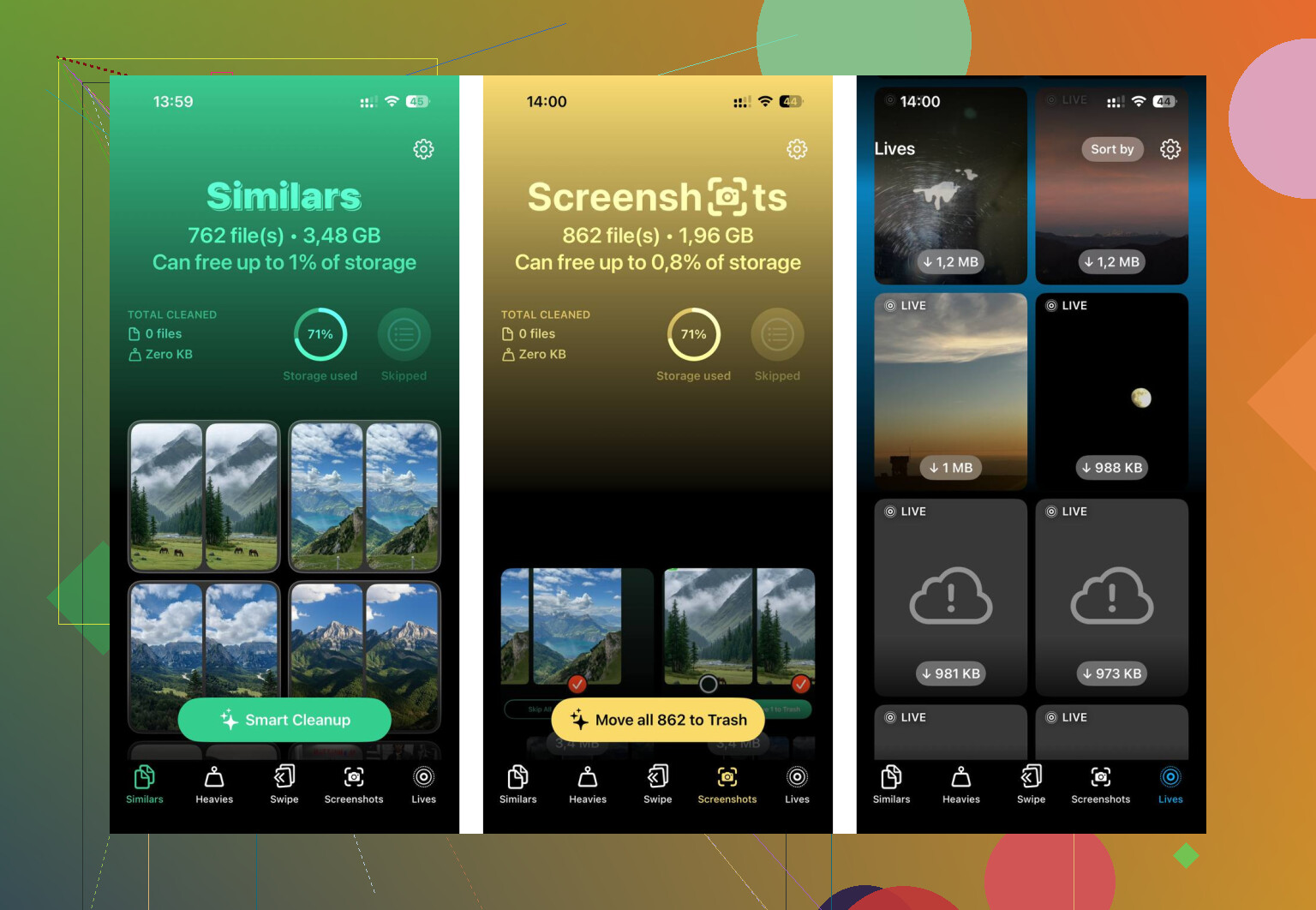
The manual route works, but wow, it drags. You poke through folders, guess what is large, delete a bit, check again, repeat. After doing this more than once, I stopped bothering and tried a cleanup app. The one I kept using was Clever Cleaner.
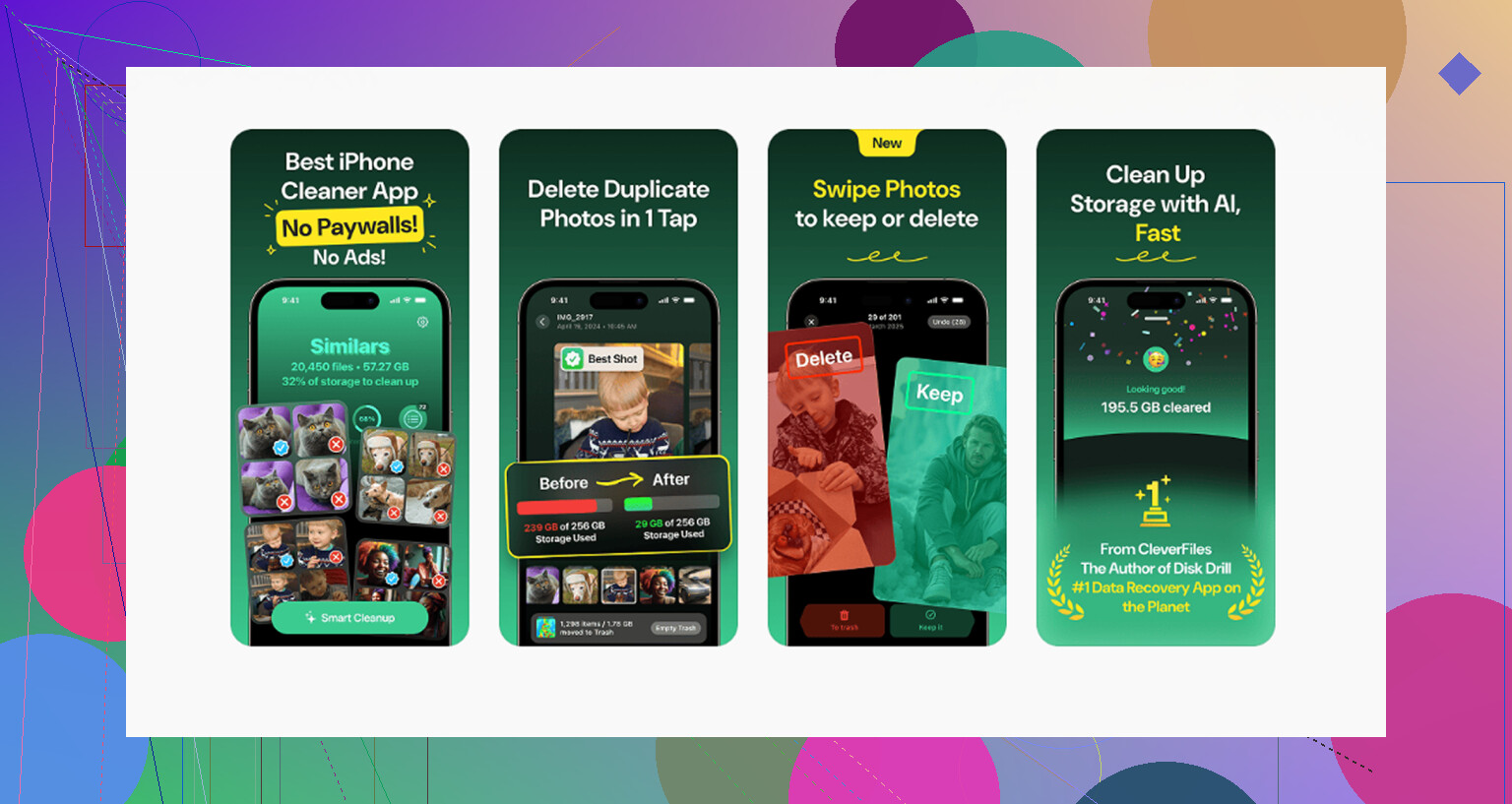
What sold me was how plain it was. Free, no ads all over the place, no paywall popping up after two taps, no fake “scan complete” nonsense. I opened the Heavies section first and it sorted media by size. Way easier than hunting blind. You see the giant 4K clips, old screen recordings, and bloated screenshots right away, with file sizes listed.
The similar photo finder helped too. I had whole runs of near-duplicate pics from concerts and trips, plus five blurry shots for every one decent one. It grouped them so I could keep one and trash the rest. From what I saw, it handles the scan on the phone itself, which mattered to me. I don’t love the idea of my photo library getting shipped off somewhere for analysis. After one pass, I cleared around 15GB. Phone speed picked back up after thta.
If you still need somewhere to park files, the free tiers from Google Photos or Dropbox are worth a look. Google Photos gives 15GB free. Dropbox gives 2GB free. They still won’t expand the phone’s built-in storage, but they give you somewhere else to put stuff before deleting it locally.
So, short version. You cannot buy more internal iPhone storage after the fact. Your options are freeing space, moving files off the phone, or using an external drive. I’d start with cleanup before buying anything. A lot of “full” phones are packed with duplicate photos, old videos, cached site data, and random junk you forgot was even there. Clear enough of it out, and the lag often drops off fast.
4 Likes
No real upgrade path exists for iPhone internal storage. Apple solders the storage chip to the board, so you do not buy more phone storage later like on some laptops or older Android phones.
So your choices are pretty much these:
- Replace the iPhone with a higher storage model.
- Move stuff off the phone to a computer, SSD, or flash drive.
- Trim what is eating space.
I agree with @mikeappsreviewer on the main point, but I would skip paid cloud plans first and skip weird repair-shop “storage upgrades” too. Those board-level mods exist, but they cost a lot, kill resale value, and if the shop screws up, your phone is toast. For most people, bad idea.
One option people forget is local backup to a Mac or PC. Plug in the iPhone, import photos and videos, then delete them from the device. A 1TB external SSD is often cheaper than a year or two of cloud storage. If your storage issue comes from media, this is the cheapest long-term fix.
Also check app behavior, not only app size. Some apps keep huge offline downloads. Spotify, Netflix, YouTube, Podcasts, Google Maps. Remove downloaded content and you might get back 5GB to 30GB fast. I’ve seen podcast caches alone hit 10GB, which is kinda absurd tbh.
If your photo library is the mess, Clever Cleaner is worth a look for sorting duplicates and large files faster. This Clever Cleaner review for iPhone storage cleanup gives a decent overview.
Short version, no, you cannot buy more built-in iPhone storage after purchase. Your real options are cleanup, offloading files, external storage, or a new phone. Annoying, yep. But taht’s the system.
Nope, not in the way people hope. @mikeappsreviewer and @suenodelbosque are right on the big point: you cannot buy more actual internal iPhone storage later. Apple made that decision for everybody, becuase apparently choice is scary.
Where I kinda disagree is with external drives as the “answer” for most people. They’re fine for archiving, but not really the same as having more usable phone storage day to day. You still have to move stuff around manually, and most people get tired of doing that fast.
What is realistic:
- use “Optimize iPhone Storage” for Photos if you already use any cloud photo service
- turn off downloaded media inside apps, not just delete the app itself
- reduce Messages history to 1 year or 30 days if attachments are killing space
- delete and reinstall bloated apps like Instagram, TikTok, Spotify, and Podcasts since cache can get ridiculous
- if photos are the problem, use Clever Cleaner to find duplicates, similar shots, and giant videos quicker than digging through iOS by hand
Also, if you want a real-world take on it, this thread about free iPhone storage cleanup with Clever Cleaner is worth a look.
So the honest answer is: no upgrade path, no SD card, no secret setting. Real options are clean up, offload, or buy a bigger iPhone later. Annoying, but taht’s the truth.
Hard truth: there’s no legit “buy more iPhone storage” option for the phone itself. @suenodelbosque, @sonhadordobosque, and @mikeappsreviewer all land in the right place on that. Internal storage is fixed.
One thing I’d add that they didn’t really stress enough: if your System Data is huge, cleanup apps and photo sorting only go so far. Sometimes the fastest fix is a full encrypted backup to a computer, erase the iPhone, then restore. iOS can accumulate junky logs, caches, and leftover temp files that don’t show up clearly. It’s annoying, but I’ve seen people recover a surprising amount that way.
I also slightly disagree with the idea that external drives are the best fallback for everyone. Great for archives, yes. Great for daily use, not really. Most people stop using them after the first week unless they already have a habit.
If photos are the main problem, Clever Cleaner is one of the better tools to try before spending money.
Pros of Clever Cleaner:
- good for duplicate and similar photo hunting
- helps surface large videos faster
- easier than digging through Photos manually
- useful if the issue is clutter, not true capacity
Cons of Clever Cleaner:
- it does not increase actual iPhone storage capacity
- less helpful if your space is mostly System Data or app caches
- you still need to review deletions carefully
- cleanup apps in general are only as useful as the mess you already have
So the real options are:
- reset/restore if System Data is bloated
- clean media clutter with something like Clever Cleaner
- use external storage only as an archive
- replace the phone with a larger-capacity model
That’s basically it. No secret upgrade path, no hidden Apple add-on, no magic non-iCloud storage purchase.