My iPhone is almost out of storage, and I’m trying to figure out the best iPhone storage upgrade options in 2026. I’m not sure if I should pay for iCloud, move photos and videos elsewhere, or upgrade to a new iPhone with more storage. What’s the most practical option?
I get why this is annoying. iPhones cost a lot, and the storage choice you make when you buy one can feel permanent because, well, it basically is.
You can’t officially upgrade an iPhone’s internal storage after the fact. There are repair shops and sketchy videos that talk about swapping the memory chip, but that’s not a normal upgrade. It means desoldering parts from the logic board, soldering on a new chip, and dealing with firmware stuff. One mistake can kill the phone completely. Even if the swap works, your warranty is gone, and Apple is not going to treat that device like a standard repair case later.
So the better move is squeezing more out of the storage you already have.
- Start with Settings > General > iPhone Storage. Don’t guess. That storage bar will usually make the problem obvious. For most people it’s photos, videos, huge apps, or old message attachments.
- If apps are eating space, try Offload Unused Apps instead of deleting everything. It removes the app itself but keeps its documents and data. Later, if you tap the app again, it downloads back and should pick up where you left off.
- Messages can quietly become a mess too. Years of videos, GIFs, screenshots, and random memes can add up fast. If you don’t need old threads forever, set messages to delete after 30 days or 1 year so it doesn’t build right back up.
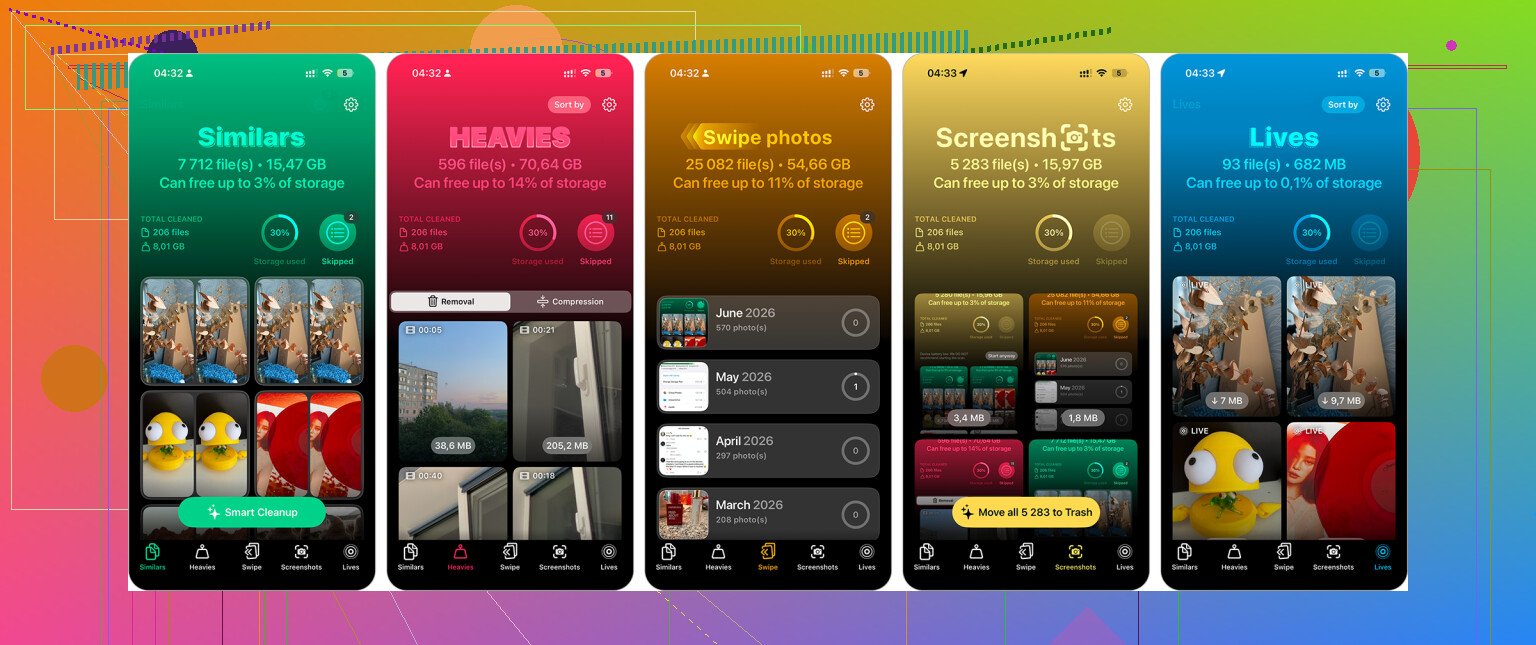
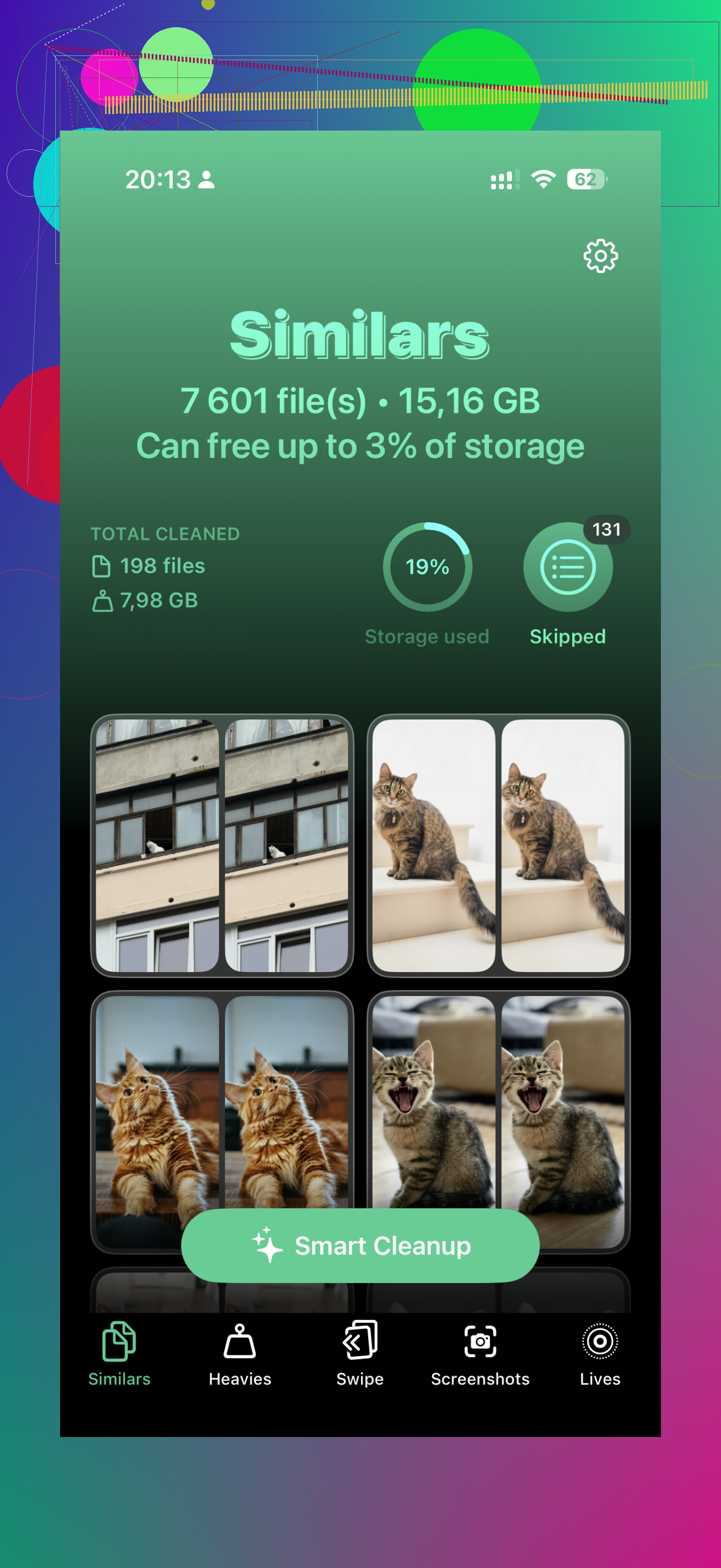
- Photos are usually the big one. Apple’s duplicate finder helps a little, but it mostly catches exact duplicates. An app like Clever Cleaner can be more useful if your camera roll is full of near-identical shots. Its “Similars” feature looks for photos that are almost the same, picks a “Best Shot,” and lets you delete the rest together. The “Heavies” section is also handy for finding giant videos that you forgot were there. If you don’t care about Live Photos, converting them to still images can save more space too.
- If cleaning up still isn’t enough, cloud storage is the next obvious option. iCloud works the smoothest with iPhones. Turn on Optimize iPhone Storage, and your phone keeps smaller versions locally while the full-size photos and videos stay in iCloud. You still see them in Photos, they just don’t take up as much space on the phone. Google Drive gives you 15GB free, and Dropbox has a free tier too, but those are more manual to manage.
- External drives are also worth considering. You can get flash drives made for iPhones, with Lightning for older models or USB-C for newer ones like the 15, 16, and 17. Some drives even let you record video straight to the drive instead of filling the phone first. Just check that the drive format is compatible, such as exFAT or APFS.
It’s not as satisfying as just adding more internal storage, but it’s way safer than letting someone hack the hardware and hoping your phone survives.
4 Likes
Check whether your problem is temporary space or permanent storage before paying for anything. If your phone is full because of a few huge videos, downloaded Netflix/Spotify files, podcast episodes, or a game you barely use, iCloud is not really the fix. Clean those first, then see where you land.
The iCloud Photos option is convenient, but people misunderstand it a lot. It is a sync system, not a separate photo vault. If you turn on iCloud Photos and then delete photos from the Photos app, you are usually deleting them from iCloud too. “Optimize iPhone Storage” helps by keeping smaller local copies, but it does not mean you now have a safe second archive that you can freely delete from the phone. For a real archive, copy photos/videos to a computer, external SSD, NAS, or another cloud service where you understand the delete behavior.
If you are already doing regular cleanups and still hitting the wall every month, then buying the next iPhone with more storage is probably the least annoying long-term answer. I would not upgrade the phone just to escape one “storage full” week, though. Pay for a small iCloud tier or move media off the phone first. If the problem keeps coming back after that, then your next phone should probably be at least one storage tier higher than whatever you have now.
Do not start deleting photos until you have checked that a real backup or export exists somewhere outside the Photos sync chain. I agree with @byteguru on iCloud Photos being misunderstood, but the other trap is people “free up space” and only later realize their last iCloud Backup did not include what they thought, or their computer import skipped some Live Photos/videos. For a quick fix, clear downloads and offload apps. For a safe fix, copy the camera roll to a Mac/PC or external drive, open a few files from that copy, then delete from the phone. If you are buying another iPhone anyway, buy more storage than you think you need, because 128GB in 2026 can disappear fast if you shoot 4K video or keep years of Messages.