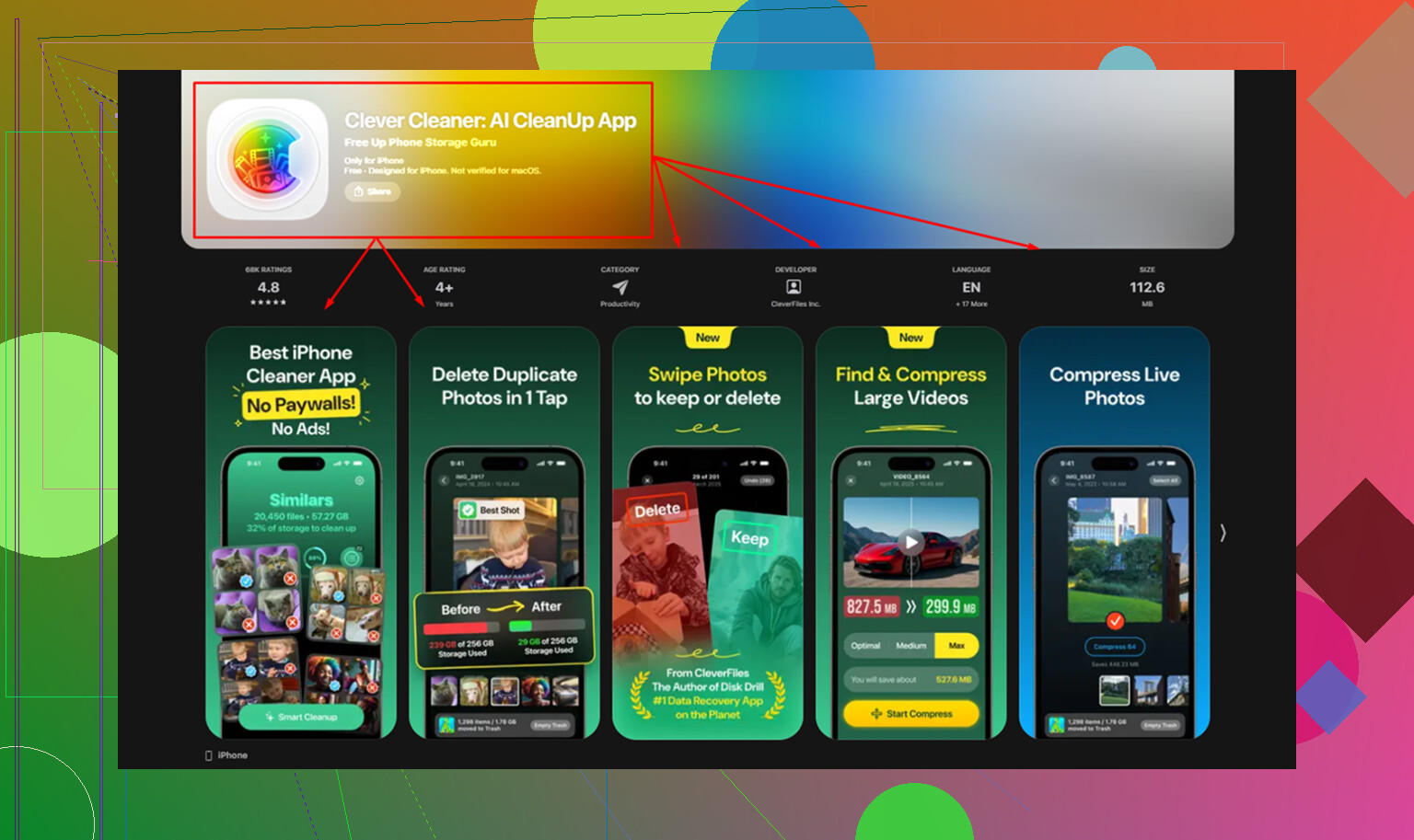
I installed Clever Cleaner on my iPad to free up storage, but it asked for access to my photos and now I’m worried about privacy. I can’t tell if it scans everything only on the device or uploads pictures to its servers. I need help figuring out whether this app is safe to use and what photo data it might collect or store.
CCleaner on iPhone looked decent at first, then I used it for ten minutes and hit the usual wall. The free version barely does anything useful. Duplicate cleanup, similar photo sorting, most of the parts people install it for, all locked unless you pay. Last time I checked, it started around five bucks a week, which felt a bit absurd for a cleaner app.
Then I tested the paid side. The photo matching still felt sloppy. It threw unrelated pictures into the same “similar” group, so I had to inspect the pile by hand anyway. At that point the app was saving me almost no time.
The iPad side is rougher. There’s no proper iPad build. It runs like an enlarged iPhone app, stretched into compatibility mode. You notice it fast. Spacing is off. The layout feels wrong. On a tablet screen, it comes off half-finished.
Why I stopped bothering with it
I went through a bunch of cleanup apps and most followed the same pattern. Scan for free. Show the mess. Ask for money right before delete. Clever Cleaner was the first one I tried where this loop didn’t happen. No ads. No subscription screen jammed in your face. No paywall at the end of the process.
Privacy was the next thing I checked, since a lot of these AI cleaner apps send your photos off-device for analysis. I’m not into handing my library to some server I know nothing about. Clever Cleaner processes everything on the device itself, using the phone or iPad hardware. Nothing gets uploaded. It’s made by the same company behind Disk Drill, which at least gave me a reason to take the privacy claim seriously.
Where it beats CCleaner
The biggest gap showed up in photo grouping.
Apple Photos only catches exact duplicates. Same file, same pixels, done. It misses the common mess, ten near-identical shots from trying to get one decent pic of your dog, kid, receipt, sunset, whatever. Clever Cleaner grouped those near-matches together, picked a best shot, and let me wipe the rest fast. On a crowded library, this cleared more space than exact duplicate detection ever did.
The Heavies section helped more than I expected. iOS still doesn’t give you a clean way to sort your library by file size, which is kind of nuts. Clever Cleaner does. Biggest files first, sizes shown clearly. In my case, the top offenders weren’t photos at all. They were old screen recordings and random videos I forgot existed. One 4K recording was eating more space than a pile of normal images combined.
The screenshots section was simpler, but still useful. It shows file sizes right on the thumbnails before deletion. Sounds small, but seeing the numbers made it easier for me to stop hoarding junk screenshots from months back.
The part people skip over
Live Photos waste more space than most people think. A lot of users leave them on by default and never look back. Each one is a still image plus a short video clip. Clever Cleaner converts them into regular still photos, keeps the image quality, drops the motion part. If your library is packed with Live Photos, this alone frees a noticeable chunk of storage. I saw it add up faster than I expected.
What happened on iPad
On iPad, storage clutter tends to get worse. Bigger screen, longer recordings, more videos, bigger photo library. From what I saw, an iPad with no cleanup for a long time often gives back around 10 to 20GB after a proper pass, sometimes more. The largest gains usually came from large videos in Heavies, then near-duplicate photo groups in Similars. Live Photo conversion also mattered more on iPad than I first guessed.
One step people miss after cleanup
Deleting inside any cleaner app isn’t the last step. The files go to Recently Deleted in Photos and stay there for 30 days, still counting against storage. If you want the space back now, open Photos, go to Albums, then Recently Deleted, then Delete All. If you skip this, your storage number barely moves and it looks like the cleanup did nothing.
16 Likes
If your main worry is photo uploads, I’d treat Clever Cleaner as lower risk than a lot of cleanup apps. From what I found, it says photo analysis stays on your device, which lines up with what @mikeappsreviewer mentioned. I don’t 100 percent trust any cleaner app on first install, though, so I check perms and network activity before giving it full run.
On iPad, Photos access does not auto-mean cloud upload. It needs access to scan duplicates, similars, screenshots, Live Photos, and large files. That part is normal. The privacy question is whether it sends image data off-device. I have not seen evidence of mass photo upload from Clever Cleaner so far. If you want to verify for yourself, look in iPad Settings, Privacy, Photos, then see what level of access you gave. Also check the app’s privacy label in the App Store. If it says data is not linked to you and photo content is processed on device, taht’s a decent sign, not proof, but still useful.
One place I slightly disagree with @mikeappsreviewer, company reputation helps, but I would not rely on reputation alone. I’d still test it with limited access first. Give it Selected Photos, not full library, and see how it behaves. If you want a deeper breakdown, this hands-on Clever Cleaner privacy and cleanup review covers what was checked during real use.
Short version, Clever Cleaner on iPad looks safe enough from a photo upload standpoint, and I’d use it over the usual paywalled cleaners. Still, keep an eye on permissions. That;s the part worth watching.
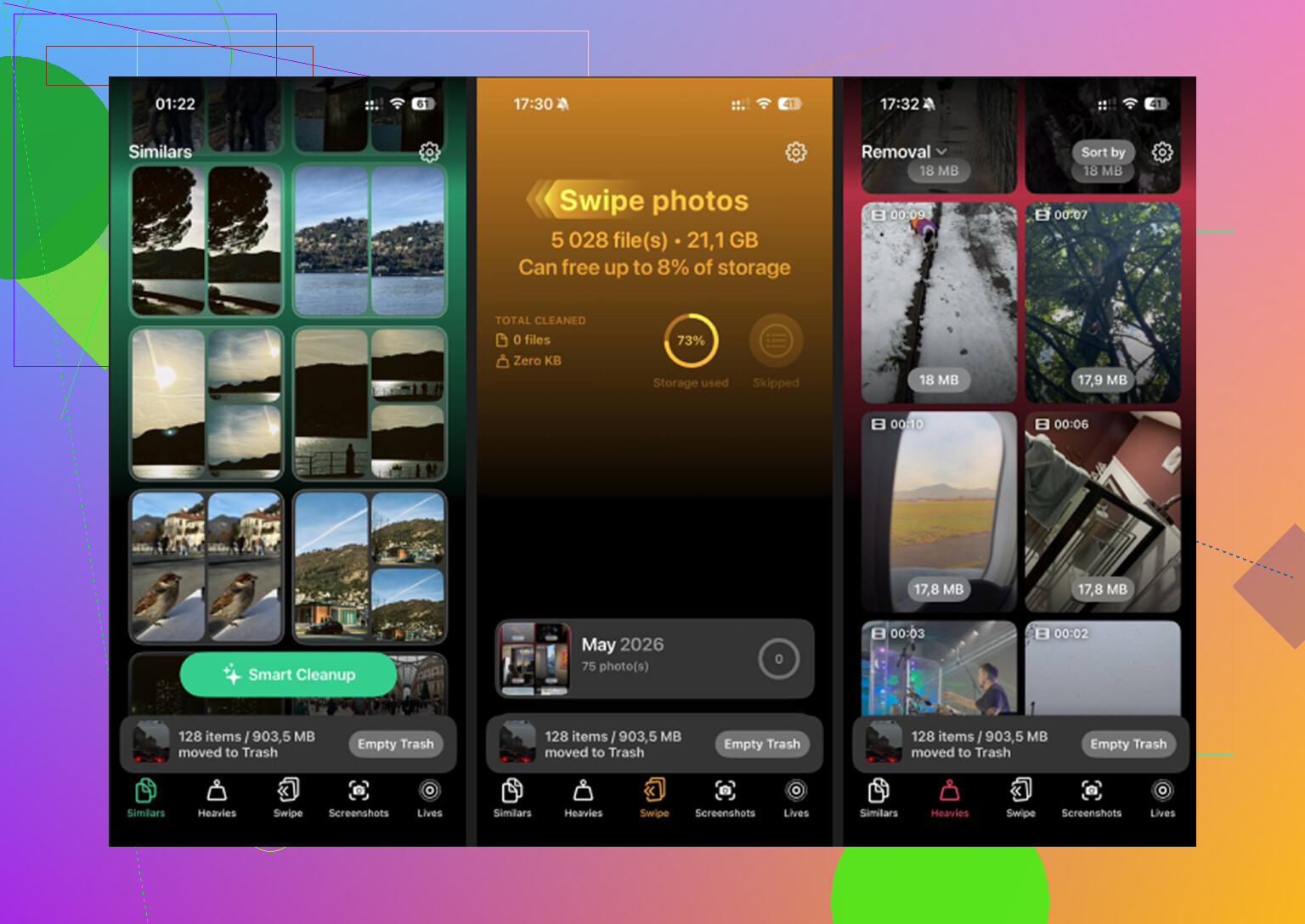
Photo access by itself does not mean upload. On iPad, any cleaner that finds duplicates or similar shots needs Photos permission, so that prompt is normal. The real question is what it does after access.
From what I’ve seen, Clever Cleaner is probably one of the safer photo cleaner apps on iPad because its matching/analysis is described as happening on-device. That lines up with what @mikeappsreviewer and @stellacadente were getting at. I’ll disagree a little on one point though: I never fully trust an app just because the privacy label sounds nice. Apple labels are helpful, but they’re not a magic lie detector.
What I’d do instead:
- check whether the app still works with Selected Photos instead of full access
- look under iPad Settings for its network permissions and cellular use
- scan its privacy policy for wording like “processed on device” vs “uploaded for analysis”
If you’re extra paranoid, test it with a small batch first. That’s the least annoying way to see if anything feels off.
So, short answer: I have not seen evidence that Clever Cleaner uploads your whole library, and it seems safer than a lot of sketchy cleaner apps. But yeah, “safe enough” is not the same as “blind trust it forever.” If you want a visual walkthrough, this step-by-step Clever Cleaner privacy and storage cleanup guide is probly more useful than guessing from the permission popup alone.