Photos and videos suddenly vanished from my SD card after I put it back in my phone, and now the card looks almost empty. I didn’t delete anything, and these files are really important to me. What could cause this, and what’s the best way to recover missing SD card files without making things worse?
I’ve done this once, and the first move matters more than anything else. If you deleted photos from an SD card, stop touching the card now.
- Stop using the SD card.
- Pull it out of the camera or phone.
- Do not take more photos or videos.
The reason is simple. Deleting from an SD card usually removes the file references, not the photo data itself. Your pictures often stay on the card until new files land in the same space. If you keep shooting, you start replacing the old data, and recovery drops off fast. If nothing new was written, your odds are still decent.
Before you run any recovery app, check the obvious stuff first. I missed this the first time.
- Look in Trash or Recycle Bin if the delete happened while the card was connected to your Mac or PC.
- Look through cloud backups like Google Photos, Dropbox, or OneDrive. If the SD card was in a phone, auto upload might have been on and you forgot about it.
If the files are gone for real, recovery software is the next step. One thing here trips people up. Don’t connect the camera to your computer with a USB cable and call it done. In a lot of cases, recovery tools get a worse view of the storage that way. Use an SD card reader and connect the card itself.
I tried a few of these after I nuked a card with travel photos, and Disk Drill gave me the cleanest result. On my card, it pulled back files other tools either missed or showed as broken.
Why I’d start there:
- It has camera-focused scanning for stuff like RAW images and split up video files, which matters more on SD cards than on a normal PC drive.
- You get file preview before recovery, so you can check whether the image opens instead of restoring blind.
- You can test it first. On Windows, the free tier lets you recover up to 100 MB, which is enough to see if your files are showing up right.
If you want other routes, a couple are still worth a look.
- Windows File Recovery is Microsoft’s own tool. It’s free from the Microsoft Store. I found it annoying, if I’m honest. No normal interface, only commands in a terminal. It also tends to be less friendly with SD card formats like FAT32 and exFAT, so for camera media I wouldn’t put it first.
- DiskDigger is lighter and easy to carry around since it doesn’t need full installation on PC. It does well with photo signatures. The free version has an ugly catch though. You wait five seconds and confirm files one by one. For ten photos, fine. For 600, nope. There’s also an Android version, but deep scan on a phone usually needs root.
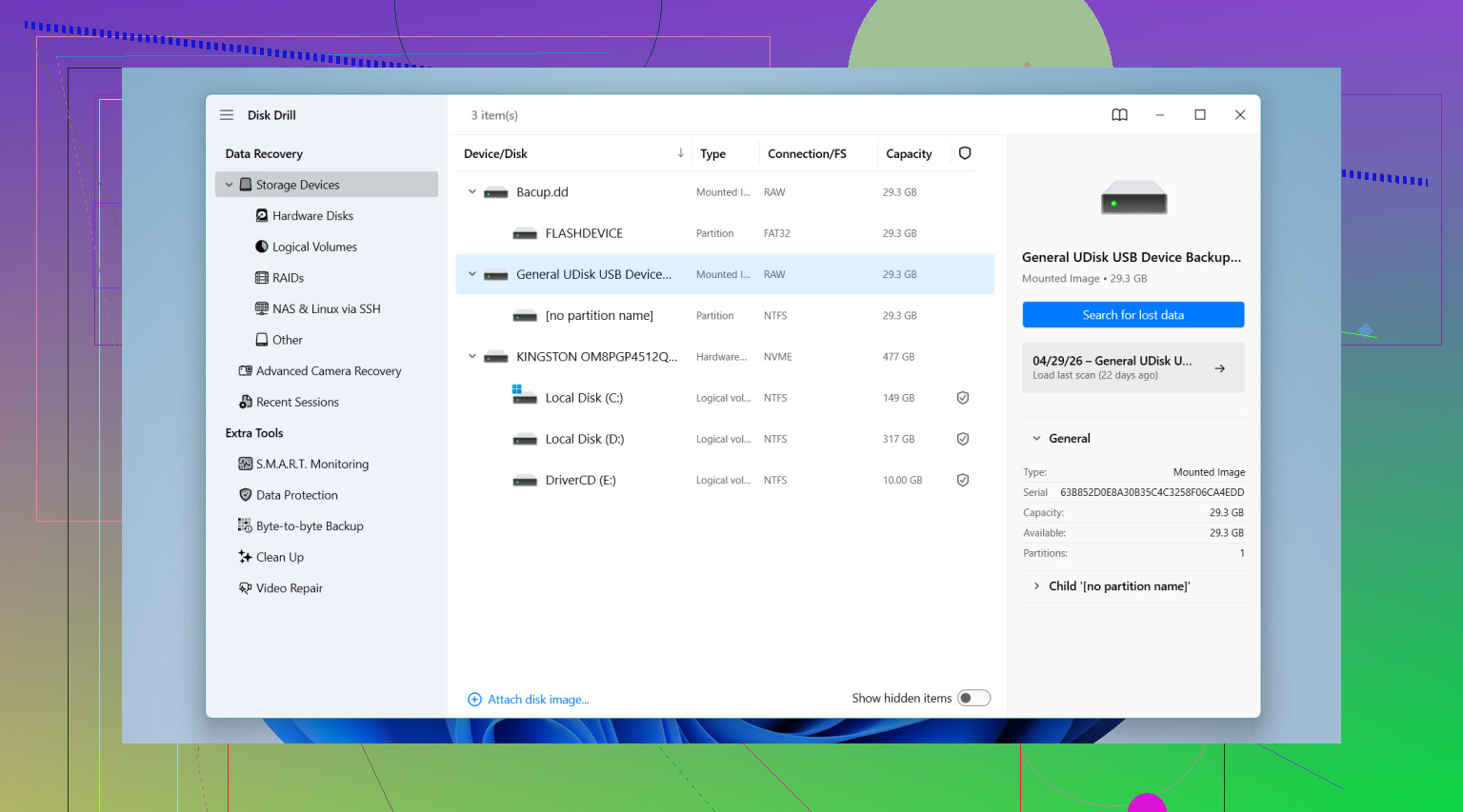
If you use Disk Drill, the flow is pretty short. Put the SD card in a card reader. Open the app. Select the card. Run the scan aimed at camera recovery. Then wait and preview what it finds.
One more rule, and this one saves people from making the same mess twice. Do not restore the recovered files back onto the same SD card. Save them to your computer’s internal drive, or to another external drive. If you write recovered files back onto the card during recovery, you might overwrite photos the software has not pulled yet. I almost did that, and yeah, bad idea.
11 Likes
What you describe sounds less like a normal delete and more like one of these:
- Your phone changed the card’s file system or damaged the index.
- The DCIM folder got hidden or renamed.
- The card started failing, which is common with older or cheap microSD cards.
- Android showed an empty card because it lost access to the old folder structure.
I slightly disagree with @mikeappsreviewer on one point. People jump to recovery software too fast. First, check whether the files still exist but the folder table is messed up.
Do this in order:
- Put the SD card in a reader on a PC.
- Turn on hidden files in File Explorer or Finder.
- Look for DCIM, LOST.DIR, or folders with odd names.
- Run a disk check only if the card shows file system errors. On Windows, chkdsk sometimes puts recovered fragments into FOUND.000. Ugly, but usable.
- Make a full image of the card before trying fixes, if the card disconnects or reads slow. That matters a lot on failing media.
If the folders are gone, then use recovery. Disk Drill is a solid pick for SD card photo and video recovery because it reads exFAT and FAT32 well and previews files before restore. Recover to your computer, not back to the card. If videos come back broken, that often means partial overwrite, not a bad app.
Also, check this SD card video recovery guide if your missing files are clips more than photos:
watch this SD card video recovery walkthrough
If the card suddenly reads 0 bytes, asks to format, or gets hot, stop. That points to hardware failure, and software gets a lot less usefull there.

What you describe is very often not a true delete. It can be a bad mount, corrupted file table, fake-capacity card, or encryption weirdness from the phone. I agree with parts of what @mikeappsreviewer and @sternenwanderer said, but I would not start by letting Windows ‘fix’ anything unless you already made a byte-for-byte image. Auto-repair tools love turning recoverable messes into different messes.
A few extra things to check:
- Test the card in a different reader. Bad readers cause fake ‘empty card’ scares alll the time.
- Check the card size used vs free space. If the card looks empty but space is still occupied, the files may just be invisible.
- On Android, see if the phone adopted the card as internal storage before. If yes, those files may not be readable normally on PC.
- Look for
.nomediafiles. They can make galleries hide photos/videos while data still exists. - If this is a cheap microSD from Amazon/eBay, verify it. Counterfeit cards often ‘store’ files until they suddenly vanish.
If the card is stable, make an image first, then scan the image, not the original. That’s the safer play. If you do use recovery software, Disk Drill is a legit option for SD card photo and video recovery because it handles FAT32/exFAT well and previews results. Just recover to your computer, not back to the card.
Also, this thread on how to recover deleted files from an SD card is worth a read since some of the failure patterns sound pretty similar.
If the card disconnects randomly, shows the wrong capacity, or asks to format every time, stop messing with it. That usually means the card itself is dying, not just the folder structure.