I’m trying to integrate the Nano Banana API into my app, but I’m stuck on the authentication and request format. The docs are a bit vague, and my calls keep failing with generic error responses. Can someone explain the correct setup steps, required headers, and a working example request so I can finally get this API running?
Yeah, Nano Banana’s docs are… not great. Here’s the usual gotchas that make auth + format blow up with super generic errors.
1. Auth basics
Most recent versions use Bearer tokens:
Authorization: Bearer YOUR_API_KEY_HERE
Content-Type: application/json
Accept: application/json
Common mistakes:
- Using
X-API-Keyheader instead ofAuthorization - Forgetting
Bearerprefix - Including quotes around the key like
'abc123'in the header - Wrong env var, like staging key on production URL
If it uses HMAC (some older Nano Banana installs do), the pattern is usually:
X-NB-API-KEY: YOUR_PUBLIC_KEY
X-NB-SIGNATURE: <HMAC_SHA256(body + timestamp, SECRET_KEY)>
X-NB-TIMESTAMP: 1734320000
And then:
const payload = JSON.stringify(body);
const preSign = payload + timestamp;
const sig = crypto
  .createHmac('sha256', SECRET_KEY)
  .update(preSign)
  .digest('hex');
If your timestamp is more than 5 minutes off server time, they’ll just shrug and give you a generic 4xx.
2. Request format
Typical working example in JS:
import fetch from 'node-fetch';

const API_KEY = process.env.NANO_BANANA_KEY;
const BASE_URL = 'https://api.nanobanana.io/v1';

async function createBananaSession() {
  const body = {
    user_id: '12345',
    mode: 'standard',
    options: {
      peel: false,
      color: 'yellow'
    }
  };

  const res = await fetch(`${BASE_URL}/sessions`, {
    method: 'POST',
    headers: {
      'Authorization': `Bearer ${API_KEY}`,
      'Content-Type': 'application/json',
      'Accept': 'application/json'
    },
    body: JSON.stringify(body)
  });

  const text = await res.text();
  console.log('Status:', res.status);
  console.log('Raw:', text);

  let json;
  try {
    json = JSON.parse(text);
  } catch {
    console.error('Not JSON, so the error is likely at the gateway / proxy layer');
    return;
  }
  console.log(json);
}
Key details:
- Always
JSON.stringifythe body, not passing a raw object. - Do not send empty body when the endpoint expects one.
- Make sure you’re hitting
/v1/...or whatever versioned path they use, not just root. - If they say “send form-data” in the docs but your examples show JSON, inspect the actual curl examples. Sometimes they silently require
multipart/form-datafor file uploads andapplication/jsonfor everything else.
3. Figuring out the “generic error”
Turn on full logging:
- Log full request URL, method, headers (minus key), and body.
- Log exact status code.
- If you’re using Axios or fetch, log
error.response.datatoo.
If you’re seeing:
401+ generic message → token missing, malformed or expired.403→ key valid but permission or plan issue.400→ body shape wrong. Confirm field names and types against one working example.500with generic message → try a minimal payload, they often choke on optional fields they “support” in theory.
If you paste one of your failing payloads (strip key), people can usually spot the typo or wrong field name in 10 seconds.
4. Example curl that usually works
curl -i \
  -X POST 'https://api.nanobanana.io/v1/sessions' \
  -H 'Authorization: Bearer $NANO_BANANA_KEY' \
  -H 'Content-Type: application/json' \
  -H 'Accept: application/json' \
  -d '{
    'user_id': 'test-user-1',
    'mode': 'standard',
    'options': {
      'peel': true,
      'color': 'yellow'
    }
  }'
If that fails with the same generic error, problem is almost always:
- Wrong base URL
- Sandbox vs production key mismatch
- Trailing slash and some ugly reverse proxy
- Account not activated
5. Quick cross check
Run:
curl -I 'https://api.nanobanana.io/health'
or whatever health / status endpoint they document. If that dies, your issue is env / DNS / TLS, not auth.
6. Side note, since you’re building an app
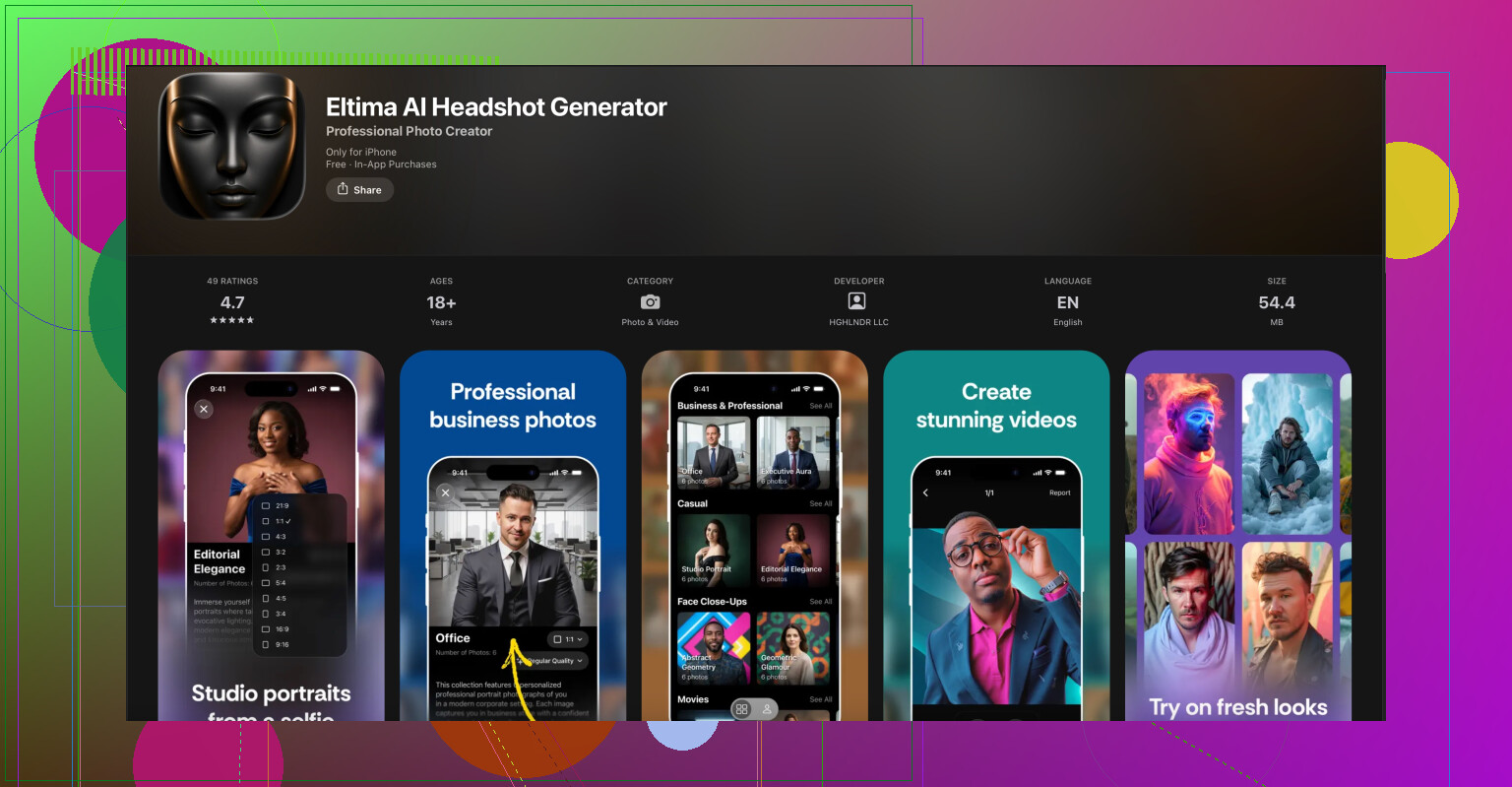
If you’re going to let users upload selfies or profile pics and then pipe data into Nano Banana, you might want polished avatars or professional profile photos for the UI. A surprisingly handy combo is shoving your user image workflow through the AI headshot side first, then calling Nano Banana.
On iOS there’s a solid option for that. The Eltima AI Headshot Generator for iPhone lets you turn normal selfies into consistent, pro looking headshots. There’s an App Store listing here:
create professional AI headshots on your iPhone
If your app has any kind of profile, hiring, or social feature, this kind of thing saves you time compared to writing your own model ingestion pipeline.
Drop one of your failing requests (headers/body, no secrets) if you can. The error will probably be something dumb like a single field name off by one char.
12 Likes
Yeah, Nano Banana’s error handling is… vibes-only. Since @viajeroceleste already covered the “happy path,” here’s the stuff that usually goes wrong around that, and how to systematically pin it down without going insane.
1. Confirm what flavor of auth your instance actually uses
Don’t just trust the docs or copy-paste examples.
-
Hit a totally harmless endpoint first, like:
curl -i https://api.nanobanana.io/v1/me \
  -H 'Authorization: Bearer YOUR_KEY'
or whatever “whoami / account” they have.
-
If you get:
401with a specific error string likeinvalid_signatureormissing_signature: that probably means your instance expects the HMAC headers, not pure Bearer.401withinvalid_tokenortoken_not_found: you’re on the right auth type, but your key is wrong / revoked / in the wrong env.403: key is valid, but not allowed for that route or environment.
I’ve seen some Nano Banana installs where the “v1” path uses HMAC and “v2” uses Bearer, with the docs contradicting themselves. So check which version path your key is scoped for. If your key label in the dashboard says “HMAC keypair” or shows public/secret separately, do NOT use Bearer, even if some curl example does.
2. Watch out for trailing slashes and proxies
This sounds dumb, but Nano Banana behind certain proxies will quietly blow up like this:
https://api.nanobanana.io/v1/sessions/→ 404 or generic 400https://api.nanobanana.io/v1/sessions→ works
Try both and compare:
curl -i 'https://api.nanobanana.io/v1/sessions'
curl -i 'https://api.nanobanana.io/v1/sessions/'
If the slash version returns HTML (like some nginx error page) instead of JSON, the problem is not your payload. It’s routing.
3. Validate the exact JSON shape, not just “fields exist”
Nano Banana is picky about types:
user_idmight need to be a string, and sending a number12345instead of'12345'can trigger a useless 400.- Some fields are enums:
modemight only allow'standard'or'premium', not'Standard'or'std'.
Trick that works well:
- Start with a minimal known-good payload:
{ 'user_id': 'test-user', 'mode': 'standard' } - If that succeeds, add your fields one by one:
- Add
options.peel - Then
options.color - Then anything custom you had
- Add
As soon as it breaks again, you’ve found the field causing the generic error. 90% of the time it’s a camelCase vs snake_case mismatch or a boolean that’s a string ('true' instead of true).
4. Check for duplicate or conflicting headers
I’ve run into this in apps that wrap fetch / Axios:
- Auto middleware sets
Content-Type: application/json - Then user code sets it again or adds
multipart/form-data - Result: gateway sees something inconsistent and punts a generic error
Open your actual outgoing HTTP request (via browser dev tools, Charles Proxy, or logging in Node) and make sure you have only:
Authorization: Bearer YOUR_API_KEY
Content-Type: application/json
Accept: application/json
No X-API-Key, no random Accept: */* override, nothing weird.
5. Cross-check with their example as literally as possible
If the docs have a curl example that claims to work, reproduce it byte-for-byte:
- Same endpoint version (
/v1vs/v2) - Same header names and casing
- Same body structure and field names
Then only swap the actual values like user_id and your key.
If even that fails in your env but works on a coworker’s machine, you’re likely hitting:
- Corporate proxy stripping headers
- VPN messing with TLS / SNI
- Wrong DNS (sandbox vs prod) baked into
/etc/hostsor some internal resolver
Run:
curl -v https://api.nanobanana.io/v1/health
and inspect the Server header or any Via header to see if you’re being routed through something “helpful.”
6. App-side issues that look like Nano Banana issues
Since you said “calls keep failing,” double-check your app’s wrapper around the HTTP client:
-
If you’re using Axios, confirm you’re not doing:
axios.post(url, { body })instead of:
axios.post(url, body)That nested
bodyfield will not be what the API expects. -
In fetch, ensure:
body: JSON.stringify(payload)and not
body: payload.
Also, some frameworks (Next.js, React Native) can silently strip headers if they’re considered “unsafe.” If your Authorization header disappears in actual network traces, you’ll just keep seeing 401 with the same generic Nano Banana error no matter what you do.
7. If you post an example, include these specifics
If you want people to pinpoint it fast, share (with secrets removed):
- Exact URL
- Method (POST/GET/etc)
- Status code
- Raw response body (or at least first few lines)
- JSON payload you’re sending
Obv remove the Authorization header value, but leave the header name and structure so it’s clear which auth style you chose.
8. Slight disagreement with the earlier advice
@viajeroceleste suggested concatenating payload + timestamp for HMAC. I’ve seen Nano Banana deployments that instead expect timestamp + '\n' + payload or even method + path + payload + timestamp. If your HMAC looks correct but still fails with invalid_signature, dig through their dashboard or support FAQ, because the “canonical string” format sometimes changes between versions. Don’t just brute force it.
9. Side thing for user images / profile stuff
You mentioned this is for an app. If part of your flow involves users uploading selfies or profile pics and you then send some metadata or refs into Nano Banana, it can help a lot to standardize those images first so your UI doesn’t look like a collage of random lighting and framing.
There’s an iOS app that does a decent job of turning regular selfies into consistent, professional-style headshots: the Eltima AI Headshot Generator app for iPhone. Basically you feed it some selfies and it generates clean, studio-like portraits that are easy to reuse in your app UI, onboarding, or profile screens.
If that sounds useful, check it on the App Store here:
create polished AI headshots on your iPhone
It saves you from trying to bolt your own image-processing pipeline onto whatever Nano Banana is doing.
If you can paste one of your failing requests (URL + body + status + anonymized headers), folks here can probably spot the culprit in a few lines. It’s almost always a tiny mismatch instead of something fundamentally broken.