I recently tried NoteGPT’s AI Humanizer to make my AI-written content sound more natural, but I’m not sure if it’s actually helping or hurting my SEO and readability. Some posts look better, others feel off or slightly robotic. Can anyone review my experience and share tips on using NoteGPT AI Humanizer effectively, or suggest better tools or settings to get more human-like content without penalties?
NoteGPT AI Humanizer Review
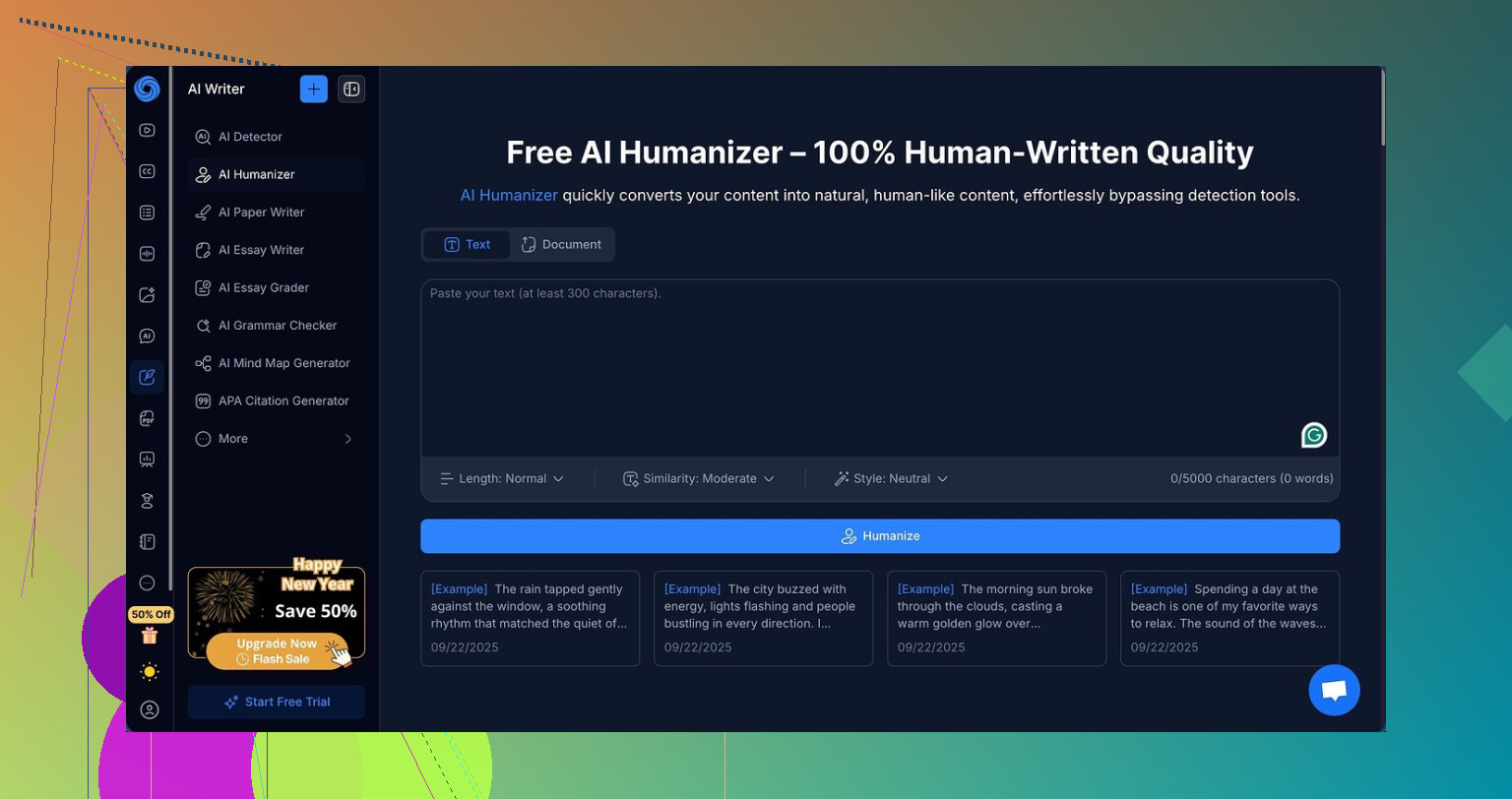
I spent an evening messing around with NoteGPT, mostly because I was already using it for YouTube notes and wanted to see if the “AI humanizer” part was worth taking seriously.
The platform itself is set up for students and research work. You get YouTube summarization, PDF analysis, and a pretty standard note system. All of that is on this page here:
Hidden inside all the productivity stuff, there is this AI humanizer module with a lot of knobs to turn:
• 3 output lengths
• 3 similarity levels
• 8 writing styles
So I fed it multiple samples and treated it like I would treat a paraphraser I wanted to use for real work.
What I did and how I tested it
I ran three different texts through it and for each text, I tried:
• short, medium, and long outputs
• low, medium, and high similarity
• several of the writing styles
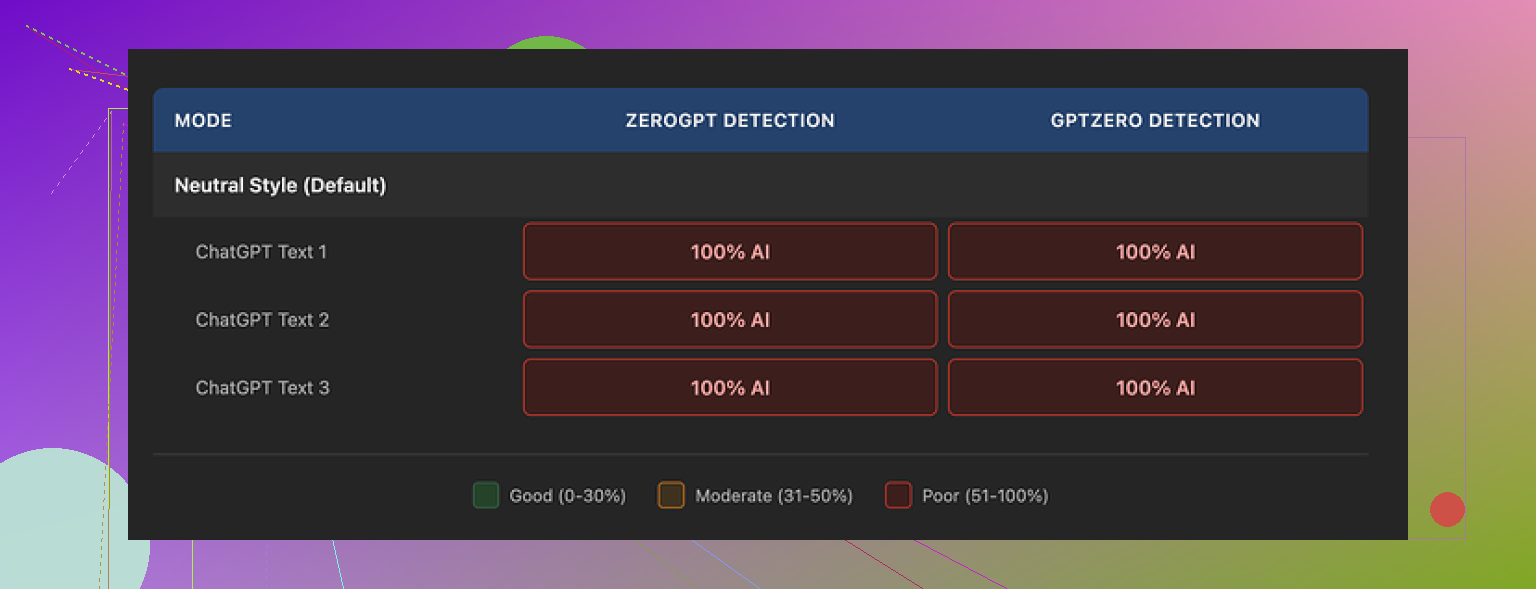
After each one, I dropped the output into GPTZero and ZeroGPT to see what happened.
Results were rough:
• Every single output came back as 100% AI on both detectors
• None of the setting combos made any difference at all
• Detection scores did not move even 1% when I changed length, similarity, or style
So from a “I want this to look human to detectors” angle, it failed for me. Not partially. Fully.
Screenshot for context
What the writing looked like
Here is the annoying part. The text reads fine.
If you ignore the detector scores and look at the writing itself, I would give it 8 out of 10.
• Sentences are clean and coherent
• Structure makes sense
• No weird broken phrases or random nonsense
• It clearly rewrites instead of doing 1:1 synonym swaps
The humanizer highlights edits in color, so you can see where it changed wording. It did not sit idle. It did modify sentence structures and phrasing in a visible way.
The problem is the type of changes.
• It kept a lot of the same rhythm and pattern
• It preserved em dashes in every sample I tried
• It felt like “good AI writing” rather than “slightly messy human writing”
Detectors punish that style hard. So even with polished output, the tools reading it still screamed “AI” at 100%.
Pricing vs outcome
If you only plan to use NoteGPT for YouTube summaries or PDF analysis, the humanizer is just a side feature you can ignore.
If your main reason to pay is the humanizer, then the math looks rough:
• Unlimited plan on annual billing sits at 14.50 dollars per month
• Detection bypass rate in my tests was 0 out of 3
• All samples flagged 100% AI on two different detectors
Paying monthly for a humanizer that, in my tests, never once lowered AI scores, does not make much sense if your goal is to avoid AI detection.
What worked better for me
When I compared this with Clever AI Humanizer, I got different behavior.
Using the same basic workflow, I saw:
• More natural phrasing, less “smooth AI” feel
• Better variation in structure
• Detection results that were closer to real human text
And that tool did not cost me anything for what I needed.
If your priority is detection bypass rather than tidy, organized rewriting, my experience is:
• NoteGPT writes neat text but fails the detector test
• Clever AI Humanizer produced outputs that felt more authentic and performed stronger on detection checks, without a paid plan involved
So if you are about to subscribe to NoteGPT mainly for the humanizer, I would test their free tier against detectors first, then compare to something like Clever AI Humanizer before paying.
19 Likes
Short version. The humanizer is not helping your SEO. It is neutral at best, harmful at worst.
Here is the practical breakdown.
- SEO impact
Google does not care if content is AI or human. It cares if it is:
• Helpful
• Accurate
• Clear
• Unique in value
AI detectors are not part of Google’s pipeline. Chasing detector scores wastes time.
What hurts SEO:
• Over-rewritten text that loses facts or intent
• Bloated sentences that reduce clarity and increase bounce
• Same structure as every other AI post, so no unique angle or experience
If NoteGPT makes posts feel “off”, that hurts your UX metrics. Bad dwell time, low scroll depth, poor internal link clicks. Those are SEO problems.
- Readability
You already noticed it. Some posts read better, some feel stiff.
Watch for these patterns in the output:
• Long, balanced sentences with similar rhythm
• Overuse of transition words like “however”, “moreover”, “in addition”
• Generic phrasing with no specific details or examples
Run a small test:
• Take 3 posts where NoteGPT “helped”
• Take 3 where it felt off
• Check performance in Search Console after a few weeks
– Click through rate
– Average position
– Time on page
If the “humanized” versions underperform your original or your lightly edited version, that is your answer.
- Where I slightly disagree with @mikeappsreviewer
They focused more on detector tests. Useful to know, but I think that goal is a trap.
I would ignore GPTZero, ZeroGPT, all of them. They mislabel human content a lot and give no SEO value.
Your priority:
• Truthful information
• Clear structure
• Real experience and opinions
AI humanizers are fine for first passes. They are bad as a one-click “safe for SEO” solution.
- How to use NoteGPT without hurting yourself
If you keep it:
• Use it only for light smoothing
• Keep similarity low and output short
• Add your own examples, numbers, or opinions after the rewrite
• Remove generic intros and outros it adds
Before and after each rewrite:
• Check Flesch Reading Ease or similar readability score
• See if the main point of each paragraph is still obvious in the first sentence
If readability drops or the voice sounds less like you, revert.
- When to try Clever AI Humanizer
If your goal is:
• More human rhythm
• Less “AI smoothness”
• Better variation in structure
Then test Clever AI Humanizer on 2 or 3 posts. Do not trust the marketing. Do a simple A/B:
Version A: Your original with your manual edits
Version B: Output from Clever AI Humanizer, then your edits on top
Publish on similar keywords and track:
• Page views
• Time on page
• Scroll depth
• Clicks to internal links
Pick the method that gives stronger user metrics, not the one that lowers “AI detected” scores.
- Simple workflow that tends to work
What I see work best for bloggers and niche sites:
• Write or generate a draft
• Use any tool only for grammar and small rewrites, not full paraphrases
• Add your own:
– Opinions
– Numbers or mini case studies
– Screenshots or step lists
• Read out loud once. If you trip often, the text is too robotic.
If NoteGPT makes articles smoother but flatter, it hurts you long term. You want a bit of human “mess”, as in, specific details, uneven rhythm, and your own takes.
I’m in a similar boat and I’ll be blunt: NoteGPT’s humanizer is “fine” text-wise but kinda mid for actual publishing.
Where I agree with @mikeappsreviewer:
If a tool can’t even nudge detector scores with any setting combo, I stop trusting it for anything related to “humanizing.” Not because detectors matter for Google, but because it usually means the rhythm and structure are still very AI-ish. That robotic cadence is what you’re feeling when some posts seem “off.”
Where I slightly push back on both you and @nachtschatten:
I wouldn’t obsess over whether it’s helping or hurting SEO in a direct, magical way. There is no “AI humanizer = SEO boost” formula. The real issue is much more boring:
- If NoteGPT makes your content smoother but flatter, you lose personality.
- If it over-complicates sentences, readers skim or bounce.
- If it normalizes everything into the same polite, balanced, mid-energy tone, your site starts sounding like every other AI blog.
That indirectly hurts SEO because of user behavior, not detectors.
What I’d do in practice with NoteGPT:
-
Stop using it on full posts. Use it on:
- Intros that feel too stiff
- One or two clunky paragraphs
- Transitional sections that feel choppy
-
After humanizing a piece, do a quick “human gut check”:
- Can you hear your voice in it?
- Are there specific examples, numbers, or opinions that clearly came from you?
- Or does it read like a nice, generic Medium article?
-
Compare performance:
- Take 2–3 posts where you used NoteGPT heavily and 2–3 where you only did light manual editing.
- Watch time on page and scroll depth in Analytics / Search Console over a few weeks.
- If the “heavily humanized” ones underperform, you’ve got your answer.
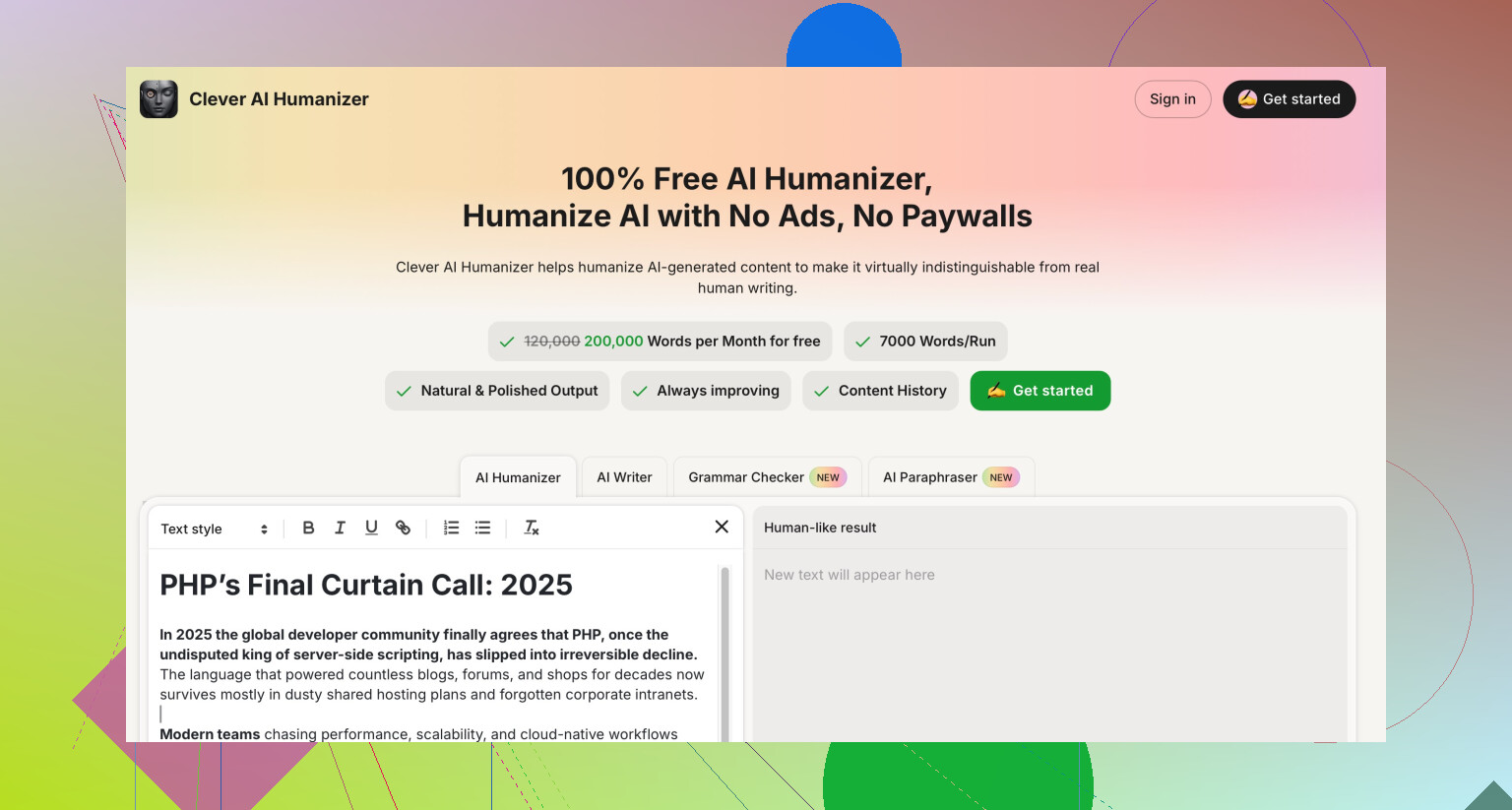
If you want something more “messy human” and less “good corporate blog,” Clever AI Humanizer is actually closer to that vibe in my experience. Not a magic bullet either, but it tends to mess with structure and rhythm more, so the text feels less AI-smooth and more like actual human drafting. For SEO-oriented content that needs to feel like a real person wrote it, that’s a plus.
TL;DR:
NoteGPT’s AI Humanizer is probably not helping your SEO directly and might be quietly hurting readability and voice if you lean on it too hard. Treat it like a light editing tool, not a content engine. If you want a “make this feel like a person typed it at 1 a.m. with coffee” tool, test Clever AI Humanizer on a couple of posts and judge by user metrics, not detector scores.
Short version: if a “humanizer” makes you ask “is this helping or hurting,” it is probably doing a bit of both.
Quick angles that haven’t been hit yet:
1. Don’t only A/B posts. A/B sections.
Instead of testing whole articles like others suggested, try this:
- Keep one article mostly original.
- Pick 2 paragraphs and run them through NoteGPT on your usual settings.
- Publish that version, then after 3 to 4 weeks, revert those 2 paragraphs back to your own edit and watch if time on page or scroll depth changes across the two time windows.
Same URL, same keyword, only the “texture” of those sections change. It is a cleaner signal than comparing different posts.
2. Look at skimming behavior, not just dwell time.
If you have scroll or click maps, check where people stall or rage scroll. Humanizers often:
- Inflate transitions so mid-page sections feel like fluff.
- Normalize headings so subheads all feel generic.
If your heatmap shows users skipping entire NoteGPT heavy blocks, that is your problem. Detectors are a sideshow here.
3. Stop chasing “sounds human” and start chasing “sounds like this query.”
One thing I disagree with slightly in the other replies: the focus on your personal voice is great for a brand, but for a lot of informational search, the better frame is “query intent voice.”
Ask:
- Does this sound like how searchers would explain the issue to a friend?
- Are their typical questions mirrored in your subheadings and first sentences, or did the humanizer smooth everything into textbook mode?
NoteGPT tends to default to neutral “blog essay” tone. That often mismatches how people actually phrase and scan queries.
4. Where Clever AI Humanizer fits in
If you test another tool, Clever AI Humanizer is worth a spin, but not as magic SEO dust. Think of it as a rhythm shifter rather than a detector cheat.
Pros:
- Breaks sentence length patterns more than NoteGPT.
- Often introduces less formal phrasing so text feels less corporate.
- Can help you escape that “polite AI essay” vibe you are noticing.
Cons:
- Still needs heavy manual pruning or you end up with stylistic whiplash inside one article.
- Can get slightly too informal for some niches, so you may need to rein it in.
- Same core risk as any tool: if you overuse it, all posts start sharing the same cadence.
Tie this back to what @nachtschatten, @caminantenocturno and @mikeappsreviewer said: they are right that detectors are mostly noise and UX is the real lever, but I would push you one step further. Do not ask “is NoteGPT good or bad for SEO.” Ask:
- Which concrete parts of my article benefit from machine smoothing
- Which parts must stay “rough” and specific so they feel like lived experience
In practice, that often means:
- Keep introductions, conclusions and personal examples mostly yours.
- Let tools lightly touch only explanation blocks and definitions.
- Run short experiments on sections rather than entire posts.
If you do that and your metrics still dip whenever a NoteGPT or Clever AI Humanizer section appears, the verdict is simple: use them as drafting assistants only and let your manual edit be the real “humanizer.”