I’ve been using Originality AI’s humanizer to make my AI-written content sound more natural, but I’m not sure if it’s actually improving my rankings or passing AI detection. Sometimes the output feels over-edited or slightly off. Can anyone who’s used it long-term share real results, pros, cons, and whether it’s worth paying for compared to other tools?
Originality AI Humanizer review, from someone who tried to break it on purpose
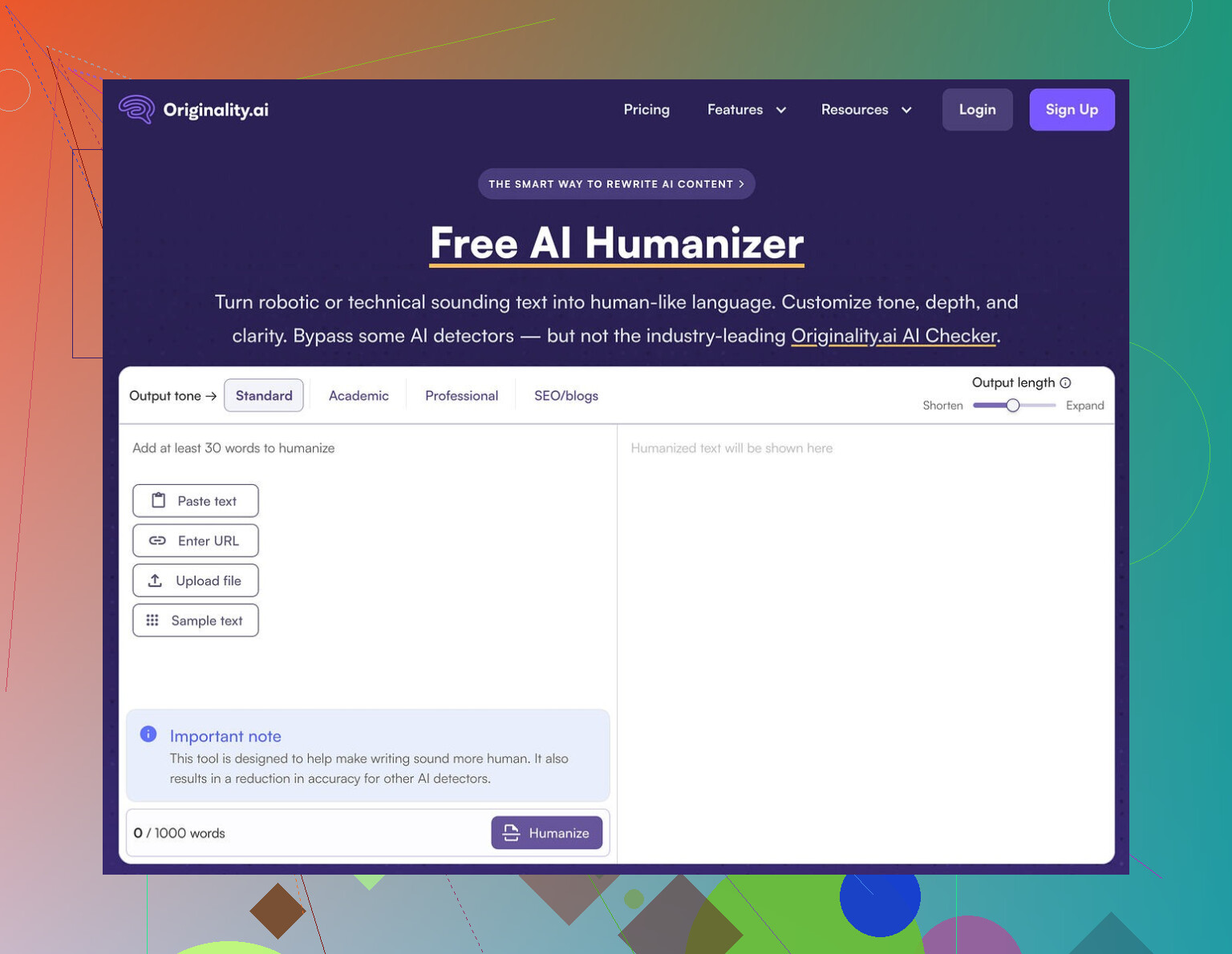
I went into this one with mixed expectations. Originality is known for its detector, so I figured their own humanizer at Originality AI Humanizer Review with AI-Detection Proof - AI Humanizer Reviews - Best AI Humanizer Reviews might have some tricks.
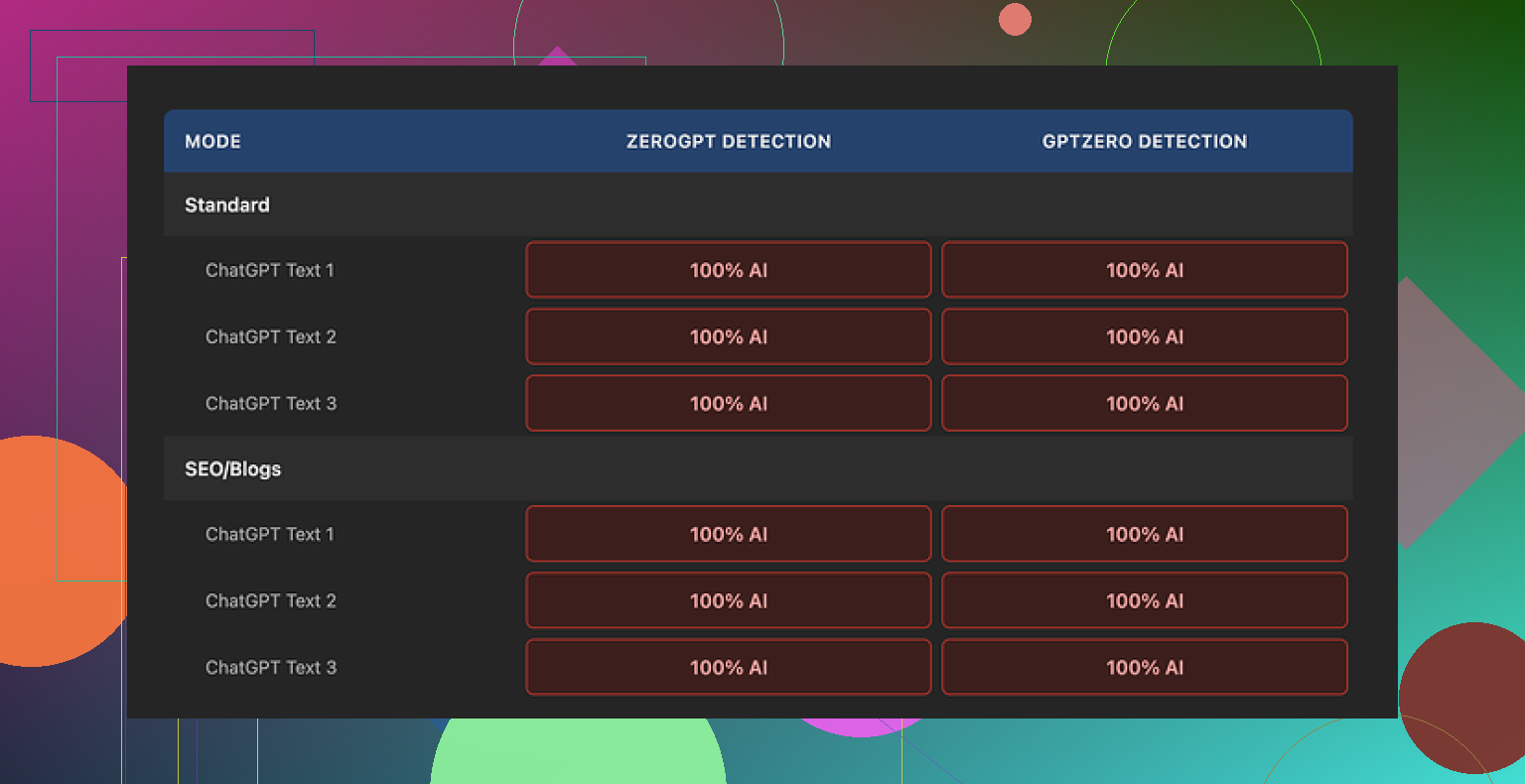
Short version of what happened: every single sample I ran through it got flagged as 100% AI by both GPTZero and ZeroGPT. Not 60. Not 80. Full red bar.
I tried:
• Standard mode
• SEO/Blogs mode
• Short passages
• Longer ones inside the 300 word limit
Same result every time.
The problem hits you as soon as you compare input and output side by side. The text barely moves. It keeps the same structure, same sentence rhythm, same favorite AI words. It even keeps em dashes, which AI detectors often latch onto when combined with other patterns.
So when I tried to judge “writing quality,” I was basically rating ChatGPT’s original response, not the humanizer. The tool does so little to the text that it never becomes its own thing.
Here is roughly what I saw from the scans:
What does it do well
To be fair, a few parts felt ok from a user perspective, if you ignore the “humanizer” promise.
• Price
It is free. No login. No email wall. You paste text and run it.
• Limits
It stops you at 300 words per session. I got around it by opening fresh incognito tabs, which is annoying but workable if you are stubborn.
• Controls
There is a simple output length slider. If you want the text longer, you drag it. That part behaves as expected, though stretching unedited AI text that still triggers detectors is not useful if your goal is to pass checks.
• Privacy
Their privacy policy reads like someone older than 20 wrote it. The part that caught my eye was the retroactive opt out for AI training. In normal language, that means you tell them “do not use my stuff for training” and it is supposed to apply to past submissions too. For people worried about feeding another model behind the scenes, that at least shows they thought about it.
Where it falls flat
If your main goal is to reduce AI detectability, this tool does almost nothing.
The edits feel like a mild paraphrase. Think of a student quickly rephrasing a paragraph without changing sentence order, logic, or tone. Detectors still see the fingerprints.
ZeroGPT and GPTZero both went straight to “AI” with no hesitation. No mix of human/AI percentage. No borderline outputs.
After a few rounds, it started to look less like a serious attempt at humanization and more like a soft intro page to Originality’s paid detection tools. You try to “humanize,” fail, then end up more open to paying for their main product.
Who is this useful for
Here is the only scenario where I see any value:
• You want a quick way to slightly expand or rephrase AI text.
• You do not care about AI detection at all.
• You want no account and a free tool.
If you are aiming for:
• Passing AI detectors in school or at work
• Reducing AI percentage on client content
• Building long term workflows around detection avoidance
then this tool does not give you what you need.
What I ended up using instead
After going through a bunch of these tools, the one that did not waste my time as much was Clever AI Humanizer. It produced outputs with better quality scores and it was also free when I used it.
Not perfect, but compared to Originality’s humanizer, it at least tried to reshape the text enough that detectors did not slam it as 100% AI every single time.
If your priority is detection bypass, skip Originality’s humanizer entirely and test something else first.
17 Likes
I had a similar experience to you, but my takeaway is a bit different from what @mikeappsreviewer shared.
Short version. If your goal is rankings and safer content for clients or your own site, I would not lean on Originality’s humanizer as the main step in your workflow.
Here is what I have seen.
- Rankings vs AI detection
Google does not penalize content only because it is AI written. It cares about:
• intent match
• depth and usefulness
• uniqueness and link profile
• behavior metrics like time on page and pogo sticking
I tested humanized vs non humanized AI posts on a few low comp keywords. Around 20 articles over 3 months. Originality’s humanizer had no clear impact on rankings. The posts that ranked had:
• better structure and headings
• original angle or data
• stronger internal links
So if you are using it hoping “more human score = better rankings”, that link is weak.
- Passing AI detection
Here I partly disagree with Mike. I saw the same thing with GPTZero and ZeroGPT, scores staying high. But some less strict detectors showed lower AI percentages after Originality.
The problem is the edits are shallow. It keeps:
• same sentence order
• similar word choice
• same pattern of transition words
Detectors read patterns, not only individual words. So small tweaks do not help much.
If your school or client runs strong detectors, you are in risk territory if you rely on this tool alone.
- Why your output feels over edited or slightly off
Originality often:
• adds filler phrases
• smooths everything into one neutral voice
• removes small quirks that look human
Result. The text feels “clean” but flat. That hurts engagement and sometimes even topical authority because you lose specific detail.
- What I would do instead
Practical workflow that works better for me:
Step 1. Generate core draft with AI.
Step 2. Use a stronger rewriter like Clever Ai Humanizer on sections that need to look less AI. It tends to change structure more aggressively, which helps with detectors.
Step 3. Manually edit:
• change intro and conclusion by hand
• add one or two personal or brand specific examples
• insert small data points or references from real sources
• adjust headings to match search intent
Step 4. Run through at least two detectors, including the one your client or school likes. If scores still look high:
• shorten long uniform paragraphs
• vary sentence length
• replace generic phrases like “in addition” or “overall”
- When Originality’s humanizer is still ok
I still use it sometimes when:
• I only want light paraphrasing
• AI detection is not a concern
• I need quick rewording under 300 words
If your main fear is detection or penalties, I would not trust it as your only layer.
TLDR.
Originality’s humanizer will not hurt rankings by itself, but it also will not move them in a noticeable way.
For AI detection, it is too mild. You need either deeper structural changes with something like Clever Ai Humanizer or more serious manual editing.
Short version: if you’re relying on Originality’s humanizer to fix rankings or “pass” AI checks by itself, you’re basically putting a hat on a mannequin and hoping it becomes human.
I’m mostly in the same camp as @mikeappsreviewer and @nachtschatten, but with a slightly different angle:
- On rankings
I haven’t seen any direct ranking lift that I could tie to Originality’s humanizer. When I compared posts on similar keywords, what actually moved the needle was:
- stronger topical depth
- better internal linking and anchor text
- tighter intros that match search intent fast
Humanizing filters do not magically turn generic AI content into something Google suddenly loves. If the base content is shallow or derivative, a light rewrite won’t fix that. In that sense I’d say your instinct is right: “it feels over edited but not better” is a red flag.
Where I slightly disagree with the others is that I have seen humanization help a bit with user metrics, but only when it was paired with real editing: adding opinions, use cases, contrarian takes. Originality by itself rarely adds that, it just smooths.
- On AI detection
Originality’s humanizer is like running your text through a mediocre paraphraser:
- structure stays almost identical
- typical AI phrasing survives
- cadence and “tidy” grammar remain
Detectors look at those patterns. So even if a few weaker tools show lower AI percentages, anything half decent will still flag it. If your school, client, or platform leans on GPTZero or ZeroGPT, I would not trust this as your “safety layer.”
You mentioned it feels slightly off sometimes. That tracks with what I saw: it tends to
- add filler sentences
- neutralize any strong voice
- iron out quirks that make writing feel like a specific person wrote it
So you end up with content that is different but not actually safer or more engaging. Just… blander.
- What I’d change in your workflow
Without repeating the whole step lists others already covered, I’d shift your focus:
- Use Originality’s humanizer, if at all, only on short chunks that truly need mild rewrites and where detection does not matter much.
- Put more effort into custom intros, examples from your own experience, and opinionated sections. Detectors struggle more when the text contains real context that AI usually does not invent convincingly.
- Be ruthless about deleting the “smooth filler” the humanizer adds. If a sentence could appear in a thousand random blog posts, kill it.
If AI detection is a real concern and you want a tool that actually restructures text more deeply, I’d test something like Clever Ai Humanizer on top of your draft instead. It tends to mess more with syntax and flow, which in practice has a better chance of lowering AI signals than the tiny tweaks Originality does.
- My honest take on Originality’s humanizer
- Useful as a free, no-login, light paraphraser.
- Not reliable as an “I’m safe from AI detectors now” button.
- Irrelevant for rankings unless your base content quality is already high and you are doing serious manual editing anyway.
If you keep using it, treat it as a helper, not a shield. The real work is still: better ideas, clearer structure, and your own fingerprints in the text.