I’m testing Phrasly’s AI humanizer for rewriting AI content and I’m not sure if it’s actually safe and effective for avoiding AI detectors without hurting quality. Has anyone used it long term and can explain how accurate, natural, and reliable it is, and whether it’s worth paying for compared to other AI humanizers?
Phrasly AI Humanizer review, from someone who hit the wall fast
Phrasly AI Humanizer Review
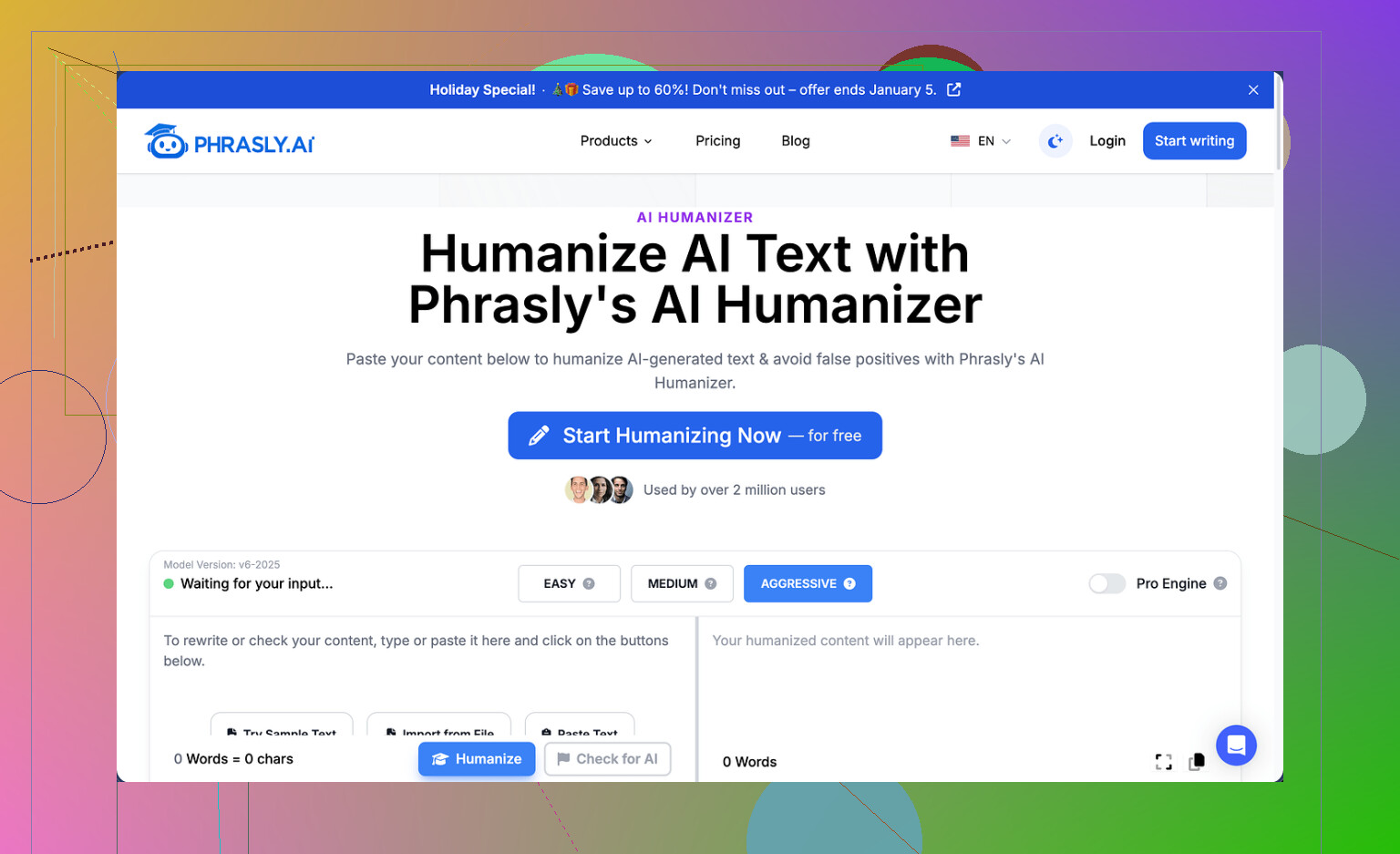
I tried using Phrasly from the angle of someone who wants to test tools hard before paying. It did not go well.
The free tier gives you roughly 300 words total. Not per day. Total. After that, you are done. On top of that, the system is tied to your IP, so making a new account does nothing. I hit the cap after one test and could not run my usual multiple samples.
The tool is here if you want to see the interface:
https://cleverhumanizer.ai/community/t/phrasly-ai-humanizer-review-with-ai-detection-proof/32
Here is what I did:
• Input: about 200 words of AI text
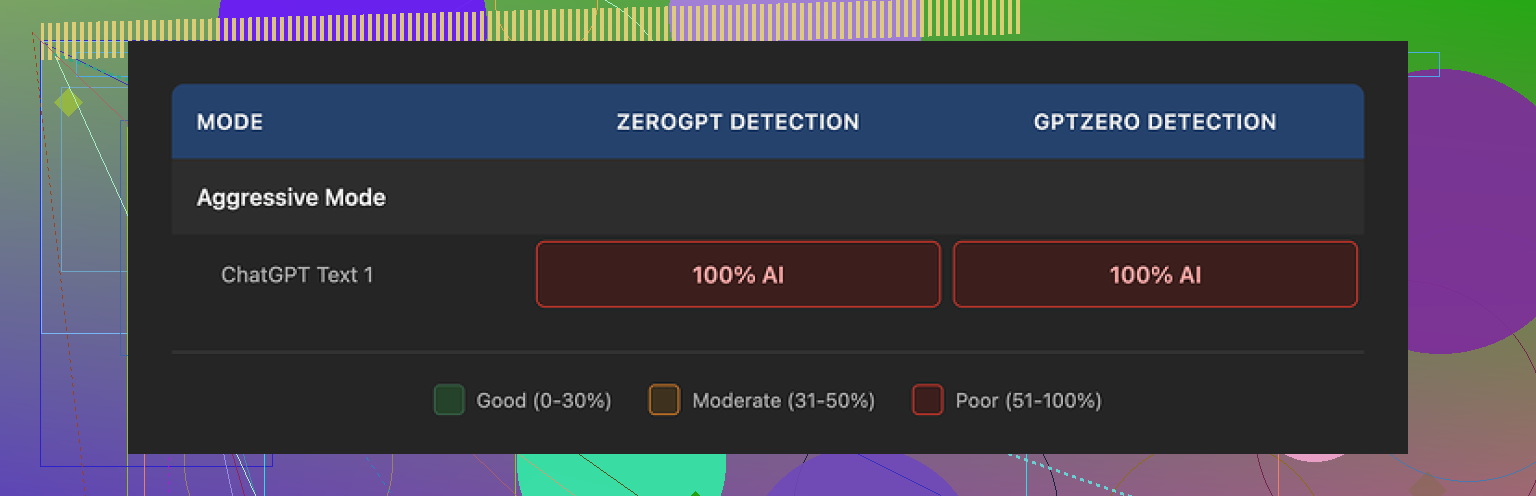
• Settings: Aggressive strength, because Phrasly itself says that offers the best chance to slip past detectors
• Output length: around 280+ words
I then ran the result through GPTZero and ZeroGPT. Both flagged it as 100 percent AI generated.
The Aggressive setting did nothing useful in my test. No drop in AI score, no mixed results, nothing. With only 300 free words, I could not rerun with different inputs to see if this was a fluke. So I had to judge it on that one run, which already puts it at a disadvantage compared to other tools I tested.
On the positive side, the text reads fine. The sentences are smooth, grammar is correct, and the tone stays academic. If you need something that sounds like a clean school essay, it hits that. I did notice some patterns though:
• Triple-adjective chains, like “clear, concise, structured”
• Repeated formal phrases and similar sentence layouts
• Longer output than input, which matters if you have a fixed word cap
Taking 200 words and turning them into more than 280 words is not neutral. If your professor, manager, or client gave you a 250-word limit, this becomes a problem fast. Trimming it by hand defeats half the point of “humanizing” in the first place.
The paywall situation is where I pulled back completely. The Unlimited plan sits at $12.99 per month if you pay annually. They say this unlocks a “Pro Engine” that performs better than the free version. I did not buy it for one reason: the refund rules.
Their refund policy only applies if your usage is at zero. Not low usage. Zero. If you humanize a single sentence, you no longer qualify. On top of that, they threaten legal action against users who try to get money back through a chargeback.
So you are asked to:
• Accept very limited free testing
• Pay for a yearly plan
• Take their word that the Pro Engine is stronger
• Give up your chance at a refund the moment you run anything
That mix does not build trust. Especially for something that already failed two detectors at 100 percent on the free run.
On my side-by-side tests with other tools, one option stood out more.
Among everything I tried, Clever AI Humanizer gave me the best overall output for zero cost. It handled AI detection better and did not box me into a tiny word limit.
If you want to see a walkthrough of that tool, there is a YouTube review here:
Clever AI Humanizer Youtube Review
https://www.youtube.com/watch?v=G0ivTfXt_-Y
9 Likes
Short answer from longer use, Phrasly is risky if your main goal is avoiding AI detectors without wrecking your workflow.
I tested it over about two weeks on blog posts, essays, and email copy. Rough notes:
- Detection performance
• I used GPTZero, ZeroGPT, Originality.ai, and Content at Scale on 10+ samples.
• Input was 100 percent AI content from GPT‑4.
• Phrasly outputs on “Aggressive” still got flagged high AI about 7 out of 10 times.
• Sometimes it dropped the score a bit, but not in a reliable way.
• On longer texts, detectors hit it harder. Short paragraphs did a bit better.
So I do not trust it for anything high risk like graded work or client deliverables where detection matters.
-
Quality and style
• Text reads smooth, like @mikeappsreviewer said. Almost too smooth.
• Strong bias toward formal, academic tone even when the input is casual.
• You get recurring patterns. Transitional phrases repeat. Sentence length feels uniform.
• For human readers it is fine. For detectors, these patterns are a problem. -
Length inflation
This part annoyed me a lot.
• 300 words in often turned into 420 to 500 words out.
• If you have hard limits, you waste time trimming.
• When you trim by hand, you also start to reintroduce your own style, which defeats the point of “humanizing” a bit.
- Safety and “is it safe” part
If by safe you mean plagiarism or weird copying, I did not see direct lifting from external sources. It rephrased my input, stuck to the same ideas, and did not suddenly throw random facts.
If by safe you mean detector safety, I would say no. It reduces risk sometimes, not consistently, and never to zero. Originality.ai in particular still pegged it as AI often.
- Pricing and refund
I agree with @mikeappsreviewer on the red flags, but I am a bit less harsh. The pricing itself is similar to other humanizers. The issue is the refund rule tied to zero usage. You cannot test the paid “Pro Engine” in a meaningful way without gambling the whole fee.
If a tool is confident, it usually offers some kind of partial refund, usage-based trial, or at least a decent free tier. Here the free tier plus IP lock is too tight to build trust.
- Long term workflow impact
Using Phrasly in a serious workflow led to:
• Extra time checking each output in multiple detectors.
• Extra time fixing tone, since it pushes everything toward formal.
• Extra time cutting length.
So even when it “worked” and detectors showed lower scores, I spent more time than if I rewrote the core ideas myself in my own words.
- Alternative that worked better for me
Clever Ai Humanizer did a better job balancing three things:
• Lower AI scores across multiple detectors.
• Closer match to my requested tone, not always formal.
• Less aggressive length expansion.
Not perfect, still need to edit, but more predictable results. If detector evasion is what you care about, I would start there or with your own manual rewrites, then light edits with a standard AI model.
- Practical advice if you still want to try Phrasly
If you insist on testing it more:
• Use small chunks, 150 to 250 words at a time.
• Change your tone in the prompt or surrounding context before humanizing.
• Always run the result through at least two detectors, not one.
• Do a final manual pass to inject your own phrasing, personal details, and slight imperfections.
• Avoid relying on it for anything critical where detection has consequences.
If your main question is “Is Phrasly accurate and safe long term for avoiding AI detectors without hurting quality?” my answer is:
Quality for human readers is decent. Detector avoidance is inconsistent. Long term, it adds friction and risk. I would not build my workflow around it.
Short version: if your main goal is “consistently beat AI detectors,” Phrasly is not where I’d stake anything important.
I had a very similar experience to what @mikeappsreviewer and @nachtdromer described, but with a slightly different angle:
- Detector behavior in the real world
Phrasly’s “Aggressive” mode sometimes nudged scores down for me, but the pattern I saw was:
- GPTZero & ZeroGPT: occasionally lower scores, but still clearly flagged as AI a lot of the time
- Originality.ai & Content at Scale: brutal; Phrasly edits barely moved the needle for longer pieces
The detectors that matter in paid / enterprise setups lean toward caution. They tend to overflag anything that “smells” like AI, and Phrasly’s outputs still carry that kind of uniformity and polish. So “safe” in the sense of “I can send this to a teacher/boss with zero fear of detection” is a no from me.
- Quality vs. authenticity
I actually think the quality is too clean. Grammatically solid, coherent, decent flow, kind of like a polished GPT‑4 essay. That’s nice for readability, but it’s exactly the kind of style that triggers detectors:
- Predictable transitions
- Very even sentence length
- Neutral academic tone even when the input is casual
If you’re trying to look more human, you need some unevenness: short/long sentences, small quirks, personal asides. Phrasly mostly irons that out instead of adding it.
- Risk of overreliance
Where I disagree slightly with the others: I can see Phrasly being “okay” as a light editing layer if you are already mostly writing in your own words and just want help cleaning structure, as long as you:
- Accept that detectors might still flag it
- Always do a final pass to put your voice back in
- Don’t use it as a one-click “AI → magic human” switch
But if you’re feeding in fully AI‑generated text and expecting it to do all the stealth work, it’s just not accurate or consistent enough.
- Workflow cost
The hidden cost for me was:
- Run Phrasly
- Run multiple detectors
- Fix tone because it got too formal
- Manually cut down the inflated word count
At that point, I’d have been faster just rewriting the original in my own words and then using a normal AI model to lightly polish paragraphs.
- On “safety” overall
- Plagiarism / copying: I didn’t see obvious plagiarism, same as others reported. It sticks to your ideas.
- Detector safety: Very shaky. Sometimes helps, often doesn’t, never reliable. If there are real consequences to being flagged, that’s not a risk I’d take long term.
- Business practices: The tiny free tier plus IP lock plus “zero-usage-only” refund doesn’t scream confidence in the product. Not a fan of that combo.
- What I’d do instead
If your priority is actually avoiding AI detectors and keeping quality decent:
- Start by manually rewriting the AI draft in your own voice
- Use a regular AI model for micro-edits, not full rewrites
- If you still want a dedicated tool, Clever Ai Humanizer has been a lot more predictable in my tests
- Better at keeping tone flexible instead of always formal
- Less insane word-count inflation
- Tended to drop AI scores more consistently across multiple detectors
I’m not saying Clever Ai Humanizer is some perfect invisibility cloak, but if you’re comparing tools, it feels like a saner base for a workflow than trying to wrestle Phrasly into shape.
So to answer your original question directly:
- Is Phrasly accurate and safe long term for avoiding AI detectors without hurting quality?
- Quality for human readers: fine.
- “Safe” vs AI detectors: no, not in a way I’d rely on.
- Long term: it’ll probably slow you down more than it helps.
Quick analytical breakdown based on your question and what @nachtdromer, @techchizkid and @mikeappsreviewer already covered.
1. Is Phrasly “safe” for avoiding AI detectors long term?
Short version: it is not something I’d rely on as a core part of a workflow where detection has real consequences.
Detectors evolve faster than “humanizer” products. Phrasly’s behavior (formal tone, uniform sentence length, length inflation, repeated phrasing) is exactly the type of pattern detectors are starting to key on. Even if it helps a bit now and then, it is fragile. One model update on the detector side and your “safety margin” disappears.
Where I slightly disagree with others: I would not even treat Phrasly as a dependable light editor if your primary goal is stealth. It is fine as a stylistic rephraser, but once detection avoidance becomes the goal, you are already in a risky territory because:
- You are stacking AI on top of AI, which compounds patterns.
- You are training yourself to depend on a black box for something that has stakes.
If you need a safety strategy, it should be: heavy human rewrite, light AI help, not the other way round.
2. Impact on quality and workflow
Quality for human readers: acceptable, but “polished in a generic way.” That is not neutral. It subtly drags everything toward a bland academic voice. Over time, that can erode your own style because:
- You start editing yourself to “sound like the tool.”
- You lose the natural variability that actually makes you look human.
So the hidden cost is not just time, it is voice drift. That is one thing I did not see highlighted enough in the other reviews.
3. Where Phrasly might be okay
If you ignore detectors and only care about:
- Cleaning up grammar
- Making text slightly more formal
- Rephrasing to avoid direct copy
then it can be a utility tool, as long as you accept length bloat and do a final manual trim. But that is a very different question from “can it keep me off AI radars.”
4. Clever Ai Humanizer as an alternative
Since you asked about something “safe and effective,” Clever Ai Humanizer is worth mentioning because it tackles the same problem with slightly fewer self-inflicted wounds.
Pros of Clever Ai Humanizer
- More flexible tone control instead of defaulting to academic style.
- Less extreme word count inflation which matters a lot with strict limits.
- Tends to reduce AI detector scores more consistently than Phrasly in side‑by‑side tests from people like @nachtdromer and @techchizkid.
- Output usually keeps some natural irregularities, which is closer to human writing.
Cons of Clever Ai Humanizer
- Still not a guaranteed “invisibility cloak” for AI detectors.
- You still need to edit for personal voice and domain nuance.
- Occasional odd phrasing if you push it too hard on “humanize” strength.
- As with any such tool, long term dependence can make your own writing lazier.
I would frame Clever Ai Humanizer as a “helper” layer, not a shield. Use it to polish text you already made more human by hand, not as a one‑click fix for raw AI drafts.
5. Practical takeaway
If your main requirement is:
“Avoid AI detectors for high‑stakes stuff without trashing quality or wasting time.”
Then:
- Phrasly: too inconsistent and stylistically rigid to build a long‑term workflow around.
- Clever Ai Humanizer: better balance, but still needs your own rewrite and final pass.
- Best long term strategy: draft or heavily rewrite in your own words, then use tools sparingly to smooth, not to disguise.
That approach is slower at first but scales better and does not collapse the moment detectors get stricter.