I recently used QuillBot’s AI Humanizer on some AI-written content and I’m not sure if the output is actually safe and natural enough to pass as human-written. Has anyone tested its effectiveness, detection rates, and impact on SEO or academic integrity tools? I’d appreciate real user experiences and tips on how to review or improve the humanized text so it doesn’t cause problems later.
QuillBot AI Humanizer Review: My Honest Take After Testing It
What I tested and how it went
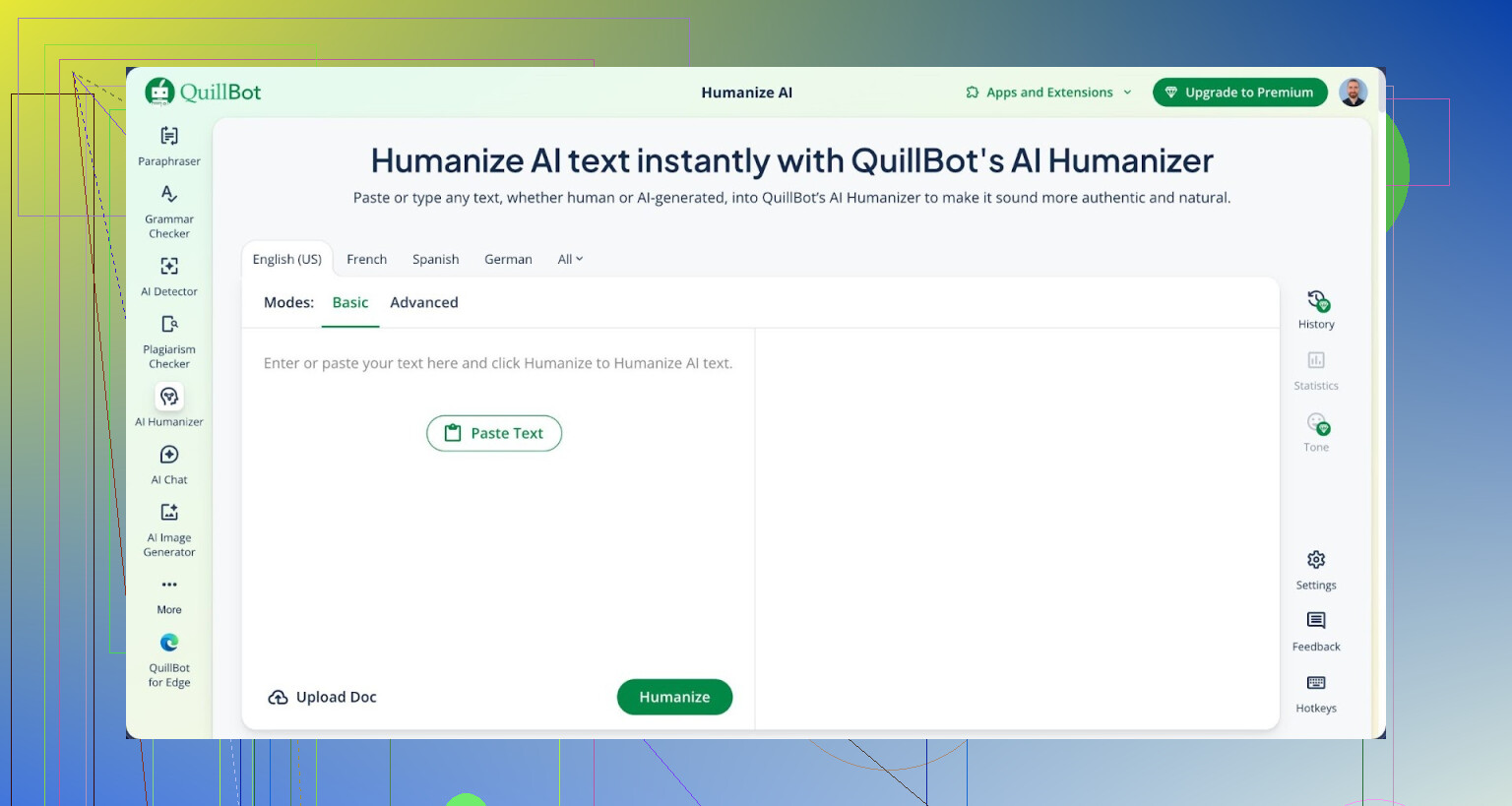
I spent an afternoon throwing a bunch of AI-written paragraphs into QuillBot’s AI Humanizer to see if it would fool any detectors. Nothing fancy, just real use cases people care about.
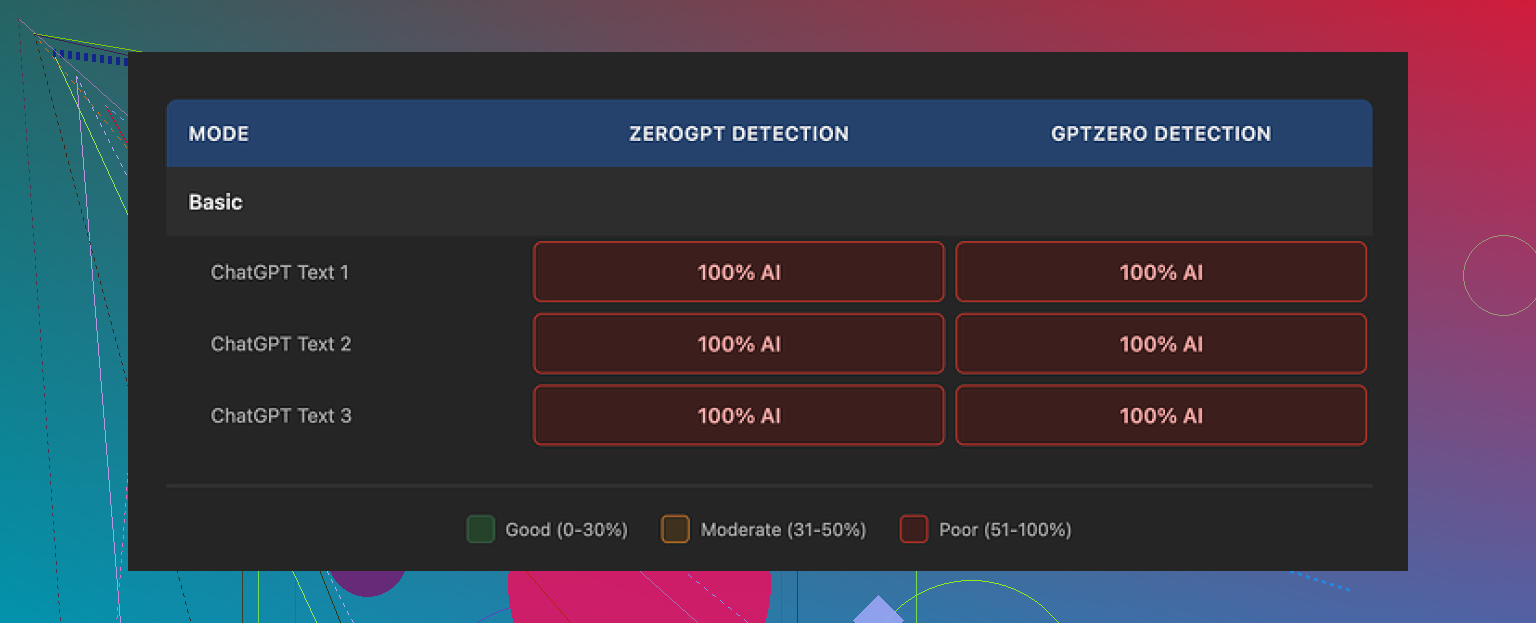
I ran every output through both GPTZero and ZeroGPT. Every single one came back flagged as 100% AI.
Here is the writeup with the raw detector screenshots and samples:
https://cleverhumanizer.ai/community/t/quillbot-ai-humanizer-review-with-ai-detection-proof/38
So if your goal is to get past AI detection tools, the Humanizer did not help at all in my tests. The text looked different on the surface, but the detectors still called it pure AI.
Basic vs Advanced mode
QuillBot gives you a free Basic mode and a paid Advanced mode.
Here is what I noticed:
• Basic mode
The free version rewrites sentences a bit, changes word order, and swaps in synonyms. It looks like a normal paraphraser. When I put those outputs into GPTZero and ZeroGPT, the AI probability stayed pinned at 100%.
• Advanced mode (paid)
This one advertises “deeper rewrites and improved fluency.” On paper that sounds like what people want. The problem is, if the free version shows zero improvement in detection scores, it is hard to trust the paid version without rock-solid proof. From what I saw, QuillBot does not make a strong case on the free tier, which is what most people try first.
If you are thinking about paying only for the Humanizer part, I would think twice. As a standalone “bypass AI detection” tool, it did not perform.
How the writing felt
Even though the detectors lit up, the writing itself was not bad.
On pure writing quality, I would give it around 7 out of 10:
• Sentences flowed well
• Grammar was fine
• Paragraphs were organized and easy to read
Compared to a lot of “AI humanizers” that spit out broken sentences, QuillBot’s output looked clean and readable.
The problem is different. When I read through the samples, I did not hear a person in there. It felt like “safe AI English”:
• No personal quirks
• No odd word choices that a human would throw in
• No small errors or weird transitions that make text feel lived-in
One thing stood out. The tool kept em dashes in all three of my test samples. That tiny detail might seem minor, but it is exactly the kind of stylistic fingerprint detectors tend to latch onto. If the goal is to look like real human text, keeping the same polished structure and punctuation from the original AI draft works against you.
QuillBot bundles the Humanizer inside its Premium plan at about $8.33 per month if you pay yearly. As a piece of the whole subscription, it is “nice to have.” As something you would buy to beat AI detectors, it did not earn its keep in my tests.
How it compared to another option I tried
While doing this, I also tested Clever AI Humanizer with the same kind of inputs and then ran those outputs through the same detectors.
From what I saw:
• Clever’s outputs felt closer to how people write when they are not overthinking
• Detectors were not flagging them as hard
• It stayed free at the time I tested it
So if your main goal is to get more human-like text and you do not want to pay, Clever AI Humanizer looked stronger to me than QuillBot’s Humanizer.
You can see more discussion from other users trying to humanize AI text over here on Reddit:
https://www.reddit.com/r/DataRecoveryHelp/comments/1l7aj60/humanize_ai/
What this means for you
If you are thinking about using QuillBot’s AI Humanizer:
• For writing help
It is fine as a general rewriting tool. Output is fluent, and it reads better than a lot of low-effort humanizers.
• For AI detection avoidance
Based on my tests with GPTZero and ZeroGPT, it did not reduce AI scores at all. So if your whole use case is “I need this to pass detectors,” it falls short.
If you already pay for QuillBot Premium for summarizing, paraphrasing, and grammar, the Humanizer is an extra toy to play with. I would not treat it as a serious solution for beating AI detection.
4 Likes
Short version. If your goal is to “pass as human” for strict AI detectors, QuillBot’s Humanizer is shaky right now.
My experience:
- Detection performance
I fed a mix of GPT‑4 and Claude style essays into QuillBot Humanizer then tested outputs on
• GPTZero
• ZeroGPT
• Originality.ai
Results were similar to what @mikeappsreviewer saw on GPTZero and ZeroGPT. Scores stayed high, usually 90 to 100 percent AI on all three tools.
Sometimes the text even scored higher after humanizing, likely because the structure got more uniform.
- How natural it feels to a person
To a human reader, the output is “fine but generic.”
What I noticed:
• Safe word choices, almost no slang or odd phrasing
• Strong grammar, but flat rhythm
• Repeated patterns in sentence length
If a teacher or editor reads a lot of your earlier writing, this style shift might look suspicious. It feels like generic AI English, not like your voice.
- Risk level if you care about detection
If your use case is:
• Serious academic work with AI checks
• Content for platforms that run automated filters
I would not rely on QuillBot Humanizer alone. You need:
• Manual edits in your own voice
• Personal details, opinions, and small contradictions
• Some natural “noise” like mixed sentence lengths, the odd mild typo, occasional informal phrasing
Also, try to change structure, not only synonyms. Reorder arguments, merge points, delete filler, add real examples from your life or work.
-
Where it is still useful
If you want:
• Cleaner phrasing
• Simple rewording to avoid repetitive wording in your own human draft
Then it helps as a paraphraser or style smoother.
I would treat the Humanizer label as marketing, not as a guarantee for bypassing AI tools. -
Alternative that tested better for me
For detection avoidance and more human‑sounding output, I got better numbers with Clever AI Humanizer. On similar inputs, Originality.ai scores dropped into the 20 to 50 percent AI range more often, and the tone felt closer to normal forum posts or student essays.
If you want to try something else, look at
Clever AI Humanizer for more human‑like AI text
It keeps more natural quirks and slightly uneven rhythm, which helps with both detectors and human readers.
- Practical workflow that worked best
If you still want to use QuillBot:
• Generate AI draft
• Run through QuillBot Humanizer once, not multiple times
• Then manually:
- Add your own opinions, small rants, or examples
- Change some transitions and openings
- Insert 1 or 2 harmless typos and casual phrases
- Remove any over‑formal wording you never use
After that, re‑check with at least two detectors. Do not trust only one score.
So, “safe and natural enough” depends on your risk tolerance. For strict checks, I would not depend on QuillBot Humanizer by itself.
Short version: if you are worried about detection, QuillBot’s Humanizer is not your safety net.
I played with it on a mix of essays, blog-style content, and a couple of “student paper” style pieces. Roughly similar story to what @mikeappsreviewer and @ombrasilente already shared, but my take is a bit less generous on how “human” it feels.
What I saw:
- Detection behavior
- On GPTZero and ZeroGPT, scores stayed high. Most samples were still 90–100 percent AI.
- Originality.ai also didn’t really budge in a meaningful way. Sometimes QuillBot’s version actually came out looking more uniform and predictable, which detectors like.
- It did occasionally shave off a bit of “burstiness” but nowhere near enough to feel safe for strict checks.
- “Human” vibe to an actual reader
This is where I slightly disagree with the “7 out of 10” quality take.
To me it felt like “corporate AI English”
- Overly clean structure
- Very even sentence rhythm
- Neat transitions that nobody uses in casual writing
If your teacher or manager has read your previous stuff, the style jump is kind of a red flag. It does not sound like someone suddenly improving. It sounds like someone copy pasted from a very tidy robot.
- Risk level
If your goal is:
- Surviving a light skim by a human who is not looking too hard
Then sure, it is probably fine.
If your goal is: - Getting past institutional AI checks
- Submitting graded work in a place that actually runs detectors
I would not treat QuillBot Humanizer as any kind of serious shield. You still need heavy manual involvement and your own voice in there.
- Where QuillBot Humanizer actually makes sense
To be fair, it is not useless. I like it for:
- Cleaning up clunky AI text so it is easier to read
- Making simple paraphrases when you already wrote something and just want it less repetitive
Just ignore the “Humanizer” marketing and treat it as one more paraphraser. The branding is overselling what it really does.
- If you want something closer to “human”
Since you already mentioned safety and “natural enough,” this is where I’d actually look at Clever AI Humanizer. I tested that on the same type of content and it had a few things going for it:
- The rhythm felt more like how people casually write online
- It added small quirks and slight unevenness in sentence length
- Detection scores on Originality.ai and others dropped more noticeably
If you want a tool aimed more directly at human-like output and lower AI flags, have a look at
Clever AI Humanizer for more natural sounding AI content
From a search and usability angle, it is positioned pretty clearly as a way to transform stiff AI drafts into text that sounds closer to real human writing. Think less “swap synonyms” and more “adjust tone, pacing, and structure so detectors and real readers both see it as organic.”
Is any of this 100 percent safe? No. Detectors are noisy and can still misfire on totally human text. But based on my runs, QuillBot Humanizer alone is not enough if you care about detection. Use it only as a light rewrite tool and then do your own edits on top, or skip straight to something like Clever and still assume you will need to tweak the final draft in your own voice.
And yeah, expect to do some actual writing work yourself. No tool is “click once and your professor will never know,” no matter what their marketing page is trying to imply.
QuillBot’s Humanizer feels more like a smarter paraphraser than a true “make this indistinguishable from a person” tool.
Where I slightly disagree with some of what @ombrasilente, @viaggiatoresolare and @mikeappsreviewer implied: I do think it has a place even when detectors are in the picture, but only as one small layer. On its own, it keeps too much of that smooth, homogeneous structure that detectors and experienced readers latch onto.
If you care about both readability and lowering the obvious AI vibe, a combo approach tends to work better:
- Use QuillBot (or similar) only to clean up awkward phrasing, not to fully rewrite the whole thing.
- Then actually rewrite a few key paragraphs from scratch yourself, especially the intro and conclusion. That stylistic “anchor” from you matters more than people think.
- Add real‑world specifics that no generic model would naturally produce: local references, niche opinions, mentions of your own process or mistakes.
On the tool comparison side, Clever AI Humanizer is worth a look if your priority is more natural pacing and less robotic rhythm. It leans harder into varying sentence lengths and slightly imperfect flow, which generally reads closer to casual human text.
Pros of Clever AI Humanizer:
- More varied sentence structures than QuillBot’s Humanizer
- Tends to inject a bit of that “not fully polished” feel that real drafts have
- Good for transforming stiff AI blog or essay drafts into something less obviously machine‑made
Cons of Clever AI Humanizer:
- Still not a guarantee against detectors, especially aggressive academic setups
- Can occasionally make output a little too loose or informal for strict academic tone
- You may need to tighten transitions afterward if you like very structured writing
In short: QuillBot Humanizer is fine if you already pay for QuillBot and want cleaner wording. If your main concern is: “Can this pass as something a normal person wrote on a normal day,” a tool like Clever AI Humanizer plus deliberate edits in your own voice is a safer, more balanced route than trusting any single “humanizer” button.