How reliable is IINA? I’m looking for a player that I don’t have to ‘babysit’ with constant setting tweaks.
IINA is an open-source, Free project that uses mpv as its playback engine, which theoretically allows it to handle almost any file format.
Observations on System Integration
During my use, I found that IINA integrates the following core features:
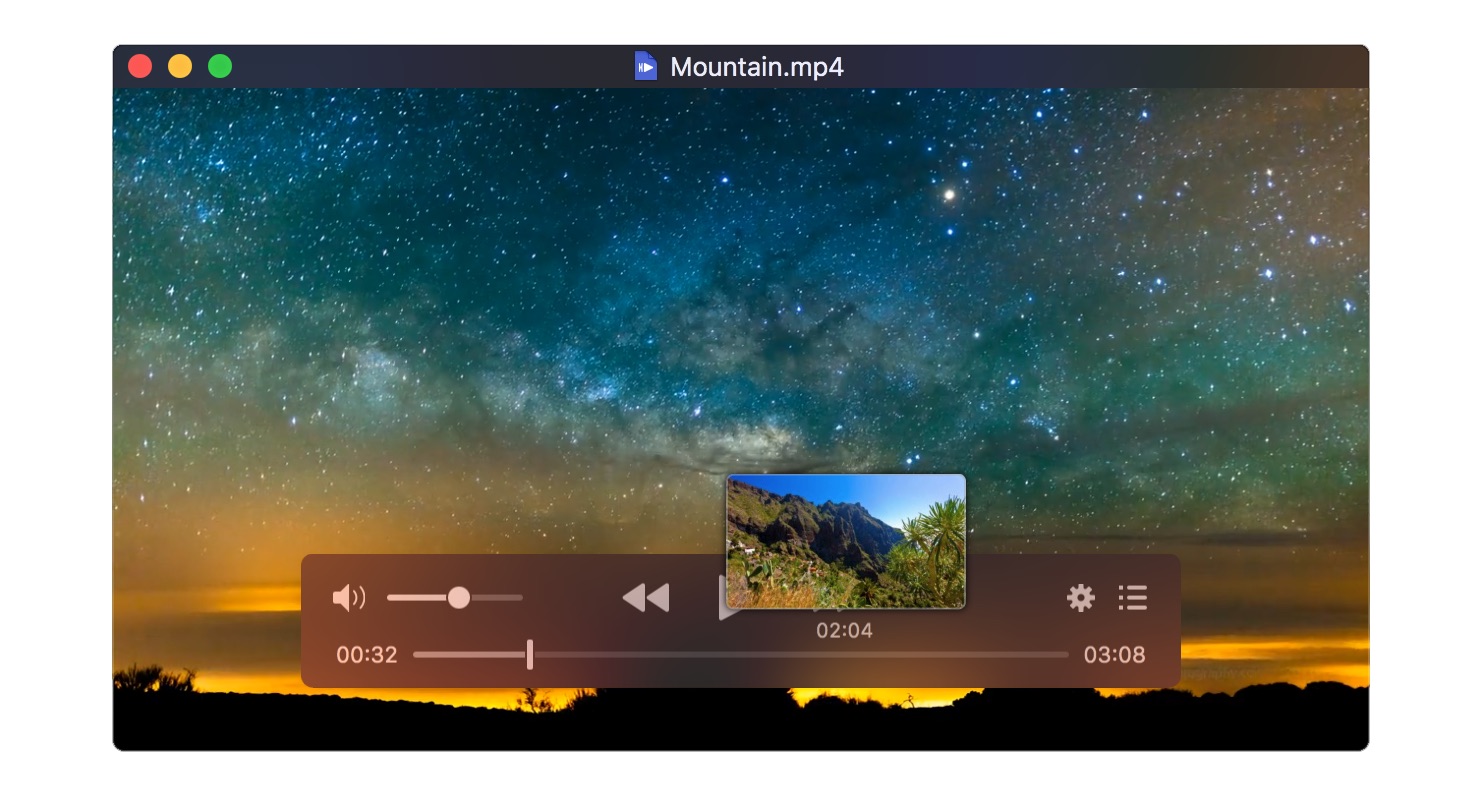
- Modern UI: A clean design with a semi-transparent on-screen controller (OSC) that matches the macOS aesthetic.
- Trackpad & Mouse Gestures: Native support for swiping and scrolling to control volume and seeking.
- Touch Bar & Force Touch: Deep integration for those with compatible hardware, allowing for tactile scrubbing.
- Thumbnail Previews: Hovering over the seek bar displays a video preview, which I found helpful for navigating long files.
- Online Subtitle Search: An integrated tool for finding and downloading subtitles without leaving the app.
The Input Focus Issue
However, during my daily use, I encountered a recurring and specific problem with the media controls. At random intervals, the app seems to lose “focus,” causing the primary playback shortcuts to stop responding entirely.
I found that while a video was playing in fullscreen, the Spacebar would fail to pause the video, and the left/right arrow keys would not seek. Most notably, pressing Escape to exit fullscreen would do nothing. Instead of performing the action, the system would play the standard “shortcut does not exist” alert sound. It feels as though the video layer is active, but the control layer has moved into the background. While restarting the app or clicking the window sometimes fixes this, the issue has reappeared enough times to be a notable inconvenience during long viewing sessions.
Considering Alternatives
When IINA’s control issues became a distraction, I tested a few other options to see how they compared in terms of reliability:
Elmedia Player
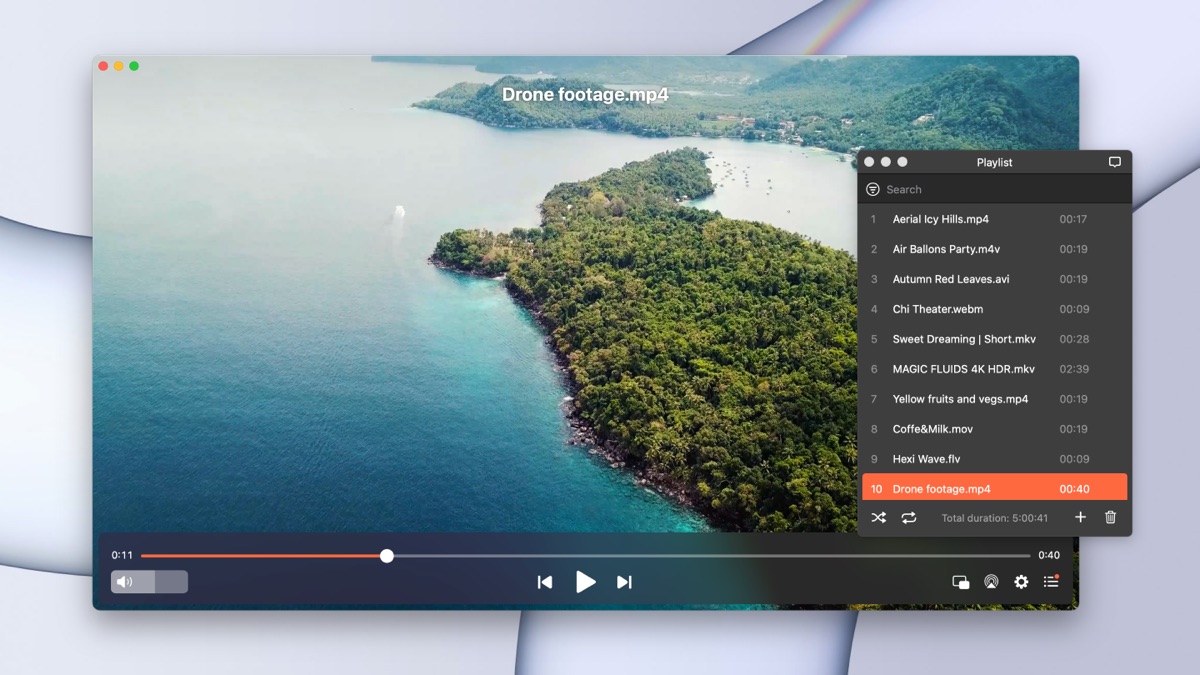
Elmedia Player is a stable alternative that I found to be highly reliable for high-bitrate content. It manages wide format compatibility (including AVI, FLV, WMV, and MKV) and offers excellent subtitle controls, such as manual synchronization and font customization. I noticed it lacks the focus-loss bugs I experienced with IINA. It also includes built-in audio customization tools like a 10-band equalizer and the ability to stream local files to Chromecast, AirPlay, or DLNA devices.
QuickTime
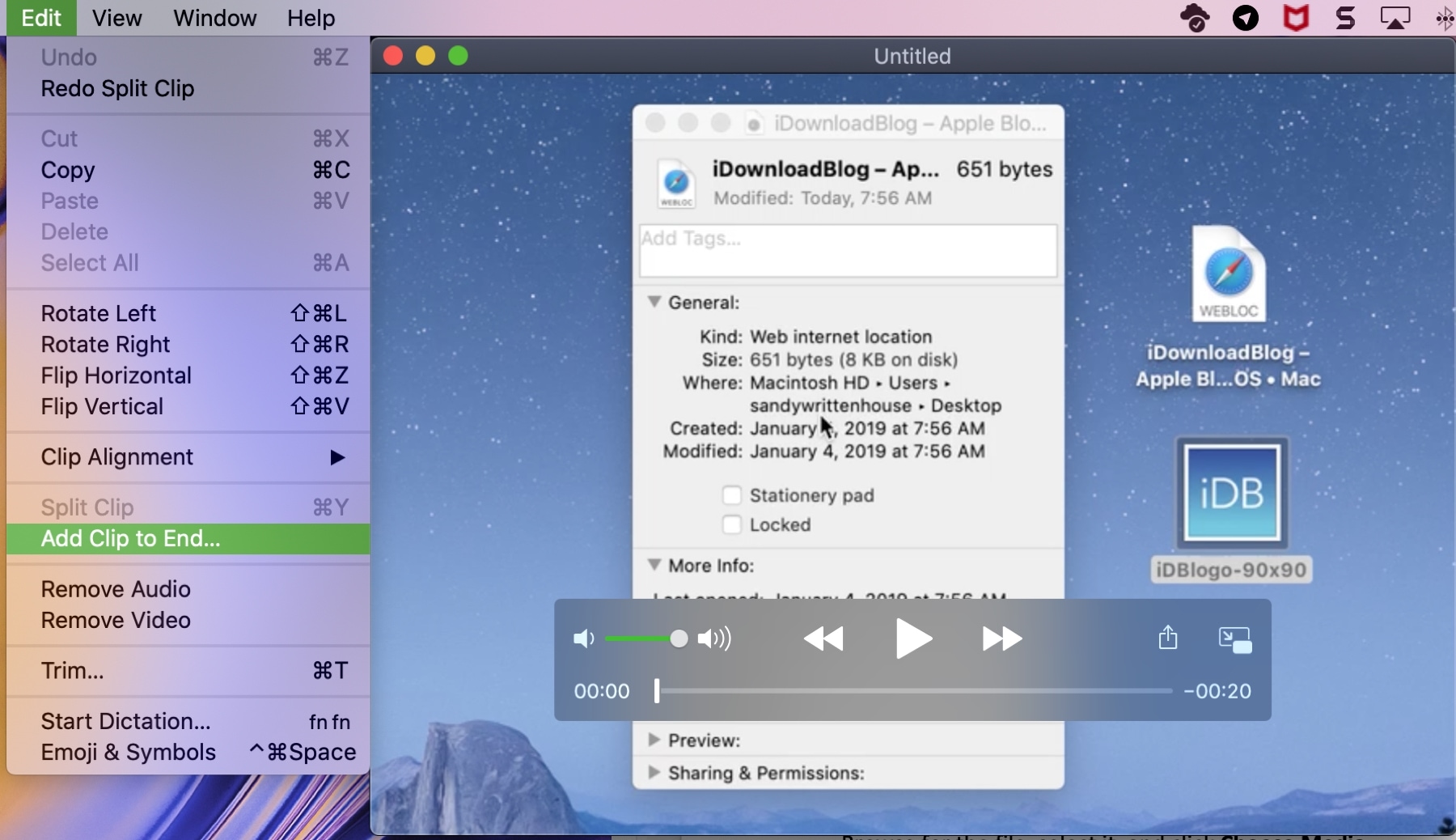
I still keep QuickTime around for basic tasks, but it has significant limitations. It frequently suffers from limited codec support – specifically for VP9 and MKV – resulting in playback errors or the inability to open certain MP4 files. Key limitations I noticed include restricted advanced editing in the base version and potential recording failures during long sessions due to its reliance on RAM-based storage, which can lead to file corruption if space runs low.
For those interested in exploring a wider range of software, there are several active forum threads where Mac users share their updated impressions of the best media player.
Final Verdict
In my experience, IINA is a visually refined player that integrates well with the macOS ecosystem, but it carries some usability trade-offs.
Strengths noticed during testing:
- Native design that matches the macOS aesthetic.
- Reliable support for HDR and modern codecs.
- Comprehensive subtitle and playback customization.
Weaknesses and recurring concerns:
- Periodic loss of focus where media control buttons (Space, Arrows, Esc) fail to respond.
- Occasional high resource usage that can lead to heavy battery drain.
- Stability can be inconsistent depending on the specific hardware and macOS version.
12 Likes
I went through the same VLC/mpv → IINA phase and stuck with it for about a year as my main player on an Intel MBP and later an M2.
Short version for your priorities:
Stability
On Apple Silicon it behaves fine most of the time. On Intel I had more random glitches.
The keyboard focus bug @mikeappsreviewer mentioned hit me too, but less often. Maybe once every few days, usually after a lot of fullscreen toggling or multiple external displays. If you use keyboard shortcuts a lot, this is annoying enough to matter.
Codec support and high res playback
Backend is mpv, so codec support is strong.
4K HEVC and high bitrate Blu‑ray rips played smoothly on the M2. On the Intel machine, CPU went high and fans ramped more than with bare mpv or VLC on the same files. So if you care about temps and noise, IINA is not the lightest option.
HDR passthrough was hit or miss depending on macOS version, but that is also an OS problem, not only IINA.
Subtitles
This is where IINA is solid.
• External subs load fast.
• Styles, fonts, outlines and shadows are easy to tweak.
• Per track delay adjustment works, though I agree with @mikeappsreviewer that Elmedia Player does this more cleanly.
Built in subtitle search is handy if you watch a lot of foreign content. I stopped going to subtitle sites all the time.
UI and workflow
If you like mpv but hate managing config files, IINA feels like a nicer shell around mpv.
Keybinding editor is good, so you can bring over your mpv habits without touching scripts.
I do not fully agree it feels like something Apple would ship, some panels feel a bit clunky, but it is still much nicer than VLC.
Where it started to bug me long term
• Occasional input focus loss.
• CPU usage spikes on heavy files on Intel.
• Minor UI hangs when scrubbing big 4K MKVs.
None of this destroyed the experience, but I stopped trusting it for long playlists or when I was presenting something on an external screen.
What I ended up doing
• mpv for serious watching on desktop, with a minimal config.
• Elmedia Player for “just hit play and forget it” on the laptop. It is boring in a good way and its subtitle delay controls and streaming to TV beat IINA for me.
• IINA only when I want quick subtitle search plus a nicer interface.
If you want to test it as a main player, I would do this:
- Install IINA and import a few of your usual files, including a couple of heavy 4K rips.
- Watch for an entire week, full screen, keyboard only, several times per day.
- If you hit the focus bug or fan spikes more than once or twice, keep IINA as a secondary player and look at Elmedia Player as the primary macOS app.
- If it behaves fine, you get a nicer UI on top of mpv with good subtitle handling, which sounds like what you want.
So, it works, but it feels slightly fragile compared to mpv and Elmedia Player over the long haul.
Long-term I’d describe IINA as: really nice when it behaves, just unreliable enough that I wouldn’t make it my only player.
You already got good breakdowns from @mikeappsreviewer and @nachtdromer, so I’ll hit the stuff they didn’t lean on as much and push back a bit where my experience was different.
Stability
For me, the big problem was not crashes but “little annoyances that add up.”
- The keyboard focus bug they both mentioned is very real, but it did not hit me as often. On my M1 Pro it showed up maybe once every week or two, almost always after:
- a lot of fullscreen toggling
- switching between external monitor and built‑in screen
- using picture‑in‑picture then going back
If you are someone who just opens 1 file, hits F to go fullscreen and watches, you might never see it. So I disagree a bit with the “I wouldn’t trust it at all” vibe. I trust it for casual viewing, just not when I’m presenting or have to scrub around live in front of other people.
Codec support / high‑res
Backend is mpv, sure, but the wrapping does matter:
- 4K HEVC: smooth on Apple Silicon, even 10‑bit stuff. On Intel, I saw the same thing they did: fans ramp more than with “plain” mpv for the same file. Not show‑stopping, but noticeable if you are sensitive to noise or battery drain.
- High bitrate Blu‑ray rips: fine on my M1 Pro; I had a couple of heavy grainy encodes where IINA stuttered slightly when jumping chapters, while VLC and raw mpv were smoother.
- Weird old codecs: here I actually found IINA no better than VLC. Anything mpv can’t handle, IINA also can’t. If you’ve got some cursed old RealMedia or funky MPEG2 PS files, VLC still bails you out more often.
So: great for “normal pirate / Blu‑ray / anime” collections, not a miracle worker for really esoteric stuff.
Subtitles
This is where I think IINA punches above its weight and I like it more than they did:
- Styling is straightfoward and clean. With ASS subs, I got fewer rendering glitches vs VLC on macOS.
- Embedded fonts in fansubs generally looked correct without having to fight it.
- Delay adjustment works, and I like the quick shortcuts for nudging subs by small increments. I did not find Elmedia stronger here, more like “different UI for the same job.”
What IINA does win on is that built‑in subtitle search. For tv shows / anime it’s stupidly convenient. If you watch foreign content daily, that feature alone is almost worth having it installed.
Smooth playback / UX
Where I don’t fully agree with the “feels like an Apple app” comment:
- Some preference panes feel cluttered and a bit “developer‑y,” especially the advanced mpv settings.
- The on‑screen controls look nice, but on very bright HDR scenes they can be hard to see.
- Timeline scrubbing was fine for me on 4K files, but the thumbnail previews sometimes lagged behind. Not a dealbreaker, just sloppy.
That said, trackpad gestures, keyboard remapping, and the PiP mode are all solid. If you hate editing mpv.conf, IINA is a very nice compromise between power and convenience.
Where it fits in a long‑term setup
After living with it for ~1.5 years across Intel and Apple Silicon, I ended up here:
-
IINA for:
- casual viewing on the couch
- anything where I want quick subtitle search
- “I don’t feel like thinking, just open the file in something pretty”
-
mpv for:
- serious watching at the desk
- when I care about maximum smoothness, no UI lag, minimal CPU usage
-
Elmedia Player for:
- casting to TV (Chromecast, AirPlay) with less fuss
- fiddly subtitle delay fixing on bad releases
- situations where I absolutely do not want weird bugs (movie night, external display at work, etc.)
If your main priorities are stability and smooth playback for high‑res files, I would not replace VLC/mpv completely with IINA. I’d do this instead:
- Keep mpv or VLC as your “safety” player.
- Install IINA and use it as default for a week.
- If you ever hit the focus bug or random UI weirdness and that annoys you, flip your default back to mpv/VLC and keep IINA as the “nice frontend with subtitle search.”
- If you often stream to a TV or care about rock‑solid behavior more than a pretty UI, seriously look at Elmedia Player as the main macOS app and let IINA sit there as a secondary option.
So, yeah: IINA is good, even very good at times, but it still feels slightly fragile compared to a tuned mpv setup or something like Elmedia Player for long‑term, forget‑it’s‑there use.
Long term, IINA feels like a really polished wrapper around mpv that never quite reaches “trust it blindly” status.
Where I disagree a bit with @nachtdromer / @hoshikuzu: on my M2 MBP the keyboard focus bug is rarer than they describe, but UI jank shows up in other ways. I get the odd micro freeze when I switch audio devices or jump chapters in huge 4K remuxes. Not fatal, just enough that I keep a backup player ready.
If you are coming from bare mpv, the power tradeoff is real. Some mpv configs/scripts do not behave exactly the same through IINA’s GUI bridge, and performance feels a tiny bit softer on heavy HEVC than raw mpv with a tuned config. On the other hand, compared to VLC it is a breath of fresh air in terms of subtitle rendering and track handling.
On Elmedia Player, I agree with @mikeappsreviewer more than the others: it is boring in a useful way.
Pros for Elmedia Player:
• Very consistent behavior on Intel and Apple Silicon, even with long playlists.
• Casting to TVs and dongles is better integrated than IINA’s ecosystem.
• Subtitle delay tools are clearer for non‑power users and you still get styling controls.
• Nice extra audio tools like the equalizer if you actually care about dialog clarity.
Cons for Elmedia Player:
• Interface feels more “generic media app” and less tailored to macOS than IINA.
• Power users used to mpv-level control will hit limits faster, especially with niche filters.
• For local playback only, you might miss the elegant mpv-ish feel and shortcut flexibility that IINA offers.
If I were in your shoes today, caring about stability, subtitles and high res playback:
- Keep mpv as the baseline, especially for the worst 4K encodes.
- Use IINA when you want a nicer interface and built in subtitle search, but do not delete the others.
- Treat Elmedia Player as the dependable workhorse for “this must not glitch,” particularly when casting or watching with other people.
IINA is worth trying as a primary player, just think of it as a comfort layer rather than a full replacement for the tools that have already proven rock solid for you.