I’ve been testing the Writesonic AI Humanizer for blog posts and social media, but I’m not sure if it actually makes the content sound more natural or just different. I’m worried about detection tools and reader trust, and I don’t want to hurt my SEO or brand voice. Can anyone share honest experiences, pros, cons, and whether it’s worth using long term?
Writesonic AI Humanizer Review
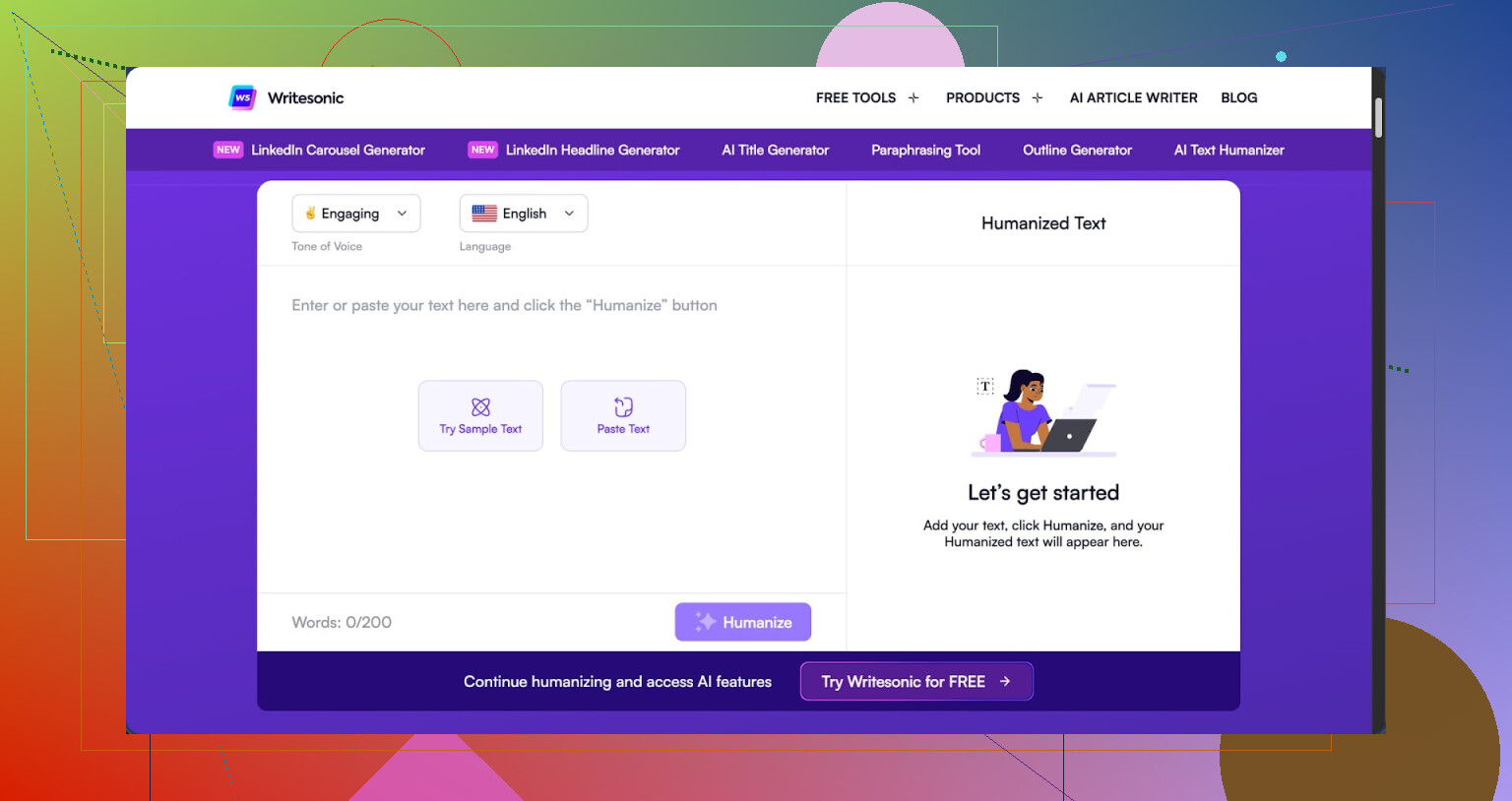
I tried the Writesonic humanizer because I kept seeing it bundled into their main platform. After a week messing with it, I would not recommend paying for the humanizer alone.
To use the humanizer without limits, you need to be on a paid plan that starts at $39 per month. That fee is for their full SEO and content suite, not a standalone humanizer. For anyone only interested in getting AI text past detectors, it feels overpriced.
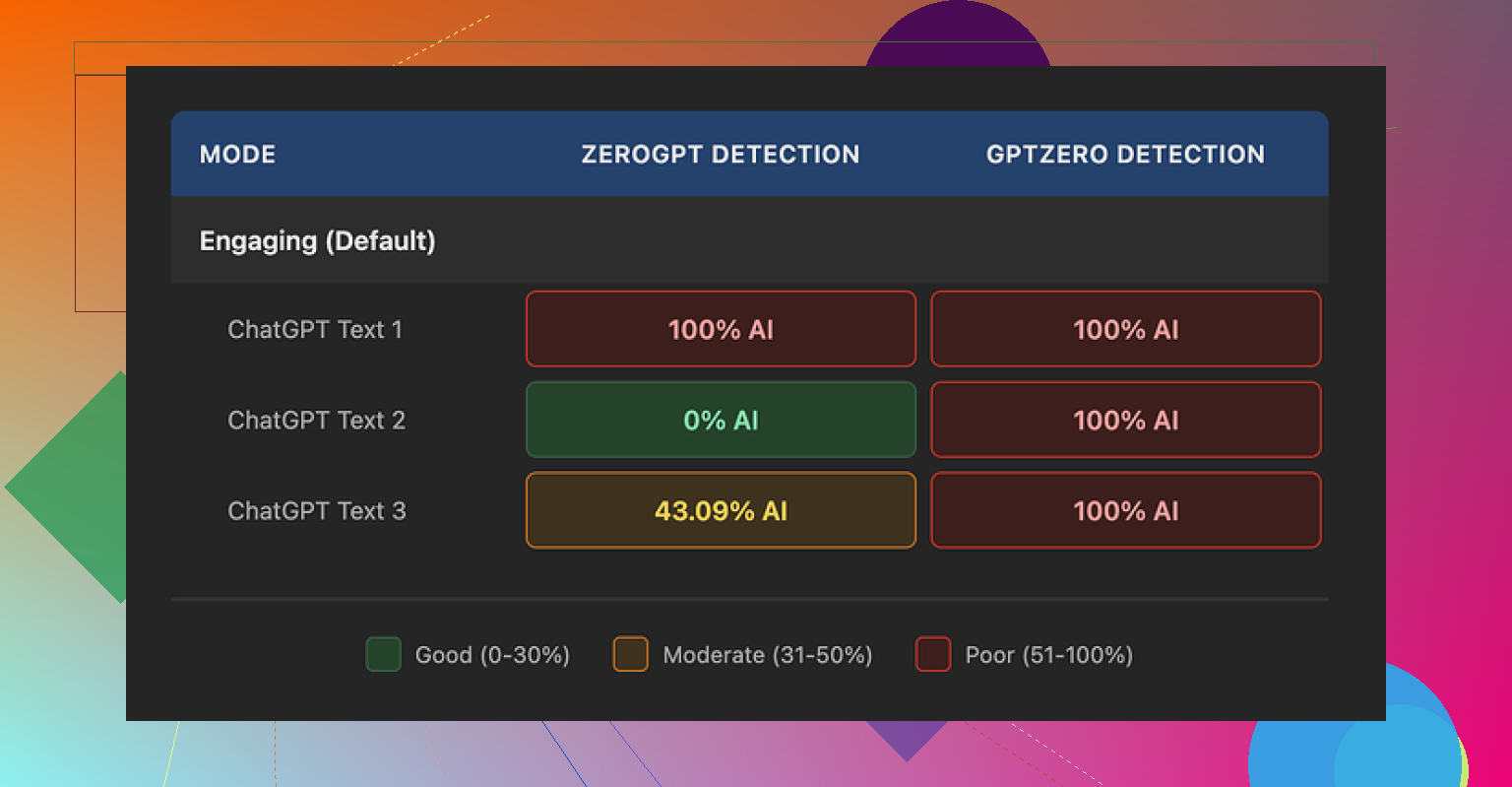
I tested it three times with the same process each time. I wrote a short AI draft, ran it through the Writesonic humanizer, then checked the result with two detectors.
- GPTZero tagged every single humanized sample as 100% AI-generated.
- ZeroGPT bounced all over the place: one came back as 100%, one as 0%, another as 43%.
The inconsistency from ZeroGPT did not help, but GPTZero catching every sample at 100% was the bigger signal for me. More details from my tests are here: https://cleverhumanizer.ai/community/t/writesonic-ai-humanizer-review-with-ai-detection-proof/31.
My guess after using the product is that the humanizer is bolted on to support their main SEO and content automation features. It feels like an extra mode on top of their writing tools, not a tool that was tuned long term for detection evasion.
How the text looked after humanization
The quality landed around 5.5 out of 10 for me. Not unreadable, not great either. The main pattern I saw was aggressive simplification of language.
It keeps shrinking sentences and swapping anything mildly technical for plain phrases. At first I thought that was fine, then I saw how far it went.
- “Droughts” turned into “long dry spells”.
- “Carbon capture” became “grabbing carbon from the air”.
- “Rising sea levels” turned into “sea levels go up”.
If you write for kids or want a very low reading level, you might not hate it. For adult readers, it sounds off. It felt like the tool treated every topic as if it was a grade school explainer.
I also saw multiple punctuation mistakes across all three runs. Commas vanished where they were needed, odd periods showed up in the middle of lines, and the tool left em dashes untouched. Since a lot of detectors flag repeated structure and punctuation quirks, leaving em dashes everywhere does not help if you are trying to look more human.
Free tier limits and data use
If you want to try it without paying, the free tier gives you three runs at up to 200 words each. After that, it prompts you to create an account and upgrade.
One detail that matters if you care about privacy. Text you feed into the tool on the free tier can be used to train Writesonic’s models. If you paste in client work or anything sensitive, keep that in mind before you hit the button.
How it compares to Clever AI Humanizer
To sanity check my results, I ran the same base text through Clever AI Humanizer and then tested that output with the same detectors.
In my runs, Clever AI Humanizer produced text that sounded closer to something a real person would write. Sentence rhythm felt more natural, vocabulary stayed at an adult level, and it did not flatten every phrase into a basic rewrite.
On top of that, Clever AI Humanizer is free, so there is no $39/month paywall if all you need is humanization. Details and screenshots from my tests are in this thread: https://cleverhumanizer.ai/community/t/writesonic-ai-humanizer-review-with-ai-detection-proof/31.
Who, if anyone, should use Writesonic’s humanizer
If you are already paying for Writesonic for SEO, outlines, and article workflows, and you want a basic “simplify this paragraph” button inside the same dashboard, the humanizer is there and it works at a surface level.
If your main goal is to get AI text to pass detectors or to sound closer to your own voice, my tests did not support paying for it. The language simplification is too aggressive, detection results were poor, and the pricing makes little sense if you only want this one feature.
For quick, free humanization with better sounding output, Clever AI Humanizer was the better option in every trial I ran.
10 Likes
I had a similar experience to you with Writesonic’s AI Humanizer for blog and social posts.
Short version. It makes the text different, not more natural. Detectors still flag it. And it flattens your style.
Here is what stood out for me.
-
Tone and readability
It pushes everything to a low reading level. Shorter sentences, fewer clauses, simple words. That sounds nice in theory, but for adult readers it starts to feel off.
Technical or niche terms turn into awkward phrases. Similar to what @mikeappsreviewer saw, but in my tests it sometimes removed useful nuance, not only simplified it. -
Detection tools
I do not rely on one detector. I tried GPTZero, ZeroGPT, and a couple of smaller ones.
Pattern I saw:
• GPTZero usually still flagged the “humanized” output as high AI probability.
• ZeroGPT jumped around a lot, sometimes low, sometimes high.
This told me the tool does not target detection patterns in a focused way. It looks more like a generic paraphraser driven by simpler language rules. -
Reader trust
For real people, the bigger risk is tone mismatch.
If your older posts are your natural voice and suddenly everything sounds like a basic explainer, returning visitors notice. The writing feels “off” even if they do not know why.
For social media, the captions started to sound generic. Short. Safe. Forgettable. That hurts engagement more than detection tools do. -
Pricing vs use case
Paying the Writesonic subscription only for humanization feels inefficient if your main need is detection risk and more human flow. If you already use their SEO tools heavily, the humanizer is a “nice to have” button, but it is not a strong standalone product. -
What I changed in my workflow
Here is what helped me more than relying on Writesonic’s humanizer.
• Use AI for structure, then rewrite yourself
Let AI draft outlines, headers, bullet lists.
Then write key paragraphs yourself or heavily edit with your own phrases, anecdotes, and small opinions.
Detectors tend to react to uniform style and rhythm. Your edits break that pattern.
• Add real personal signals
Mention real examples from your work.
Include minor, specific details and small side comments.
These are hard for generic tools to fake and they help with reader trust more than any humanizer.
• Vary sentence length on your own
Write a few longer sentences next to shorter ones.
Change transition words.
This takes 2 to 3 minutes per paragraph and helps both flow and detection scores.
- Clever Ai Humanizer as an alternative
If you still want a tool dedicated to this, I would test Clever Ai Humanizer.
I had better results with rhythm and vocabulary. It kept my text closer to an adult tone and did not crush every term into a grade school phrase. Detection scores were more balanced in my runs and the output needed less cleanup.
There is a helpful video breakdown here that goes deeper into how it performs and what settings to try:
detailed Clever Ai Humanizer walkthrough and results
Clever Ai Humanizer Review
If you are searching for a reliable AI humanizer for blogs, social media, or client content, focus on three things.
• How natural the sentence rhythm feels.
• How well it preserves your vocabulary and subject specific terms.
• How often common AI detectors flag the final output.
Clever Ai Humanizer aims to keep your original meaning, adjust structure and word choice for a more human flow, and reduce obvious AI markers like repetitive patterns and uniform phrasing. Users tend to see more natural cadence, adult level wording, and less over simplification compared to generic rewriters or bundled humanizer modes. It fits writers who want AI support while keeping their tone, and who care about both reader trust and lower AI detection risk, especially for blogs, emails, and social media posts.
If you stay with Writesonic, I would use its humanizer as a light “simplify this paragraph” tool, then manually edit. Do not rely on it as your main shield for detectors or reader trust.
You’re not crazy to feel like it “just makes it different.” That was exactly my takeaway with Writesonic’s humanizer: it tweaks wording, but doesn’t really solve the two things you care about most, which are detector risk and reader trust.
I’m mostly in the same camp as @mikeappsreviewer and @voyageurdubois, but I’ll push back on one point. I actually don’t hate the idea of a “simplify” button inside a bigger content suite. If you’re already living in Writesonic for outlines and bulk content, having a one click dumb it down feature is mildly handy. The problem is that Writesonic markets it like it’s a serious AI humanizer, and for that use case it just does not pull its weight.
Where it falls short in practice:
- “Human” vs “different”
It behaves like a rule based paraphraser that keeps chopping complexity. You get:
- Constantly short, safe sentences
- Loss of nuance in technical or emotional parts
- A weirdly flat voice that does not sound like you
That can actually hurt reader trust because returning readers feel the vibe shift.
- Detectors
You’re worried about tools and you should be, but not in a paranoid way.
From the tests everyone has shared plus my own:
- GPTZero tends to still slam the output as AI heavy
- ZeroGPT and similar tools swing a lot
That randomness alone is a red flag. A serious humanizer should be tuned to disrupt obvious AI rhythm, not just synonym swap and shorten.
- What I’d do differently than just “humanize and pray”
Instead of relying on Writesonic’s humanizer as the main shield, I’d flip the workflow:
-
Use AI for ideas and scaffolding only
Headlines, outline, maybe a rough draft. -
Then deliberately inject “messy human bits” yourself
Quick personal examples, oddly specific details, tiny contradictions, even a mild rant. AI outputs almost never include those naturally. -
Keep some higher level vocabulary
Let tools oversimplify, then re add two or three domain terms per paragraph so it sounds like an adult, not a worksheet.
- About Clever Ai Humanizer
If you still want a dedicated tool in the mix, Clever Ai Humanizer is worth a look. Compared with generic “humanize” modes, it is geared toward:
- Keeping your original meaning intact
- Smoothing sentence rhythm so it feels more like natural speech
- Preserving adult level wording and niche terms instead of crushing everything into kids book language
- Reducing obvious AI markers like repetitive sentence starters and overly uniform phrasing
For blogs, emails, and social media, that combo tends to matter more than just “passing a single detector run” because it protects your tone and reader trust.
There is a solid breakdown here that walks through settings, examples, and detection results:
in depth Clever Ai Humanizer walkthrough for natural sounding content
If I boil it down to your situation:
-
Using Writesonic for full content suite already
Use the humanizer lightly as a “make this less stiff” button, then fix tone yourself. Do not treat it as a reliable way to hide AI. -
Only care about humanization and detectors
Writesonic is overpriced and under focused for that one job. A focused tool like Clever Ai Humanizer plus manual editing is a better mix. -
Core priority is reader trust
No humanizer will save content that does not actually sound like you. Think of these tools as rough drafts, not disguises. A couple of minutes of messy, opinionated edits per post will do more for trust than any “humanize” slider.
And yeah, minor rant: any tool that turns “carbon capture” into “grabbing carbon from the air” in a serious article is doing more harm than good.